> ## Documentation Index
> Fetch the complete documentation index at: https://docs.portkey.ai/docs/llms.txt
> Use this file to discover all available pages before exploring further.
# Anthropic Computer Use
Anthropic computer use is fully supported in Portkey.
For more information on the computer use tool, please refer to the [Anthropic documentation](https://docs.anthropic.com/en/docs/agents-and-tools/tool-use/computer-use-tool).
### Usage
```py Python theme={"system"}
from portkey_ai import Portkey
# Initialize the Portkey client
portkey = Portkey(
api_key="PORTKEY_API_KEY", # Replace with your Portkey API key
provider="@PROVIDER",
strict_open_ai_compliance="false"
)
# Create the request
response = portkey.chat.completions.create(
anthropic_beta="computer-use-2025-01-24",
model="claude-opus-4-20250514",
max_tokens=3000,
thinking={
"type": "enabled",
"budget_tokens": 2030
},
tools=[
{
"type": "computer_20250124",
"name": "computer",
"type": "computer",
"computer": {
"name": "computer_20250124",
"display_width_px": 1024,
"display_height_px": 768,
"display_number": 1,
}
},
{
"type": "str_replace_editor",
"str_replace_editor": {
"name": "text_editor_20250124",
}
},
{
"type": "bash",
"bash": {
"name": "bash_20250124",
}
}
],
messages=[
{
"role": "user",
"content": "Save a picture of a cat to my desktop."
}
]
)
print(response)
```
```ts NodeJS theme={"system"}
import Portkey from 'portkey-ai';
// Initialize the Portkey client
const portkey = new Portkey({
apiKey: "PORTKEY_API_KEY", // Replace with your Portkey API key
provider:"@PROVIDER",
strictOpenAiCompliance: false
});
// Generate a chat completion
async function getChatCompletionFunctions() {
const response = await portkey.chat.completions.create({
model: "claude-4-opus-20250514",
anthropic_beta: "computer-use-2025-01-24",
max_tokens: 3000,
thinking: {
type: "enabled",
budget_tokens: 2030
},
stream: false,
tools: [
{
type: "computer",
computer: {
name: "computer_20250124", // This is the version of the tool
display_width_px: 1024,
display_height_px: 768,
display_number: 1
}
},
{
"type": "str_replace_editor",
"str_replace_editor": {
"name": "text_editor_20250124",
}
},
{
"type": "bash",
"bash": {
"name": "bash_20250124",
}
}
],
"messages": [
{
role: "user",
content: "Save a picture of a cat to my desktop."
}
]
});
console.log(response);
}
// Call the function
getChatCompletionFunctions();
```
```sh cURL theme={"system"}
curl "https://api.portkey.ai/v1/chat/completions" \
-H "Content-Type: application/json" \
-H "x-portkey-api-key: $PORTKEY_API_KEY" \
-H "x-portkey-provider: anthropic" \
-H "x-api-key: $ANTHROPIC_API_KEY" \
-H "x-portkey-strict-open-ai-compliance: false" \
-d '{
"model": "claude-4-opus-20250514",
"anthropic_beta": "computer-use-2025-01-24",
"max_tokens": 3000,
"thinking": {
"type": "enabled",
"budget_tokens": 2030
},
"stream": false,
"tools": [
{
"type": "computer",
"computer": {
"name": "computer_20250124",
"display_width_px": 1024,
"display_height_px": 768,
"display_number": 1
}
},
{
"type": "str_replace_editor",
"str_replace_editor": {
"name": "text_editor_20250124",
}
},
{
"type": "bash",
"bash": {
"name": "bash_20250124",
}
}
],
"messages": [
{
"role": "user",
"content": "Save a picture of a cat to my desktop."
}
]
}'
```
# Portkey Features
Now that you have enterprise-grade Anthropic Computer Use setup, let's explore the comprehensive features Portkey provides to ensure secure, efficient, and cost-effective AI-assisted development.
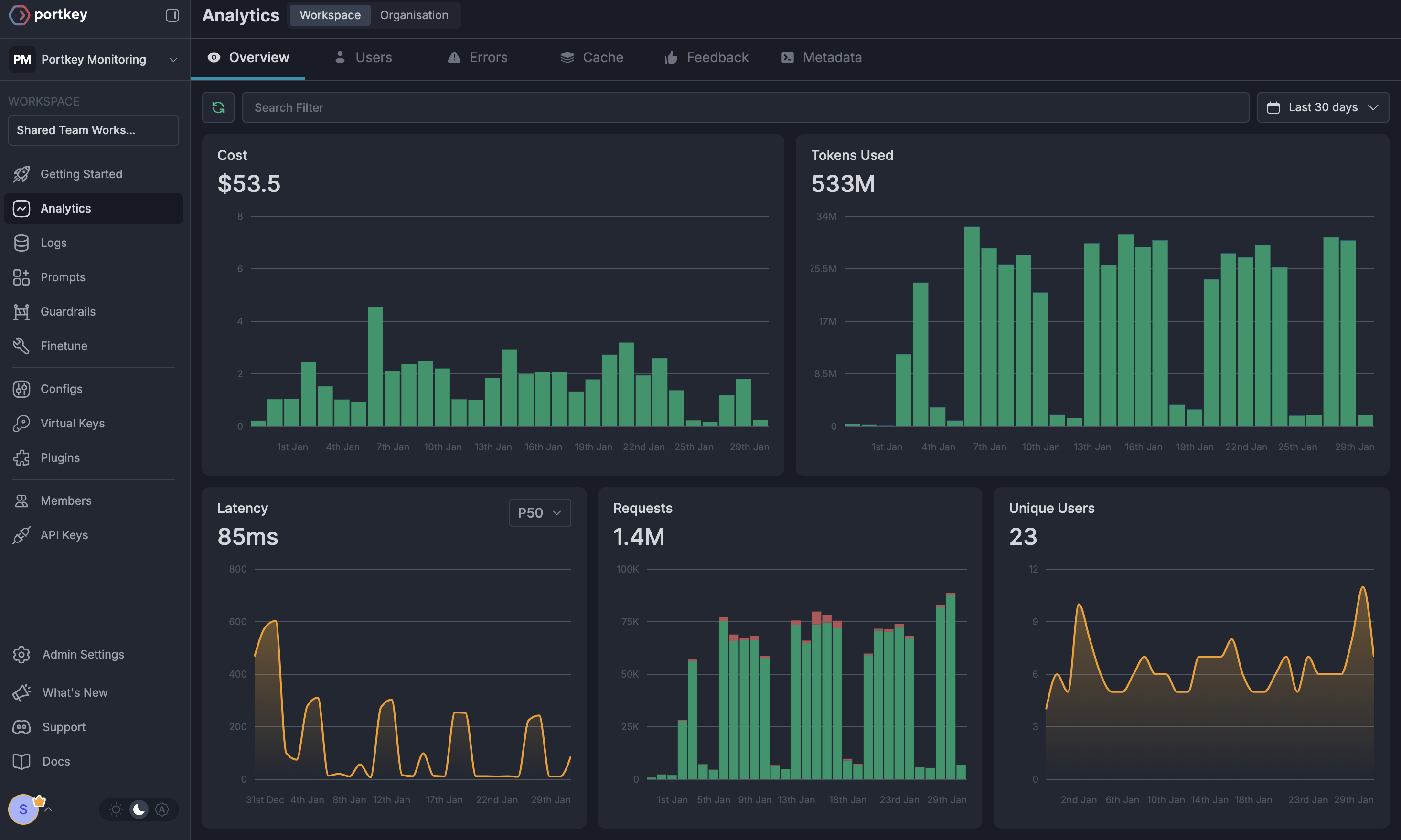
### 1. Comprehensive Metrics
Using Portkey you can track 40+ key metrics including cost, token usage, response time, and performance across all your LLM providers in real time. Filter these metrics by developer, team, or project using custom metadata.
 ### 2. Advanced Logs
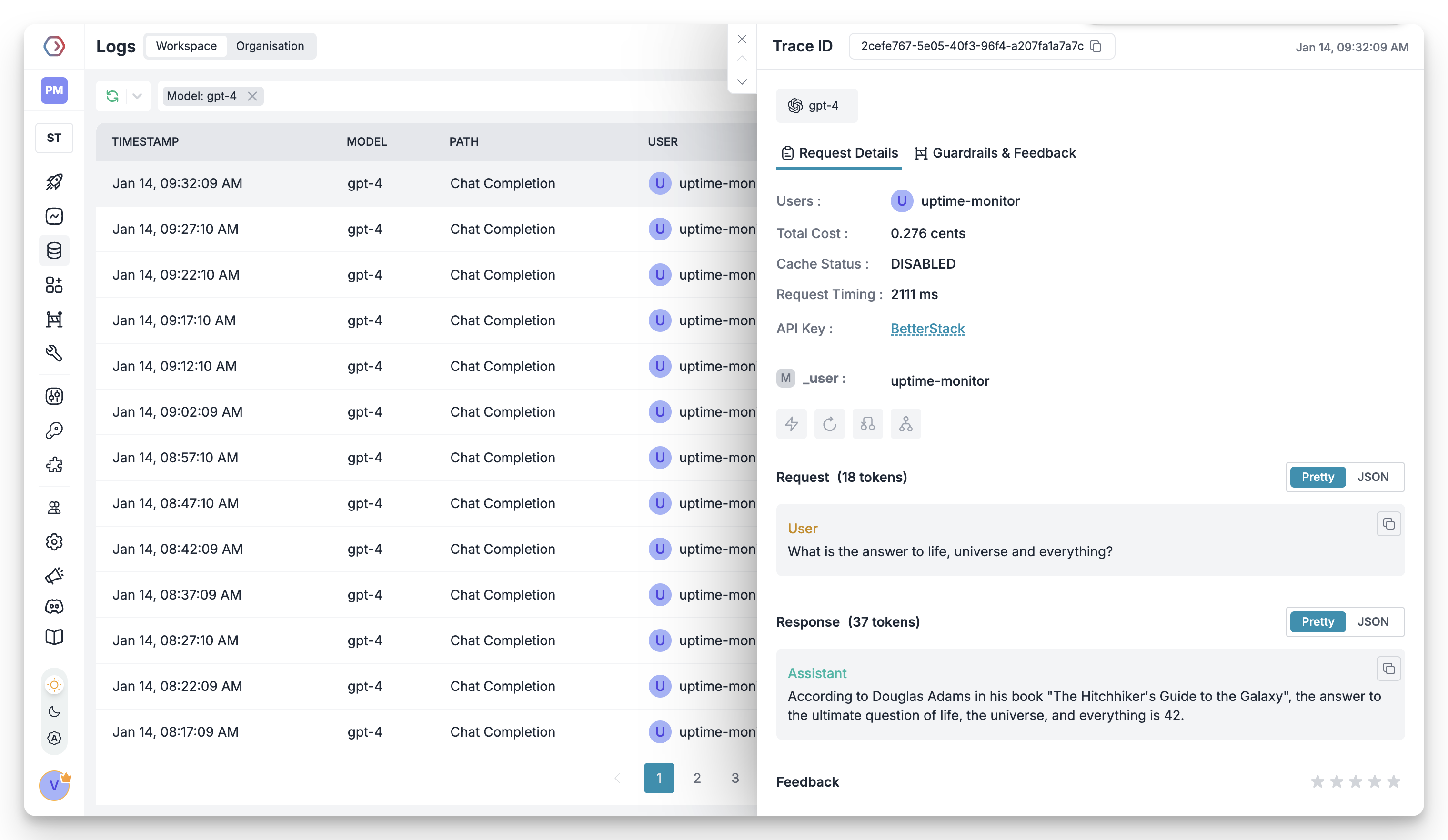
Portkey's logging dashboard provides detailed logs for every request made by Anthropic Computer Use. These logs include:
* Complete request and response tracking
* Code context and generation metrics
* Developer attribution
* Cost breakdown per coding session
### 2. Advanced Logs
Portkey's logging dashboard provides detailed logs for every request made by Anthropic Computer Use. These logs include:
* Complete request and response tracking
* Code context and generation metrics
* Developer attribution
* Cost breakdown per coding session
 ### 3. Unified Access to 1600+ LLMs
Easily switch between 1600+ LLMs for different coding tasks. Use GPT-4 for complex architecture decisions, Claude for detailed code reviews, or specialized models for specific languages - all through a single interface.
### 4. Advanced Metadata Tracking
Track coding patterns and productivity metrics with custom metadata:
* Language and framework usage
* Code generation vs completion tasks
* Time-of-day productivity patterns
* Project-specific metrics
### 5. Enterprise Access Management
Set and manage spending limits per developer or team. Prevent budget overruns with automatic cutoffs.
Enterprise-grade SSO integration for seamless developer onboarding and offboarding.
Hierarchical structure with teams, projects, and role-based access control for development organizations.
Comprehensive audit logging for security compliance and code generation tracking.
### 6. Reliability Features
Automatically switch between models if one fails, ensuring uninterrupted coding.
Route requests based on code complexity or language requirements.
Distribute requests across multiple API keys or providers.
Cache common code patterns to reduce costs and improve response times.
Automatic retry handling for failed requests with exponential backoff.
Enforce spending limits to control development costs.
### 7. Advanced Guardrails
Protect your codebase and enhance security with real-time checks on AI interactions:
* Prevent exposure of API keys and secrets
* Block generation of malicious code patterns
* Enforce coding standards and best practices
* Custom security rules for your organization
* License compliance checks
Implement real-time protection for your development environment with automatic detection and filtering of sensitive code, credentials, and security vulnerabilities.
# FAQs
Portkey provides several ways to track developer costs:
* Use metadata tags to identify developers
* Set up developer-specific API keys
* View detailed analytics in the dashboard
When a developer reaches their budget limit:
1. Further requests will be blocked
2. The developer and admin receive notifications
3. Coding history remains available
4. Admins can adjust limits as needed
Yes! Portkey supports local models through Ollama and other self-hosted solutions. Configure your local endpoint as a custom provider in Portkey and use it with Anthropic Computer Use just like any other provider.
Portkey provides multiple security layers:
* Guardrails to prevent sensitive data exposure
* Request/response filtering
* Audit logs for all interactions
* Custom security rules
* PII detection and masking
# Next Steps
**Join our Community**
* [Discord Community](https://portkey.sh/discord-report)
* [GitHub Repository](https://github.com/Portkey-AI)
For enterprise support and custom features for your development teams, contact our [enterprise team](https://calendly.com/portkey-ai).
### 3. Unified Access to 1600+ LLMs
Easily switch between 1600+ LLMs for different coding tasks. Use GPT-4 for complex architecture decisions, Claude for detailed code reviews, or specialized models for specific languages - all through a single interface.
### 4. Advanced Metadata Tracking
Track coding patterns and productivity metrics with custom metadata:
* Language and framework usage
* Code generation vs completion tasks
* Time-of-day productivity patterns
* Project-specific metrics
### 5. Enterprise Access Management
Set and manage spending limits per developer or team. Prevent budget overruns with automatic cutoffs.
Enterprise-grade SSO integration for seamless developer onboarding and offboarding.
Hierarchical structure with teams, projects, and role-based access control for development organizations.
Comprehensive audit logging for security compliance and code generation tracking.
### 6. Reliability Features
Automatically switch between models if one fails, ensuring uninterrupted coding.
Route requests based on code complexity or language requirements.
Distribute requests across multiple API keys or providers.
Cache common code patterns to reduce costs and improve response times.
Automatic retry handling for failed requests with exponential backoff.
Enforce spending limits to control development costs.
### 7. Advanced Guardrails
Protect your codebase and enhance security with real-time checks on AI interactions:
* Prevent exposure of API keys and secrets
* Block generation of malicious code patterns
* Enforce coding standards and best practices
* Custom security rules for your organization
* License compliance checks
Implement real-time protection for your development environment with automatic detection and filtering of sensitive code, credentials, and security vulnerabilities.
# FAQs
Portkey provides several ways to track developer costs:
* Use metadata tags to identify developers
* Set up developer-specific API keys
* View detailed analytics in the dashboard
When a developer reaches their budget limit:
1. Further requests will be blocked
2. The developer and admin receive notifications
3. Coding history remains available
4. Admins can adjust limits as needed
Yes! Portkey supports local models through Ollama and other self-hosted solutions. Configure your local endpoint as a custom provider in Portkey and use it with Anthropic Computer Use just like any other provider.
Portkey provides multiple security layers:
* Guardrails to prevent sensitive data exposure
* Request/response filtering
* Audit logs for all interactions
* Custom security rules
* PII detection and masking
# Next Steps
**Join our Community**
* [Discord Community](https://portkey.sh/discord-report)
* [GitHub Repository](https://github.com/Portkey-AI)
For enterprise support and custom features for your development teams, contact our [enterprise team](https://calendly.com/portkey-ai).