> ## Documentation Index
> Fetch the complete documentation index at: https://docs.portkey.ai/docs/llms.txt
> Use this file to discover all available pages before exploring further.
# Agent Servers
> Host your agent servers
The Agent Servers are the virtual servers that act as a client to the upstream agent server and as a server to the downstream agent clients.
## Introduction
Instead of your clients (your users/your services) directly interacting with the upstream agent server,
Portkey allows you to:
* create virtual servers and provision access with virtual keys,
* control access to the agent itself and the specific skills and capabilities that the agent provides.
This way, your clients can be restricted to the necessary scopes and capabilities with full observability and logging.
## Usage
Simply replace your agent server URL wherever you are invoking it with the virtual server URL.
For example, if your slug is `test-server` your URL becomes `https://agents.portkey.ai/v1/agent/test-server`.
For self-hosted deployments, replace `agents.portkey.ai` with your gateway
URL.
## Logging
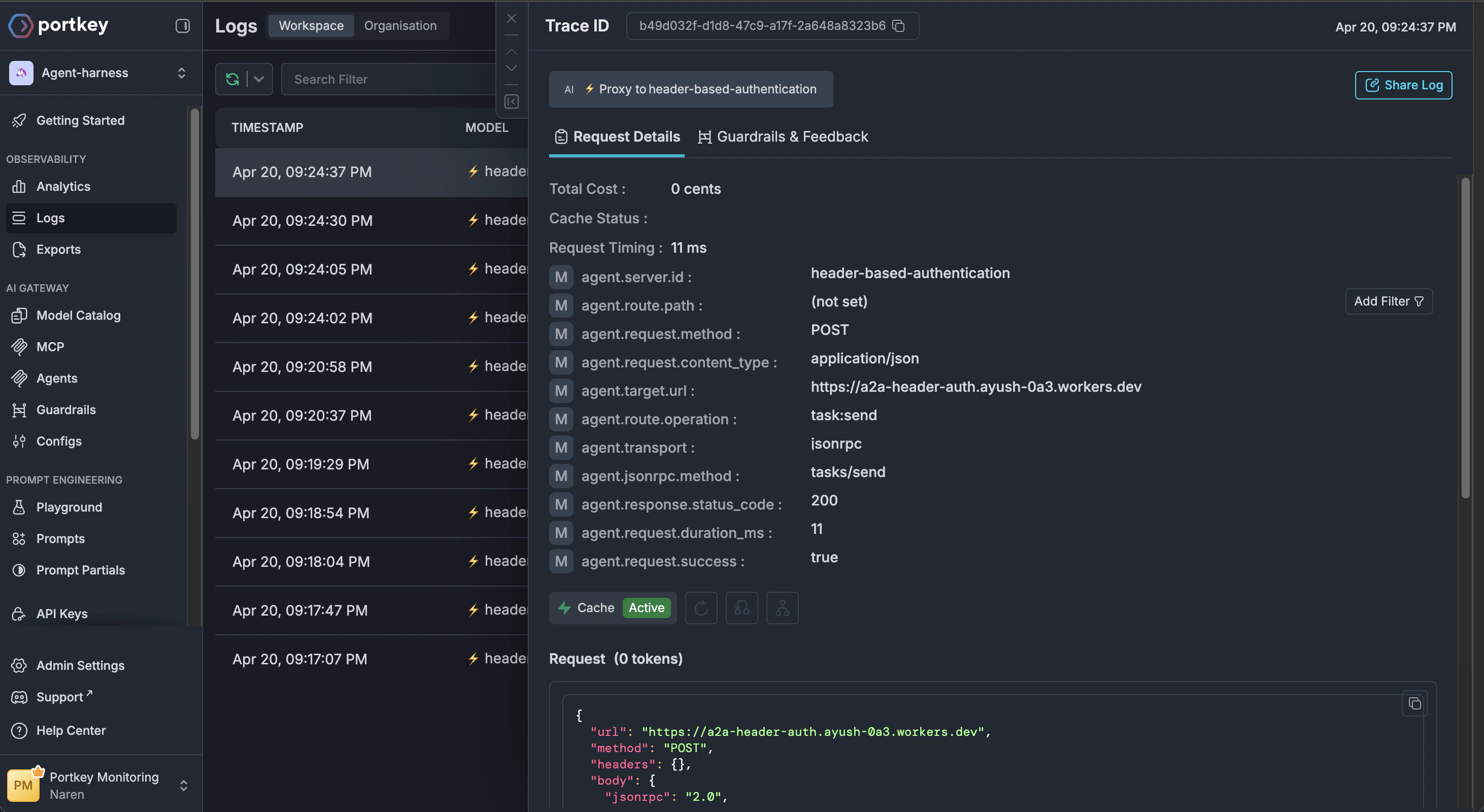
Every request to the virtual server will be logged and can be viewed in the [logs](/product/observability/logs) section.
This forms the basis of the [observability](/product/observability) and [governance](/product/enterprise-offering/access-control-management) features at Portkey.
 ## Further reading
Get started with the Agent Gateway by registering your first agent.
Manage your agent integrations and control access to agents and their skills.
Explore additional examples for fetching agent cards and invoking agents.
View and analyze logs for every request made through your agent servers.
## Further reading
Get started with the Agent Gateway by registering your first agent.
Manage your agent integrations and control access to agents and their skills.
Explore additional examples for fetching agent cards and invoking agents.
View and analyze logs for every request made through your agent servers.