> ## Documentation Index
> Fetch the complete documentation index at: https://docs.portkey.ai/docs/llms.txt
> Use this file to discover all available pages before exploring further.
# Cache (Simple & Semantic)
> Speed up requests and reduce costs by caching LLM responses.
**Simple** caching is available for all plans.
**Semantic** caching requires a vector database and is only available on
select Enterprise plans. [Contact
us](https://portkey.ai/docs/support/contact-us) to learn more about enabling
this feature.
Cache LLM responses to serve requests up to **20x faster** and cheaper.
| Mode | How it Works | Best For | Supported Routes |
| ------------ | ------------------------------------- | -------------------------------- | ------------------------------------- |
| **Simple** | Exact match on input | Repeated identical prompts | All models including image generation |
| **Semantic** | Matches semantically similar requests | Denoising variations in phrasing | `/chat/completions`, `/completions` |
## Enable Cache
Add `cache` to your [config object](/api-reference/config-object#cache-object-details):
```json Simple Cache theme={"system"}
{ "cache": { "mode": "simple" } }
```
```json Semantic Cache theme={"system"}
{ "cache": { "mode": "semantic" } }
```
```json With TTL (60 seconds) theme={"system"}
{ "cache": { "mode": "semantic", "max_age": 60 } }
```
Caching won't work if `x-portkey-debug: "false"` header is included.
## Simple Cache
Returns the cached response when the **exact same request** is sent again.
**Hit when all of these match a cached entry:**
* Full request body (`messages` or `prompt`, `model`, `temperature`, `max_tokens`, and every other parameter)
* `x-portkey-metadata` (if used)
* `x-portkey-cache-namespace` (if used)
* The entry is still within `max_age`
**Miss when:**
* The request is sent for the first time
* Any field in the body changes—even one character in the prompt or a different parameter
* The cached entry has expired
* `x-portkey-cache-force-refresh: true` is set on the request
## Semantic Cache
Matches requests with **similar meaning** using cosine similarity, not just identical text. [Learn more →](https://portkey.ai/blog/reducing-llm-costs-and-latency-semantic-cache/)
Semantic cache is a superset of simple cache. Portkey checks for an exact
match first and only runs semantic search on a miss.
Semantic cache works with requests under 8,191 tokens and ≤4 messages.
**Hit when all of these are true (after a simple-cache miss):**
* User text has **similar meaning** to a cached request — cosine similarity above the threshold (default `0.95`)
* `model`, `temperature`, `max_tokens`, and any other body parameter **match exactly**
* `x-portkey-metadata` matches exactly (if used)
* The **system prompt is ignored** — changing it does not affect cache hits
* At least one `user` message must be present
**Example — same model, different wording → semantic hit:**
```json theme={"system"}
// First request (cached)
{
"model": "gpt-4o",
"messages": [{ "role": "user", "content": "Who is the US president?" }]
}
// Second request — SEMANTIC HIT
{
"model": "gpt-4o",
"messages": [{ "role": "user", "content": "Tell me who is the president of the US." }]
}
```
### Set up semantic caching (self-hosted)
To enable semantic caching on a self-hosted Portkey gateway, configure the embedding provider and a vector database.
Set the following environment variables in your gateway environment for generating vector embeddings:
```bash theme={"system"}
SEMANTIC_CACHE_EMBEDDING_PROVIDER=openai # supported: openai, google, vertex-ai
SEMANTIC_CACHE_EMBEDDINGS_URL=https://api.openai.com/v1/embeddings
SEMANTIC_CACHE_EMBEDDING_MODEL=text-embedding-3-small
SEMANTIC_CACHE_EMBEDDING_API_KEY=
SEMANTIC_CACHE_SIMILARITY_THRESHOLD=0.95
SEMANTIC_CACHE_EMBEDDING_DIMENSIONS=1536
```
`SEMANTIC_CACHE_EMBEDDING_PROVIDER` accepts `openai`, `google` (Gemini embeddings), or `vertex-ai` (Vertex AI embeddings). Set `SEMANTIC_CACHE_EMBEDDINGS_URL`, `SEMANTIC_CACHE_EMBEDDING_MODEL`, and `SEMANTIC_CACHE_EMBEDDING_DIMENSIONS` to match the chosen provider's embedding model.
Set the following environment variables in your gateway environment to connect to your vector store (Milvus or Pinecone):
```bash theme={"system"}
VECTOR_STORE=milvus # supported values: milvus, pinecone
VECTOR_STORE_ADDRESS=
VECTOR_STORE_COLLECTION_NAME=
VECTOR_STORE_API_KEY=
```
**Milvus**
Create a collection whose **name matches** `SEMANTIC_CACHE_EMBEDDING_MODEL` (for example, `text-embedding-3-small` when using that model). The collection must define these fields:
| Field | Type |
| ---------- | ---------------------------------------------------------------------------------------- |
| `id` | `Varchar` |
| `values` | `FloatVector` with dimension **1536** (must match `SEMANTIC_CACHE_EMBEDDING_DIMENSIONS`) |
| `metadata` | `JSON` |
If you change the embedding model or dimension, update the collection schema and `SEMANTIC_CACHE_EMBEDDING_DIMENSIONS` so the vector field size stays aligned.
**Pinecone**
* **`VECTOR_STORE_COLLECTION_NAME`** — Omit this; it is not used for Pinecone.
* **`VECTOR_STORE_ADDRESS`** — Set to your **Pinecone index name** (not a generic host string).
* **`SEMANTIC_CACHE_EMBEDDING_DIMENSIONS`** — Must match the **dimension** configured on the index (same as your embedding vectors).
* In the Pinecone console, create or use an index with **cosine** as the similarity metric so it matches Portkey’s semantic cache behavior.
Set the cache mode to `semantic` in your [config object](/api-reference/config-object#cache-object-details) for each LLM request:
```json theme={"system"}
{ "cache": { "mode": "semantic" } }
```
**Limitations:** - Embedding generation supports OpenAI, Google (Gemini), and
Vertex AI embedding providers. - The LLM model used for generating responses
must be OpenAI-compatible. - Each request must include at least one `user`
message along with system messages. Requests with only system messages are
dropped.
## Cache TTL
Set expiration with `max_age` (in seconds):
```json theme={"system"}
{ "cache": { "mode": "semantic", "max_age": 60 } }
```
| Setting | Value |
| ------- | --------------------------- |
| Minimum | 60 seconds |
| Maximum | 90 days (7,776,000 seconds) |
| Default | 7 days (604,800 seconds) |
### Organization-Level TTL
Admins can set default TTL for all workspaces to align with data retention policies:
1. Go to **Admin Settings** → **Organization Properties** → **Cache Settings**
2. Enter default TTL (seconds)
3. Save
**Precedence:**
* No `max_age` in request → org default used
* Request `max_age` > org default → org default wins
* Request `max_age` \< org default → request value honored
Max org-level TTL: 25,923,000 seconds.
## Force Refresh
Fetch a fresh response even when a cached response exists. This is set **per-request** (not in Config):
```python Python theme={"system"}
response = portkey.with_options(
cache_force_refresh=True
).chat.completions.create(
messages=[{"role": "user", "content": "Hello!"}],
model="@openai-prod/gpt-4o"
)
```
```javascript Node theme={"system"}
const response = await portkey.chat.completions.create(
{
messages: [{ role: "user", content: "Hello" }],
model: "@openai-prod/gpt-4o",
},
{
cacheForceRefresh: true,
},
);
```
```bash cURL theme={"system"}
curl https://api.portkey.ai/v1/chat/completions \
-H "x-portkey-api-key: $PORTKEY_API_KEY" \
-H "x-portkey-config: pc-cache-xxx" \
-H "x-portkey-cache-force-refresh: true" \
-d '{"model": "@openai-prod/gpt-4o", "messages": [{"role": "user","content": "Hello!"}]}'
```
* Requires cache config to be passed - For semantic hits, refreshes ALL
matching entries
## Cache Namespace
By default, Portkey partitions cache by all request headers. Use a custom namespace to partition only by your custom string—useful for per-user caching or optimizing hit ratio:
```python Python theme={"system"}
response = portkey.with_options(
cache_namespace="user-123"
).chat.completions.create(
messages=[{"role": "user", "content": "Hello!"}],
model="@openai-prod/gpt-4o"
)
```
```javascript Node theme={"system"}
const response = await portkey.chat.completions.create(
{
messages: [{ role: "user", content: "Hello" }],
model: "@openai-prod/gpt-4o",
},
{
cacheNamespace: "user-123",
},
);
```
```bash cURL theme={"system"}
curl https://api.portkey.ai/v1/chat/completions \
-H "x-portkey-api-key: $PORTKEY_API_KEY" \
-H "x-portkey-config: pc-cache-xxx" \
-H "x-portkey-cache-namespace: user-123" \
-d '{"model": "@openai-prod/gpt-4o", "messages": [{"role": "user","content": "Hello!"}]}'
```
## Cache with Configs
Set cache at top-level or per-target:
```json Top-Level (all targets) theme={"system"}
{
"cache": { "mode": "semantic", "max_age": 60 },
"strategy": { "mode": "fallback" },
"targets": [
{ "override_params": { "model": "@openai-prod/gpt-4o" } },
{
"override_params": {
"model": "@anthropic-prod/claude-3-5-sonnet-20241022"
}
}
]
}
```
```json Per-Target theme={"system"}
{
"strategy": { "mode": "fallback" },
"targets": [
{
"override_params": { "model": "@openai-prod/gpt-4o" },
"cache": { "mode": "simple", "max_age": 200 }
},
{
"override_params": {
"model": "@anthropic-prod/claude-3-5-sonnet-20241022"
},
"cache": { "mode": "semantic", "max_age": 100 }
}
]
}
```
Target-level cache takes precedence over top-level.
Targets with `override_params` need that exact param combination cached before
hits occur.
## Analytics & Logs
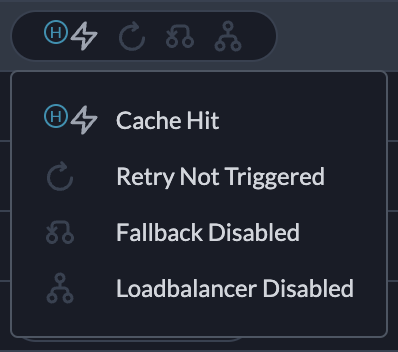
**Analytics** → Cache tab shows:
* Cache hit rate
* Latency savings
* Cost savings
**Logs** → Status column shows: `Cache Hit`, `Cache Semantic Hit`, `Cache Miss`, `Cache Refreshed`, or `Cache Disabled`. [Learn more →](/product/observability/logs)