> ## Documentation Index
> Fetch the complete documentation index at: https://docs.portkey.ai/docs/llms.txt
> Use this file to discover all available pages before exploring further.

# OpenAI Swarm

> The Portkey x Swarm integration brings advanced AI gateway capabilities, full-stack observability, and reliability features to build production-ready AI agents.

Swarm is an experimental framework by OpenAI for building multi-agent systems. It showcases the handoff & routines pattern, making agent coordination and execution lightweight, highly controllable, and easily testable. Portkey integration extends Swarm's capabilities with production-ready features like observability, reliability, and more.

## Getting Started

<Steps>
  <Step>
    ### 1. Install the Portkey SDK

    ```sh theme={"system"}
    pip install -U portkey-ai
    ```
  </Step>

  <Step>
    ### 2. Configure the LLM Client used in OpenAI Swarm

    To build Swarm Agents with Portkey, you'll need two keys:

    * **Portkey API Key**: Sign up on the [Portkey app](https://app.portkey.ai) and copy your API key.

    * **Virtual Key**: Virtual Keys are a secure way to manage your LLM API KEYS in one place. Instead of handling multiple API keys in your code, you can store your LLM provider API Keys securely in Portkey's vault

    Create a Virtual Key in the [Portkey app](https://app.portkey.ai)

    ```py theme={"system"}
    from swarm import Swarm, Agent
    from portkey_ai import Portkey

    portkey = Portkey(
        api_key="YOUR_PORTKEY_API_KEY", # defaults to os.environ.get("PORTKEY_API_KEY")
        virtual_key="YOUR_VIRTUAL_KEY" 
        )

    client = Swarm(client=portkey)
    ```
  </Step>

  <Step>
    ### 3. Create and Run an Agent

    In this example we are building a simple Weather Agent using OpenAI Swarm with Portkey.

    ```py theme={"system"}
    def get_weather(location) -> str:
        return "{'temp':67, 'unit':'F'}"


    agent = Agent(
        name="Agent",
        instructions="You are a helpful agent.",
        functions=[get_weather],
    )

    messages = [{"role": "user", "content": "What's the weather in NYC?"}]

    response = client.run(agent=agent, messages=messages)
    print(response.messages[-1]["content"])
    ```
  </Step>
</Steps>

## E2E example with Function Calling in OpenAI Swarm

Here's a complete example showing function calling and agent interaction:

```py theme={"system"}
from swarm import Swarm, Agent
from portkey_ai import Portkey

portkey = Portkey(
    api_key="YOUR_PORTKEY_API_KEY", # defaults to os.environ.get("PORTKEY_API_KEY")
    virtual_key="YOUR_VIRTUAL_KEY" 
    )

client = Swarm(client=portkey)


def get_weather(location) -> str:
    return "{'temp':67, 'unit':'F'}"


agent = Agent(
    name="Agent",
    instructions="You are a helpful agent.",
    functions=[get_weather],
)

messages = [{"role": "user", "content": "What's the weather in NYC?"}]

response = client.run(agent=agent, messages=messages)
print(response.messages[-1]["content"])
```

> The current temperature in New York City is 67°F.

## Enabling Portkey Features

By routing your OpenAI Swarm requests through Portkey, you get access to the following production-grade features:

<CardGroup cols="3">
  <Card title="Interoperability" href="#1-interoperability-calling-different-llms">
    <p>Call various LLMs like Anthropic, Gemini, Mistral, Azure OpenAI, Google Vertex AI, and AWS Bedrock with minimal code changes.</p>
  </Card>

  <Card title="Caching" href="#2-caching-speed-up-agent-responses">
    <p>Speed up agent responses and save costs by storing past responses in the Portkey cache. Choose between Simple and Semantic cache modes.</p>
  </Card>

  <Card title="Reliability" href="#3-reliability-keep-your-agents-running-smoothly">
    <p>Set up fallbacks between different LLMs, load balance requests across multiple instances, set automatic retries, and request timeouts.</p>
  </Card>

  <Card title="Metrics" href="#4-observability-understand-your-agents">
    <p>Get comprehensive logs of agent interactions, including cost, tokens used, response time, and function calls. Send custom metadata for better analytics.</p>
  </Card>

  <Card title="Logs" href="#5-logs-and-traces">
    <p>Access detailed logs of agent executions, function calls, and interactions. Debug and optimize your agents effectively.</p>
  </Card>

  <Card title="Security & Compliance" href="#6-security-compliance-enterprise-ready-controls">
    <p>Implement budget limits, role-based access control, and audit trails for your agent operations.</p>
  </Card>

  <Card title="Continuous Improvement" href="#7-continuous-improvement">
    <p>Capture and analyze user feedback to improve agent performance over time.</p>
  </Card>
</CardGroup>

## 1. Interoperability - Calling Different LLMs

When building with Swarm, you might want to experiment with different LLMs or use specific providers for different agent tasks. Portkey makes this seamless - you can switch between OpenAI, Anthropic, Gemini, Mistral, or cloud providers without changing your agent code.

Instead of managing multiple API keys and provider-specific configurations, Portkey's Virtual Keys give you a single point of control. Here's how you can use different LLMs with your Swarm agents:

<Tabs>
  <Tab title="Anthropic">
    ```python theme={"system"}
    portkey = Portkey(
        api_key="YOUR_PORTKEY_API_KEY",
        virtual_key="ANTHROPIC_VIRTUAL_KEY" #Just change the virtual key to your preferred LLM provider
    )

    client = Swarm(client=portkey)
    ```
  </Tab>

  <Tab title="Azure OpenAI">
    ```python theme={"system"}
    portkey = Portkey(
        api_key="YOUR_PORTKEY_API_KEY",
        virtual_key="AZURE_OPENAI_VIRTUAL_KEY" #Just change the virtual key to your preferred LLM provider
    )

    client = Swarm(client=portkey)
    ```
  </Tab>
</Tabs>

## 2. Caching - Speed Up Agent Responses

Agent operations often involve repetitive queries or similar tasks. Every time your agent makes an LLM call, you're paying for tokens and waiting for responses. Portkey's caching system can significantly reduce both costs and latency.

Portkey offers two powerful caching modes:

**Simple Cache**: Perfect for exact matches - when your agents make identical requests. Ideal for deterministic operations like function calling or FAQ-type queries.

**Semantic Cache**: Uses embedding-based matching to identify similar queries. Great for natural language interactions where users might ask the same thing in different ways.

```python theme={"system"}
config = {
    "cache": {
        "mode": "semantic",  # or "simple" for exact matching
        "max_age": 3600000  # cache duration in milliseconds
    }
}

portkey = Portkey(
    api_key="YOUR_PORTKEY_API_KEY",
    virtual_key="YOUR_VIRTUAL_KEY",
    config=config
)
```

## 3. Reliability - Keep Your Agents Running Smoothly

When running agents in production, things can go wrong - API rate limits, network issues, or provider outages. Portkey's reliability features ensure your agents keep running smoothly even when problems occur.

<CardGroup cols="2">
  <Card title="Automatic Retries" icon="rotate" href="../../product/ai-gateway/automatic-retries">
    Handles temporary failures automatically. If an LLM call fails, Portkey will retry the same request for the specified number of times - perfect for rate limits or network blips.
  </Card>

  <Card title="Request Timeouts" icon="clock" href="../../product/ai-gateway/request-timeouts">
    Prevent your agents from hanging. Set timeouts to ensure you get responses (or can fail gracefully) within your required timeframes.
  </Card>

  <Card title="Conditional Routing" icon="route" href="../../product/ai-gateway/conditional-routing">
    Send different requests to different providers. Route complex reasoning to GPT-4, creative tasks to Claude, and quick responses to Gemini based on your needs.
  </Card>

  <Card title="Fallbacks" icon="shield" href="../../product/ai-gateway/fallbacks">
    Keep running even if your primary provider fails. Automatically switch to backup providers to maintain availability.
  </Card>

  <Card title="Load Balancing" icon="scale-balanced" href="../../product/ai-gateway/load-balancing">
    Spread requests across multiple API keys or providers. Great for high-volume agent operations and staying within rate limits.
  </Card>
</CardGroup>

## 4. [Observability - Understand Your Agents](/product/observability)

Building agents is the first step - but how do you know they're working effectively? Portkey provides comprehensive visibility into your agent operations through multiple lenses:

**Metrics Dashboard**: Track 40+ key performance indicators like:

* Cost per agent interaction
* Response times and latency
* Token usage and efficiency
* Success/failure rates
* Cache hit rates

<Frame>
  <img src="https://mintlify.s3.us-west-1.amazonaws.com/portkey-docs/images/autogen/autogen-4.gif" />
</Frame>

#### Send Custom Metadata with your requests

Add trace IDs to track specific workflows:

```python theme={"system"}
portkey = Portkey(
    api_key="YOUR_PORTKEY_API_KEY",
    virtual_key="YOUR_VIRTUAL_KEY",
    trace_id="weather_workflow_123",
    metadata={
        "agent": "weather_agent",
        "environment": "production"
    }
)
```

## 5. [Logs and Traces](/product/observability/logs)

Logs are essential for understanding agent behavior, diagnosing issues, and improving performance. They provide a detailed record of agent activities and tool use, which is crucial for debugging and optimizing processes.

Access a dedicated section to view records of agent executions, including parameters, outcomes, function calls, and errors. Filter logs based on multiple parameters such as trace ID, model, tokens used, and metadata.

<Frame>
  <img src="https://mintlify.s3.us-west-1.amazonaws.com/portkey-docs/images/autogen/autogen-4.gif" />
</Frame>

## 6. [Security & Compliance - Enterprise-Ready Controls](/product/enterprise-offering/security-portkey)

When deploying agents in production, security is crucial. Portkey provides enterprise-grade security features:
<CardGroup cols="2">
  <Card title="Budget Controls" icon="money-bill">
    Set and monitor spending limits per Virtual Key. Get alerts before costs exceed thresholds.
  </Card>

  <Card title="Access Management" icon="lock">
    Control who can access what. Assign roles and permissions for your team members.
  </Card>

  <Card title="Audit Logging" icon="list-check">
    Track all changes and access. Know who modified agent settings and when.
  </Card>

  <Card title="Data Privacy" icon="shield-check">
    Configure data retention and processing policies to meet your compliance needs.
  </Card>
</CardGroup>

Configure these settings in the [Portkey Dashboard](https://app.portkey.ai) or programmatically through the API.

## 7. Continuous Improvement

Now that you know how to trace & log your Llamaindex requests to Portkey, you can also start capturing user feedback to improve your app!

You can append qualitative as well as quantitative feedback to any `trace ID` with the `portkey.feedback.create` method:

```py Adding Feedback theme={"system"}
from portkey_ai import Portkey

portkey = Portkey(
    api_key="PORTKEY_API_KEY",
    virtual_key="YOUR_OPENAI_VIRTUAL_KEY"
)

feedback = portkey.feedback.create(
    trace_id="YOUR_LLAMAINDEX_TRACE_ID",
    value=5,  # Integer between -10 and 10
    weight=1,  # Optional
    metadata={
        # Pass any additional context here like comments, _user and more
    }
)

print(feedback)
```

## [Portkey Config](/product/ai-gateway/configs)

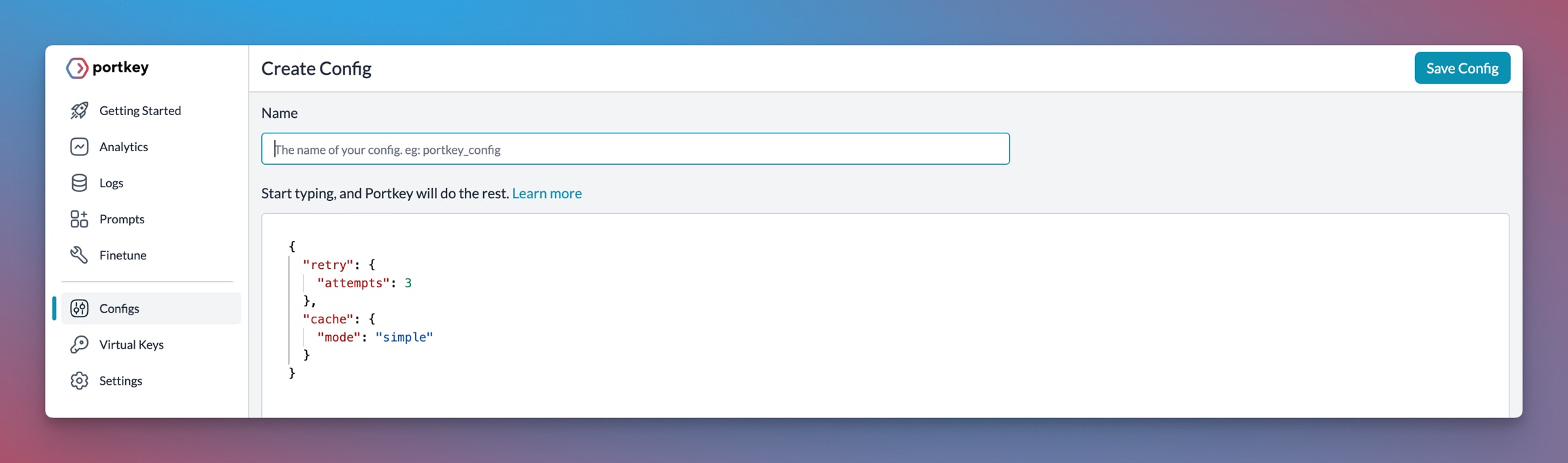
Many of these features are driven by Portkey's Config architecture. The Portkey app simplifies creating, managing, and versioning your Configs.

For more information on using these features and setting up your Config, please refer to the [Portkey documentation](https://docs.portkey.ai).

<Frame>
  <img src="https://mintcdn.com/portkey-docs/T0lFtdapIPX8YtCI/images/libraries/libraries-3.avif?fit=max&auto=format&n=T0lFtdapIPX8YtCI&q=85&s=39c20b2f2dff75c78ed061797342e4bc" width="2304" height="680" data-path="images/libraries/libraries-3.avif" />
</Frame>
