> ## Documentation Index
> Fetch the complete documentation index at: https://docs.portkey.ai/docs/llms.txt
> Use this file to discover all available pages before exploring further.
# Auto-Instrumentation [BETA]
> Portkey's auto-instrumentation allows you to instrument tracing and logging for multiple LLM/Agent frameworks and view the logs, traces, and metrics in a single place.
This feature is currently in beta. We're rolling out support for more frameworks and will also be exposing the otel collector endpoint to view the traces and logs.
## Overview
There's two main components to auto-instrumentation:
1. The Portkey SDK, which can be used for tracing along with being used as a unified API gateway.
2. The Portkey dashboard, which can be used to view the logs, traces, and metrics.
## Portkey SDK
Using portkey for auto-instrumentation is fairly straightforward. A one line addition at the top of your code execution will start sending traces and logs to Portkey.
```python theme={"system"}
from portkey import Portkey
Portkey(api_key="{{PORTKEY_API_KEY}}", instrumentation=True)
```
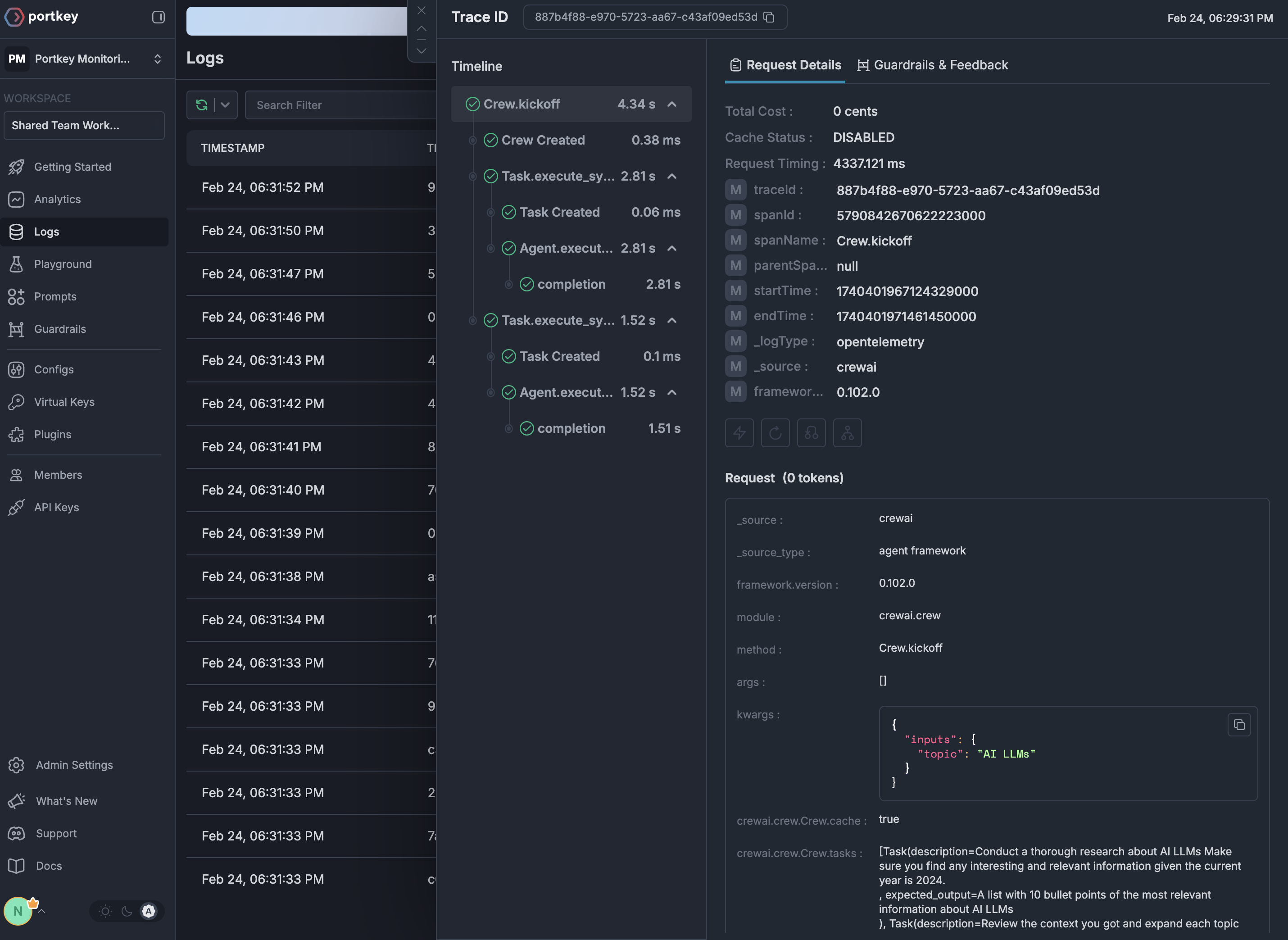
## Portkey Dashboard
The Portkey dashboard can be used to view the logs, traces, and metrics.
 ## Supported Frameworks
We currently support auto-instrumentation for the following frameworks:
* [CrewAI](/integrations/agents/crewai#auto-instrumentation)
* [LangGraph](/integrations/agents/langgraph#auto-instrumentation)
To request support for another framework, please reach out to us on [Discord here](https://portkey.ai/community).
## Supported Frameworks
We currently support auto-instrumentation for the following frameworks:
* [CrewAI](/integrations/agents/crewai#auto-instrumentation)
* [LangGraph](/integrations/agents/langgraph#auto-instrumentation)
To request support for another framework, please reach out to us on [Discord here](https://portkey.ai/community).