Claude Code agents: what they are, how they work, and how to scale them
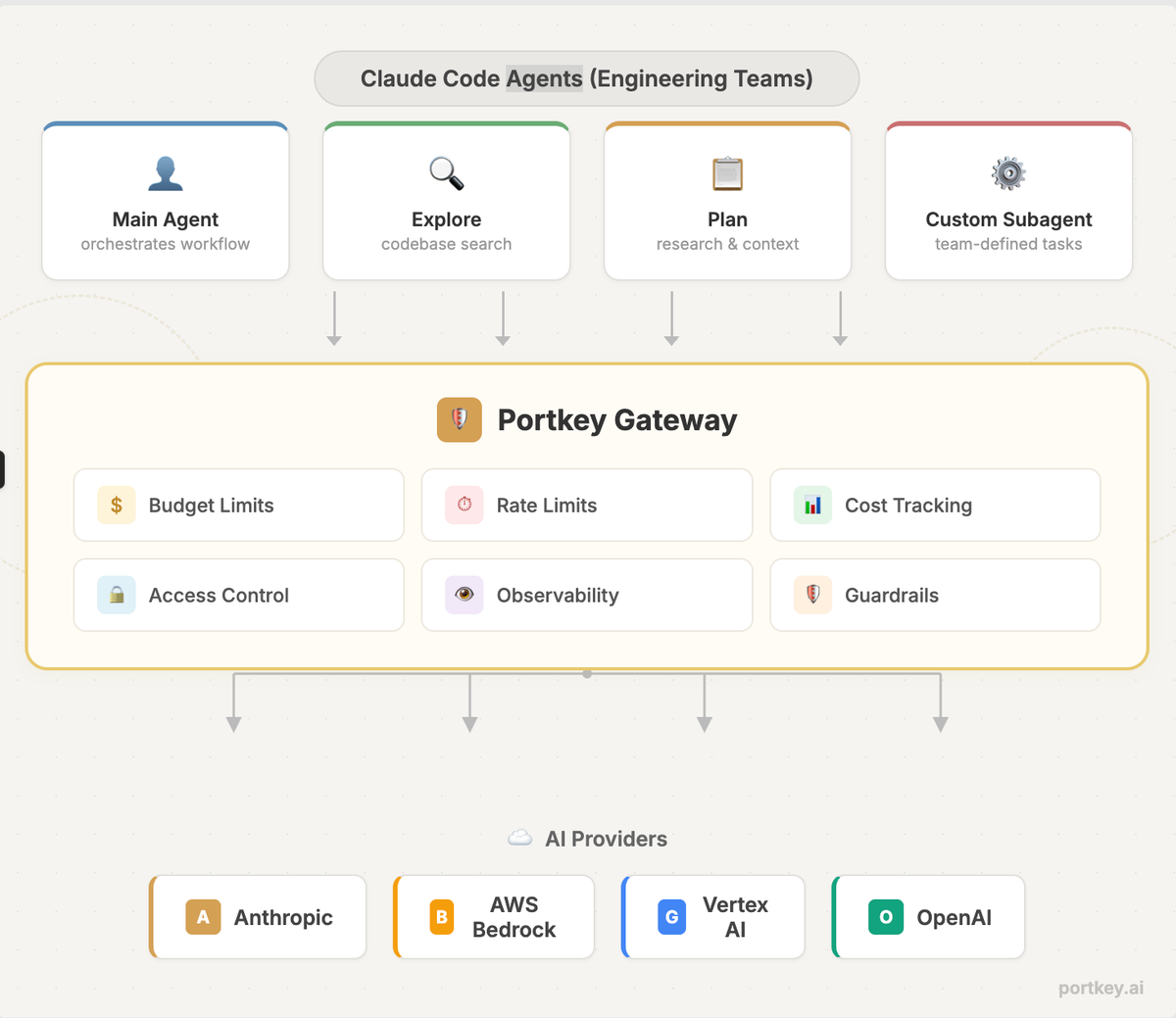
Claude Code is now the most widely used AI coding agent. We all know what it does. The harder question is what happens when you roll it out across a team of 20, 50, or 200 engineers, each running agentic loops that spawn subagents, call MCP tools, and burn through tokens autonomously.
This post covers the agent architecture inside Claude Code, what breaks when you take it to production, and how to add the governance and observability layer that enterprises need.
How Claude Code agents work under the hood
Claude Code runs a straightforward agent loop: the model produces a message, and if it includes a tool call, the tool executes and results feed back into the model. No tool call means the loop stops and the agent waits for input. It ships with around 14 tools spanning file operations, shell commands, web access, and control flow.
What makes the system powerful is the layered agent architecture sitting on top of that loop.
Subagents
Claude Code delegates to specialized subagents that each run in their own context window. The built-in ones include Explore (read-only codebase search), Plan (research for planning mode), and a general-purpose agent for complex multi-step tasks. Each subagent has restricted tool access and independent permissions.
The real value here is context management. Agentic tasks fill up the context window fast. Subagents keep exploration and implementation out of the main conversation, preserving the primary context for decision-making.
You can also define custom subagents as markdown files with YAML frontmatter, scoped to specific tools, models, and system prompts. A read-only code reviewer, a documentation generator, a security auditor, each with exactly the permissions it needs.
Agent teams
Subagents work within a single session. Agent teams coordinate across separate sessions, enabling parallel workflows. Think: one agent building a backend API while another builds the frontend, each in an isolated Git worktree.
Anthropic's own 2026 trends report names multi-agent coordination as a top priority for engineering teams this year.
Skills, hooks, and the Agent SDK
Skills are reusable instruction packages that Claude loads automatically when it encounters a matching task. Hooks trigger actions at specific workflow points (run tests after changes, lint before commits). The Claude Agent SDK gives teams the same underlying tools and permissions framework to build custom agent experiences outside the terminal entirely.
What breaks at scale
None of these capabilities ship with the operational scaffolding that production environments demand. Here is where teams consistently run into trouble.
Runaway costs with no attribution
A single complex task can spawn multiple subagents, each making dozens of tool calls across extended agentic loops. Multiply that by a team of engineers, and token spend becomes unpredictable. Claude Code has no native cost tracking by user, team, or project. The first monthly bill is usually the wake-up call.
Zero observability
There is no built-in logging, tracing, or audit trail. You cannot see what prompts were run, which subagents were spawned, how long requests took, or where errors occurred. For debugging, optimization, and compliance, this is a non-starter.
Single-provider fragility
Claude Code ties you to one provider. If that provider hits rate limits, has an outage, or is unavailable in a region you need, your workflows stop. Switching providers requires manual reconfiguration.
No access control
There is no centralized way to manage API keys, restrict access by role or team, enforce rate limits, or set budget caps. Every developer's setup is independent, which makes governance at scale nearly impossible.
Ungoverned MCP tool access
Claude Code supports MCP for connecting to external tools like GitHub, Slack, databases, and internal APIs. When agents can take real actions through these tools, the question is not whether MCP works but whether it should be allowed, for which agent, with what permissions, and who is watching. Without a governance layer, MCP adoption stalls at experimentation.
Adding governance with an AI gateway
An AI gateway sits between Claude Code and the model providers, adding observability, access control, and reliability without changing how developers use the tool. Portkey is built for exactly this.
Team-level governance
Isolate teams with separate workspaces, each with its own budget, rate limits, and access controls. Manage API keys centrally instead of distributing raw keys to individual developers. Enforce org-wide policies without building custom wrappers.
Multi-provider routing
Route Claude Code requests across Anthropic, Bedrock, and Vertex AI through a single endpoint. Define fallback logic, add load balancing or define conditions using meta data for smarter routing. Developers change nothing in their workflow. The gateway handles it.
Just add this to settings.json
{
  "env": {
    "ANTHROPIC_BASE_URL": "https://api.portkey.ai",
    "ANTHROPIC_AUTH_TOKEN": "YOUR_PORTKEY_API_KEY",
    "ANTHROPIC_CUSTOM_HEADERS": "x-portkey-api-key: YOUR_PORTKEY_API_KEY\nx-portkey-provider: @anthropic-prod"
  }
}
Cost tracking and budget controls
Every request is logged with token usage and cost, broken down by provider, team, user, and project. Set hard budget limits per team or developer. Get alerts when spend crosses thresholds. Route to cheaper providers when cost matters more than latency.
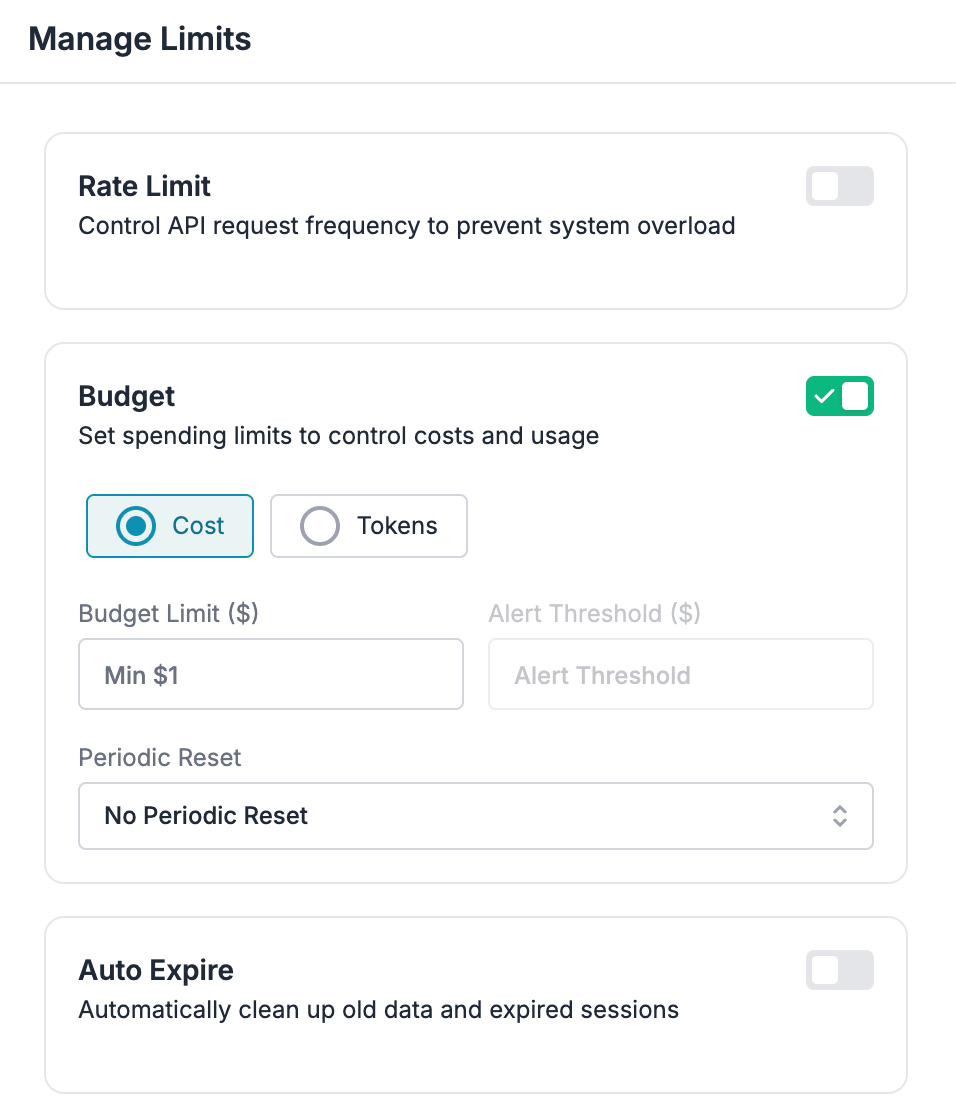
For teams running parallel agent fleets, this is the difference between controlled scaling and a surprise invoice.
Full observability
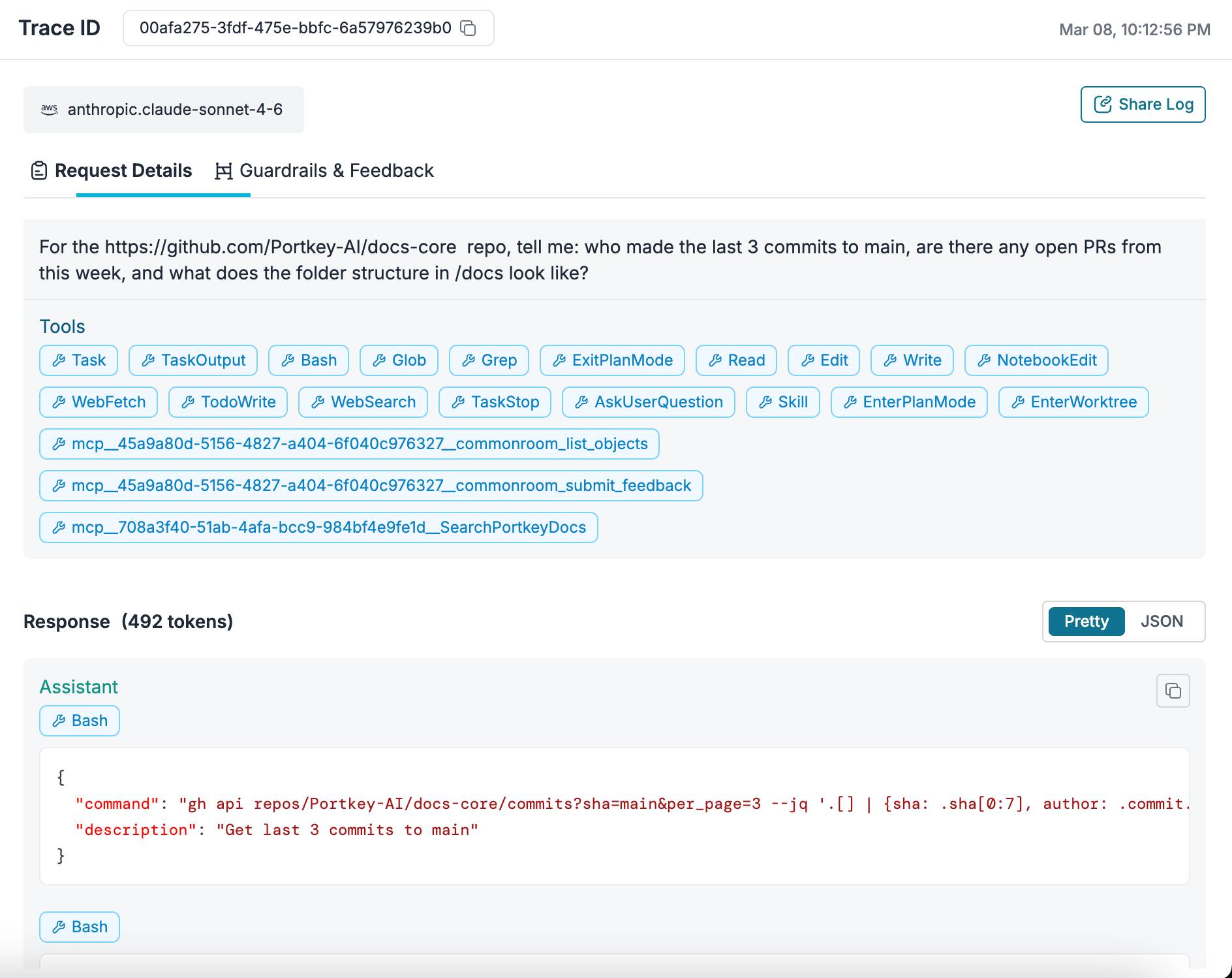
Portkey's OTEL-compliant observability captures every request with metadata: latency, tokens, error rates, provider, route, and custom tags. Filter and search across all Claude Code usage in one dashboard. Debug failed agent loops, monitor MCP tool calls, and track performance trends over time.
Guardrails
Enforce PII detection, content filtering, prompt injection protection, and token limits before requests reach the model. This matters especially for agentic workflows processing sensitive codebases or interacting with production systems through MCP.
MCP Gateway
Portkey's MCP Gateway provides centralized authentication, role-based access control, and full observability for MCP tool connections. Agents authenticate once through Portkey. The gateway handles credential injection, permission checks, and request logging for every configured MCP server.
Platform teams control exactly which teams can access which MCP servers and tools. Every tool call is logged with full context: who accessed what, when, and with what parameters. This is the layer that makes MCP safe for production use.
Putting it together
The shift happening right now is clear. Claude Code agents are moving from individual developer tools to team-level infrastructure. Subagents, agent teams, skills, MCP integrations, and orchestration layers are making agents dramatically more capable. But capability without governance is a liability.
The teams scaling Claude Code successfully are treating it as an infrastructure problem: routing through a gateway, tracking every request, setting budget boundaries, and governing tool access centrally. The developers keep typing claude in their terminal. The platform team gets the visibility and control they need.
To run Claude Code agents with governance at scale, get started with Portkey or book a demo for a walkthrough.