LLM access control in multi-provider environments
Learn how LLM access control works across multi-provider AI setups, including roles, permissions, budgets, rate limits, and guardrails for safe, predictable usage.
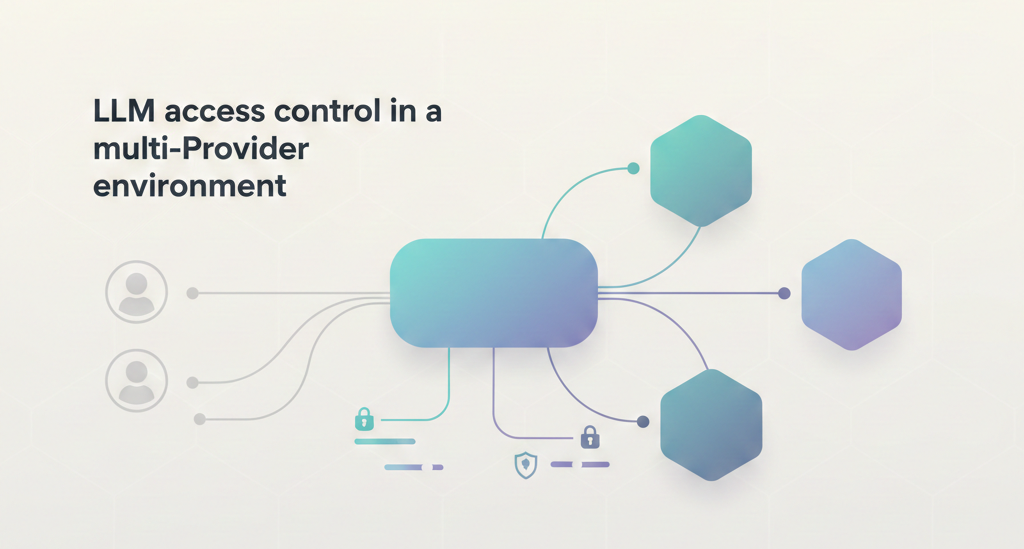
Most organizations have already adopted a mix of AI providers and open source models. This flexibility has become the norm, but it also brings a new governance challenge: every provider comes with different tokens, permissions, limits, and safety settings.
As adoption spreads across departments, organizations need a defined access control layer. Strong LLM access control brings order to this complexity, keeping usage safe, predictable, and aligned with institutional standards while still supporting experimentation and development.
What LLM access control means in a multi-provider world
LLM access control is the set of policies and permissions that determine who can use which models, under what conditions, and with what safeguards. In a single-provider setup, this is often limited to API keys and basic permissions. But in a multi-provider environment, access control becomes far more layered.
Different providers expose different capabilities, cost structures, context limits, and safety defaults. Teams also bring their own tools i.e., agents, notebooks, apps, and integrations, each with its own access patterns. Without a consistent control layer, every team ends up managing permissions differently, which leads to policy drift, duplicated credentials, and uneven security across the organization.
In this environment, access control must span several levels at once:
- Provider-level access: deciding who can use OpenAI, Anthropic, Azure, Google, or local models.
- Account and subscription access: handling enterprise subscriptions, project accounts, and shared keys.
- Model-level access: allowing or blocking specific models depending on role, risk, or cost.
- User and team-level permissions: mapping people and departments to the right capabilities.
- Application-level enforcement: ensuring internal tools, agents, and services follow the same policies.
Together, these levels form the baseline for predictable, governed LLM usage across providers.
Roles and permissions: who can access what
Role-based access control (RBAC) is the foundation of LLM access control. It ensures that people only use the models, providers, and capabilities that match their responsibilities and that these permissions stay consistent across every AI provider and internal tool.
At the top level, organization administrators manage global access. They decide which providers are available, what enterprise accounts are connected, and which high-cost or sensitive models need restricted access.
Project or department owners handle access within their own scope. They assign roles to team members, choose which models support their work, and apply local policies that fit their department’s goals. This matters especially in research and education environments where different groups operate with different levels of risk tolerance and funding.
End-users i.e., developers, researchers, analysts, or students inherit access based on their role. Their permissions determine which models they can call, how much they can consume, and the guardrails applied to their requests.
RBAC becomes far more important in multi-provider setups. Access to GPT-4.1, Claude Opus, Gemini 1.5 Pro, or a specialized open-source model may be limited to specific teams. Some users may only work with smaller, lower-cost models. These distinctions keep usage predictable and prevent unnecessary spend or unintended exposure of sensitive data.
Identity systems like SSO, SCIM, and directory groups tie everything together. When a user joins, leaves, or changes roles, their LLM permissions follow automatically without anyone needing to manage individual API keys.
Budgets and consumption controls
LLM usage can grow faster than expected, especially when multiple teams work across different providers. LLM access control keeps that usage predictable. They define how much a department, project, or individual user can spend, and they ensure that consumption doesn’t outpace governance.
Budgets often operate at several levels. Organizations can set department-wide allocations, while project owners can apply more specific limits that match their workloads. Individual users may have personal quotas to prevent runaway scripts, aggressive experimentation, or unexpected spikes.
Administrators can also apply usage limit policies, which add flexibility beyond static budgets. These policies enforce limits based on dynamic conditions such as API keys, metadata, workspace, environment, or user role.
Multi-provider setups increase the importance of these controls. Each provider has different pricing structures, context window sizes, and token costs. A model that feels affordable for early experimentation may become expensive as workloads grow. Consumption controls help teams choose the right models for the right jobs and prevent hidden costs from accumulating.
Real-time tracking and enforcement complete the picture.
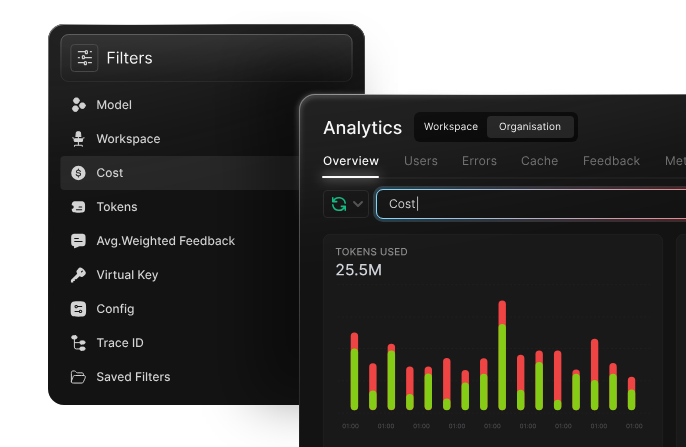
When a user or team approaches a limit, the system can automatically route to lower-cost or lower-capacity models. This ensures consistent access while keeping spending aligned with organizational expectations.
Rate limits and operational safeguards
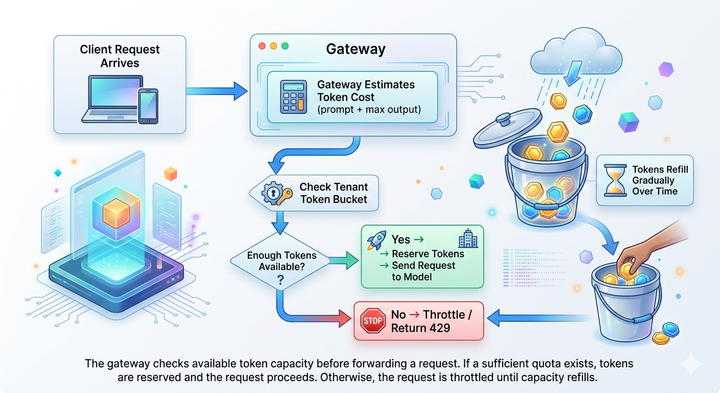
Rate limits are another essential part of LLM access control. They determine how frequently users or applications can call a model and help keep workloads stable across different teams and providers. Without rate limits, a single script, agent loop, or high-volume application can saturate capacity, causing slowdowns or blocking access for others.
Rate limits operate at multiple layers. Providers impose their own limits per account or per model. Organizations then apply internal limits to make sure usage is distributed fairly across departments and that production workloads aren’t affected by experimentation or testing. These internal limits often vary by user role, environment, or model sensitivity.
Operational safeguards build on these limits by automating responses when the system is under load. For example, requests can be queued, throttled, or AI gateway to automatically routed to alternate providers when one endpoint is saturated.
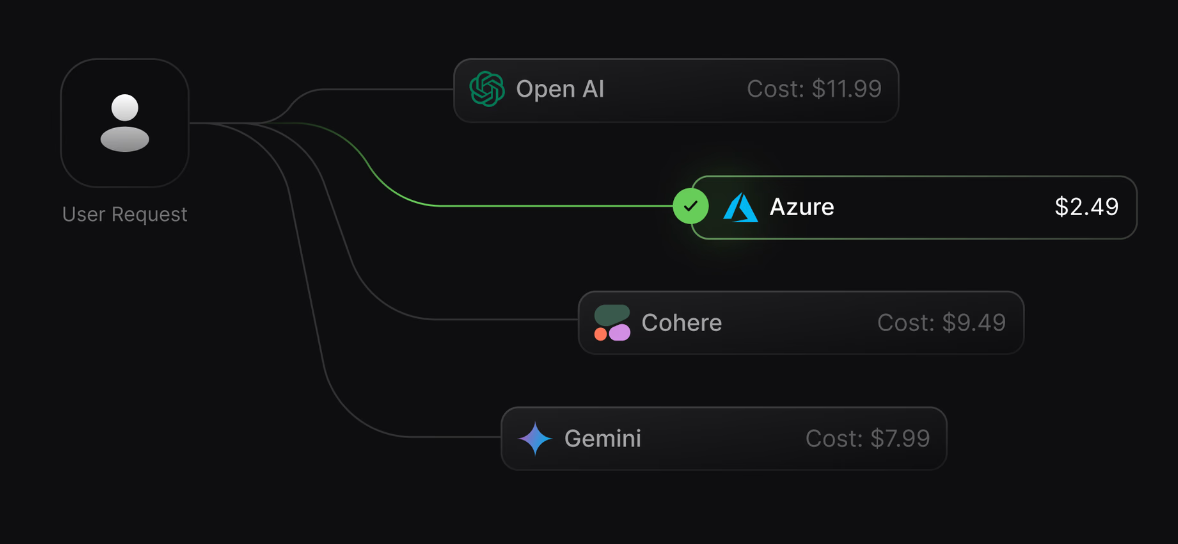
These safeguards keep critical applications responsive and protect shared enterprise accounts from unpredictable demand.
In multi-provider environments, rate limits also help balance traffic across different models and clouds. This prevents accidental over-reliance on a single provider and ensures continuity even when a provider enforces sudden throttling or undergoes downtime.
Together, rate limits and safeguards provide strong LLM access control and the operational stability needed to support both high-volume production use cases and day-to-day exploration across an organization.
Guardrails as part of LLM access control
Guardrails extend access control beyond “who can call what” to “what is allowed within those calls.” They create an operational safety layer that shapes the inputs, outputs, and behaviors of LLMs, ensuring that usage stays within institutional policies even when users have broad access.
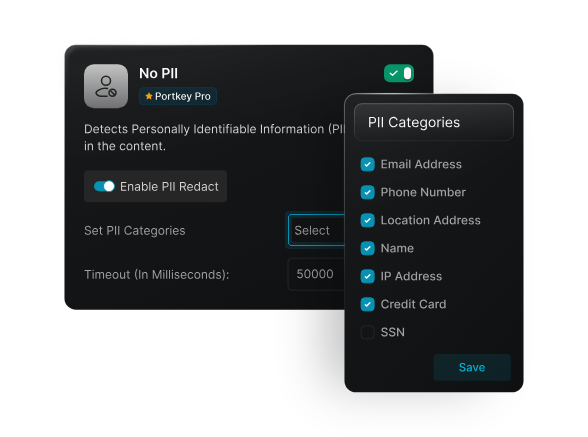
At the input level, guardrails can enforce data rules. Sensitive information like PII, PHI, or research data can be redacted, masked, or blocked before reaching a model. This matters in environments where students, researchers, or distributed teams work with diverse datasets, not all of which should be exposed to every provider.
Output guardrails help maintain policy alignment. They can filter or transform responses that violate content guidelines, prevent potentially harmful instructions, or restrict the model from generating certain types of information. This keeps results consistent with institutional standards and reduces manual moderation.
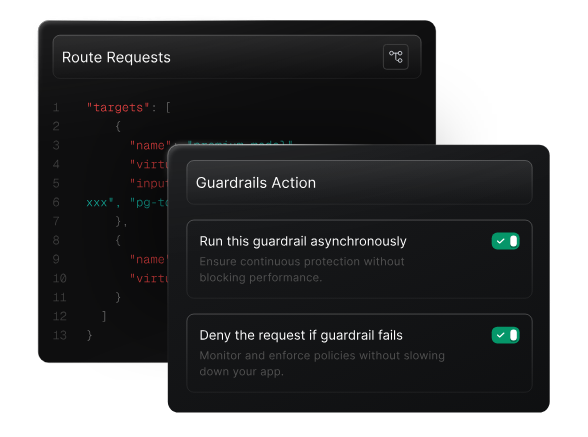
Guardrails also apply to capabilities, especially in agentic systems. Administrators can allow or deny access to specific tools, APIs, or file operations, and constrain what an agent is permitted to execute. This is critical when multiple teams build custom workflows, automation, or research assistants.
In multi-provider environments, guardrails ensure consistency. Different providers offer varying safety settings and defaults. A central guardrail layer enforces the same policies across all models regardless of their vendor, size, or capabilities, so that teams don’t need to manage separate rule sets.
By combining access rules, consumption controls, and guardrails, organizations can give users more flexibility without losing oversight or exposing themselves to unnecessary risk.
What good LLM access control looks like
Effective LLM access control is simple to understand but difficult to implement without a unified layer. At its core, a well-designed system includes:
Clear identities and roles
Every user is mapped through SSO, directory groups, or SCIM, and roles determine which models and providers they can use.
Consistent model and provider permissions
No shadow keys, no mismatched configurations. Access rules apply uniformly across OpenAI, Anthropic, Azure, Google, and any internal or open-source models.
Budgets and usage limits that reflect real needs
Teams have predictable consumption, with dynamic limits that adjust for roles, environments, and metadata.
Rate limits that protect shared workloads
Critical applications stay stable even during spikes, experimentation, or heavy agent activity.
Guardrails that shape allowed behavior
Both inputs and outputs follow institutional guidelines, and agent tools are restricted to what’s safe and necessary.
Real-time enforcement
Policies activate at the moment of the request, not after the fact.
Unified visibility and auditability
LLM observability allows teams can monitor usage, policy hits, and provider performance in one place, without stitching together logs from multiple clouds.
When these elements come together, organizations get a controlled, predictable, and safe AI environment without blocking innovation or slowing teams down.
How Portkey helps
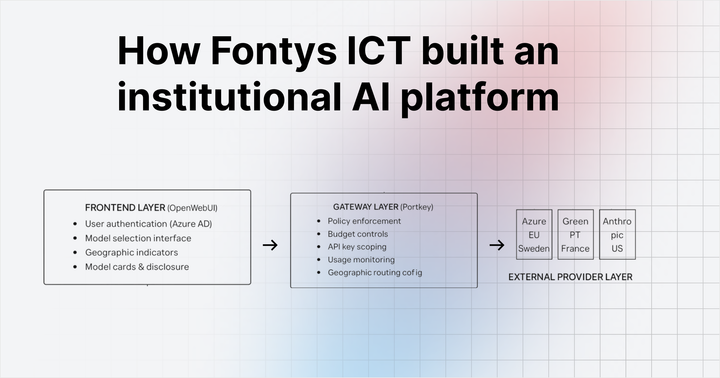
Portkey's AI Gateway brings all of these controls into a single platform that works across every model and provider. You can set roles, model permissions, budgets, rate limits, and guardrails once, and Portkey enforces them consistently across OpenAI, Anthropic, Azure, Google, and on-prem models.

Policies operate in real time, so overspend, policy violations, and unsafe requests are caught before they reach a model.
Portkey also centralizes identity, usage visibility, audit logs, and provider monitoring. Teams get a governed environment they can rely on, while still having the freedom to experiment, evaluate new models, and run production workloads without managing scattered keys or inconsistent policies.
If you’d like to exercise LLM access control in your organisation, you can book a demo with our team.