
Enterprise MCP access control: managing tools, servers, and agents
Learn how MCP access control works and how enterprises can govern MCP tools and agents safely in production environments.
MCP has moved fast.
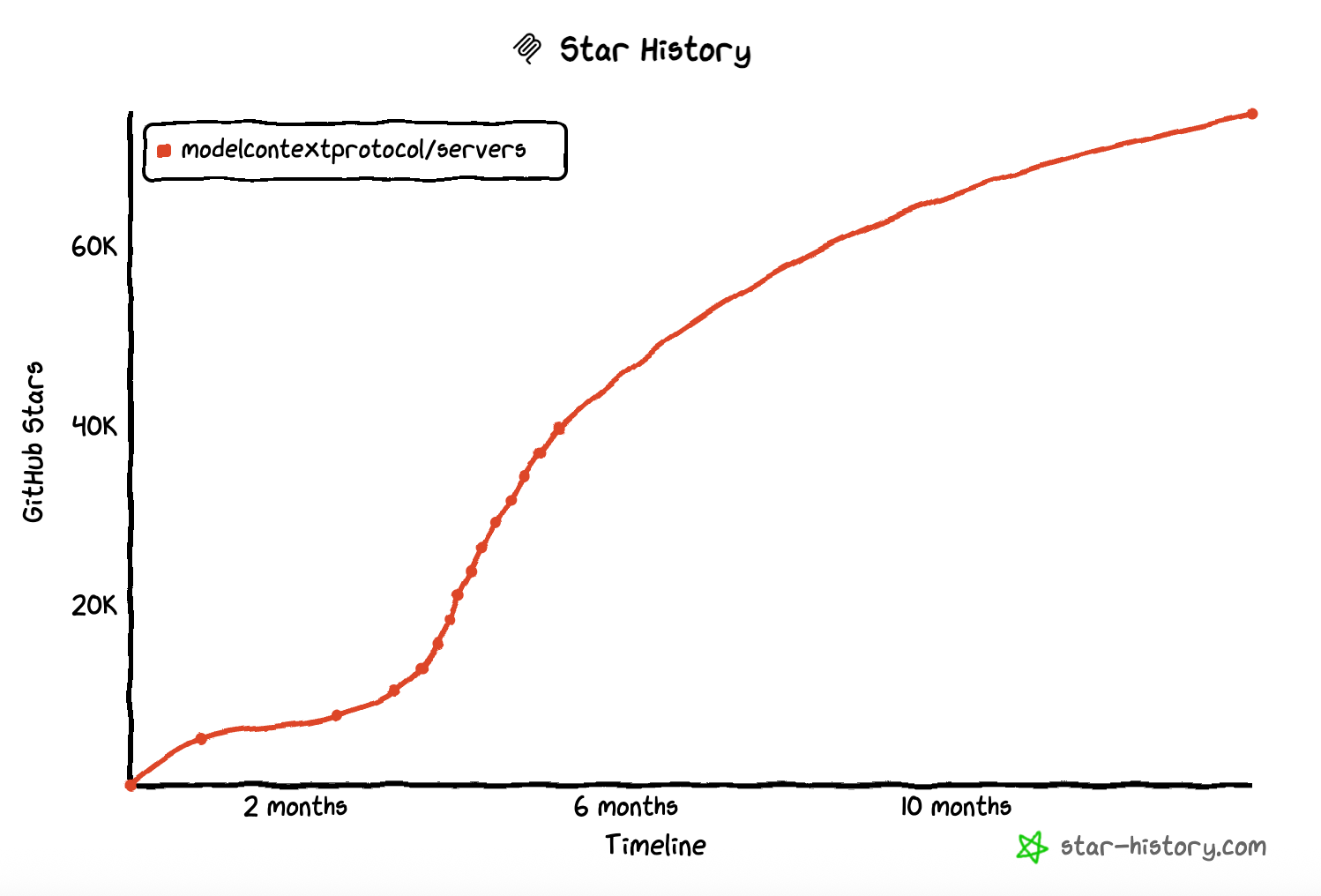
What started as a convenient way to plug tools into an AI workflow is now being used as shared infrastructure across teams.
What began as a way to expose tools to a single agent is now being used as shared infrastructure across teams and applications. It’s common to see multiple MCP servers running in parallel: some backing internal tools, others connecting to external services, and some dedicated to specific environments like development or production.
As MCP adoption grows, teams also start centralizing discovery. Instead of hardcoding MCP endpoints, they publish servers and tools through an MCP registry so agents can dynamically discover what’s available. This makes MCP easier to adopt and scale, but it also changes how access is managed.
At this stage, MCP starts to resemble other pieces of shared infrastructure. Multiple clients, agents, and workloads rely on the same servers and tools, often across organizational boundaries.
This shift sets the stage for why MCP access control becomes necessary as it moves from experimentation to sustained use.
Why MCP access control matters now
Teams are standing up MCP servers for internal services. Tools are getting published through registries so agents can discover them dynamically. Multiple users, applications, and environments begin connecting to the same MCP endpoints.
In early setups, this risk is easy to ignore. Once MCP servers are shared and discoverable, access is no longer implicit. Connecting to an MCP server means gaining visibility into the tools it exposes, and tools represent real capabilities: reading data, modifying systems, or triggering downstream actions.
Without access control, any connected client or agent can see and attempt to use every exposed tool. In practice, this leads to over-permissioned agents, unclear ownership, and difficulty reasoning about who can do what.
In production environments, the consequences are more serious: accidental writes, unintended data access, or misuse of high-cost tools.
This is the point where MCP access control stops being optional. If MCP servers are treated as shared infrastructure, they need the same kind of access boundaries that other internal platforms rely on.
What MCP access control actually means
MCP access control is often misunderstood as a simple authentication problem. In practice, authentication only answers one question: who is connecting. Access control answers the harder one: what that client or agent is allowed to do once connected.
At first glance, MCP access control can look like an authentication problem. You might assume that once a client or agent is identified, access is implicitly safe. In reality, authentication is only the starting point.
Authentication identifies who is connecting to an MCP server.
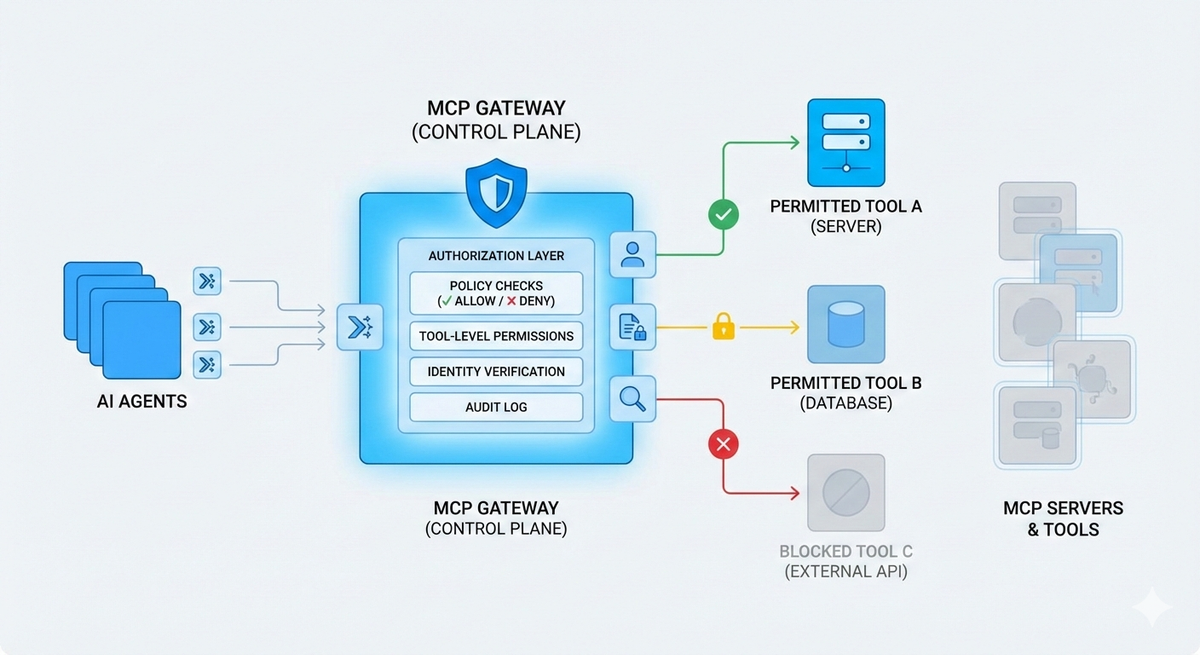
Authorization defines which MCP servers and tools a client or an agent is allowed to access.
MCP authorization is the harder problem. A single MCP server can expose multiple tools with very different risk profiles. Some tools are read-only, others modify state or trigger workflows. Treating all authenticated clients as equally trusted ignores these differences.
MCP server access control needs to operate beyond simple allow-or-deny at the connection level. It must define which tools are visible, which actions are permitted, and which are explicitly forbidden, often based on context like environment or workload.
When handled correctly, access control becomes an explicit policy layer rather than scattered logic inside individual servers. That clarity is what makes enterprise MCP access control possible as usage continues to grow.
How AI agents change the access control model
AI agents interact with MCP very differently from traditional API clients. Instead of calling a single known endpoint with a fixed purpose, agents explore. They discover available tools, reason about which ones might help, and invoke them in sequence based on intermediate outcomes.
This behavior changes how access control needs to be designed. An agent may enumerate all exposed tools on an MCP server, attempt multiple variations of an action, or chain tools together in ways that weren’t explicitly anticipated.
In MCP environments without strong access boundaries, agents tend to inherit more capability than they need. A tool exposed for internal maintenance might be visible to a customer-facing agent. Over time, access becomes implicit and difficult to reason about.
This is why MCP access control for agents needs to be explicit and restrictive by default. Authorization decisions must account for the agent’s role, environment, and workload context, not just its identity.
What good MCP access control looks like
- Policy-driven authorization
Access decisions are defined declaratively, not hardcoded inside MCP servers. Policies clearly specify who can connect, which tools are visible, and which actions are allowed or denied. - Clear separation of server-level and tool-level access
Server access determines who can connect at all, while tool-level permissions restrict what can actually be invoked. - Least-privilege by default
Clients and agents only see the tools they are meant to use, reducing overexposure as MCP environments grow. - Explicit deny boundaries
Sensitive, destructive, or high-cost tools are intentionally restricted, even as new servers or agents are added. - Centralized and auditable rules
Access intent is easy to review and reason about, without tracing through server code or scattered configurations. - Extensible as MCP usage evolves
New MCP servers, tools, and environments inherit consistent access behavior without reimplementing permission logic.
Making MCP access control practical at scale
As MCP becomes a shared layer across agents, tools, and teams, access control can’t live inside individual servers or evolve informally. It needs to be enforced consistently, audited easily, and extended as MCP usage grows.
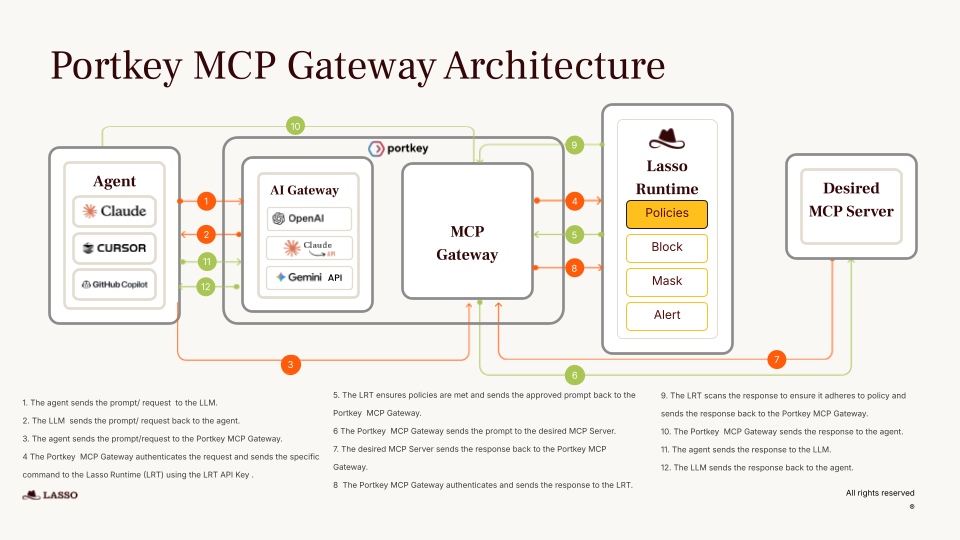
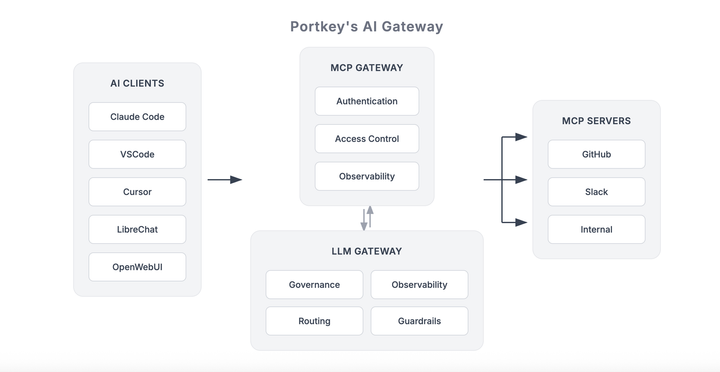
This is where a centralized control plane matters. Portkey’s MCP gateway brings MCP servers under the same governance layer teams already use for AI model access. Instead of managing access rules separately for models and tools, platform teams can apply unified policies across both, with clear boundaries, environment awareness, and auditability built in.
By treating MCP access control as part of your broader AI infrastructure, you avoid fragmented permissions, reduce operational overhead, and make MCP safe to run in production environments.
If you’re starting to use MCP beyond local or experimental setups, this is the right point to introduce structured access control. To see how MCP gateway can help you govern MCP servers and tools as first-class infrastructure, book a demo with us!