Who owns Claude Code at your company? A platform team's guide to managing coding agents at scale
The harness is converging. Context is what separates teams. A platform team's guide to owning Claude Code, Cursor, and Codex across your engineering org.
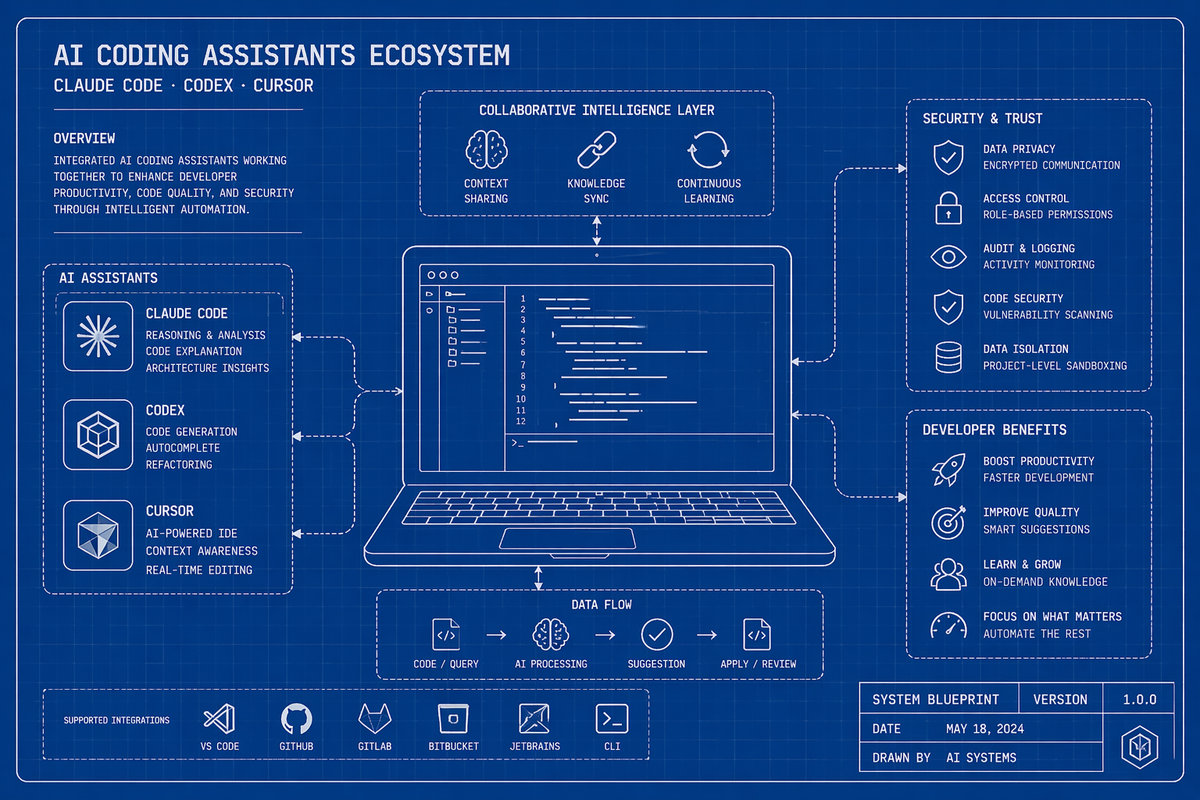
The harness is given. The context is yours to build.
Coding agents have become part of the default developer stack. Claude Code, Cursor, and Codex have gone from experimental to expected over the past year. A developer can install one, connect an API key, and be productive within minutes. The individual experience is no longer the constraint.
What varies, often dramatically, is the quality of output across a team using the same tools. That difference is not explained by the model. It is explained by the context.
Model labs and agent platforms understand this. Anthropic ships a skills system and a native MCP client. Cursor adds skills and MCP integration. Codex follows the same pattern. The harness is converging. The context is what separates teams.

The engineers who get more out of agents
In every engineering organization, a small number of developers push these tools further than everyone else. They encode review standards into reusable SKILL.md files. They structure debugging workflows. They connect agents to internal systems through MCP integrations -- Linear, Sentry, internal APIs, deployment tools. Over time, they build a working layer of context around the model that makes it behave like a senior member of their specific team.
Their agents produce noticeably better output. More relevant code, better reviews, sharper analyses. Everyone else is working with defaults.
That context rarely spreads. It lives in local directories, personal configuration files, and undocumented workflows that never make it into a shared repository. The same agent, inside the same company, produces inconsistent results depending entirely on who set it up.
This is not a limitation of coding agents. It is a knowledge distribution problem, the same one that shows up with runbooks, internal tooling, and onboarding docs. The best knowledge exists somewhere. It just doesn't travel.
What breaks as teams scale
When a platform team finally gets asked to "sort out the AI setup," what they inherit is usually a version of the same thing: dozens of individual configurations that evolved independently, credentials stored in ways that won't survive an offboarding, no shared baseline for how agents should behave, and no visibility into what is being spent or by whom.
The engineers using these tools are not doing anything wrong. They adopted quickly, configured thoughtfully, and got genuine value. The problem is that none of it was designed to be shared. Skills live in local directories. MCP configs live in JSON files with credentials baked in. The engineer who set something up well is the only one who knows it exists.
This is the standard condition before infrastructure catches up with adoption. It happened with cloud access, with secrets management, with observability tooling. The pattern is consistent: individual adoption outpaces organizational infrastructure, and then platform teams inherit the cleanup. The question is not whether this happens, but how long it takes to recognize it and how much is lost in the meantime.
Uber's Platform team has already solved this
Uber's engineering team built an internal CLI as the unified entry point for all their coding agents and added Skills and MCP configurations as modular plugins that teams could contribute to and reuse. Their internal skills library grew from two to more than five hundred entries in five months, with a marketplace where the most useful context got promoted org-wide.
Most teams will not operate at Uber's scale, but the architecture is general. Every team has one engineer who has built this privately. The question is whether it stays on their laptop or becomes infrastructure.
A unified registry for Skills and MCP
Portkey gives platform teams a single control plane for everything an agent needs: model routing, MCP tools, and Skills, all governed, versioned, and distributed with one command.
Skills Registry
Portkey's Skills Registry is a central place to author, version, review, and sync skills across every agent your team uses. Skills are authored in Prompt Engineering Studio as Prompt Partials with YAML frontmatter:
---
name: code-reviewer
description: Use when reviewing code or PRs. Apply company review standards.
---

# Code Review Standards

Lead with the most important issue.
Explain why it matters, not just what it is.
Suggest a specific fix with code.
Group by severity: critical, warning, suggestion.
Each skill gets a stable ID, full version history, and a draft/publish workflow. An engineer authors a skill, saves it as a draft, a tech lead reviews and approves, and published skills are what syncs. Drafts stay invisible. If a published skill causes problems, roll back to the previous version in one click.
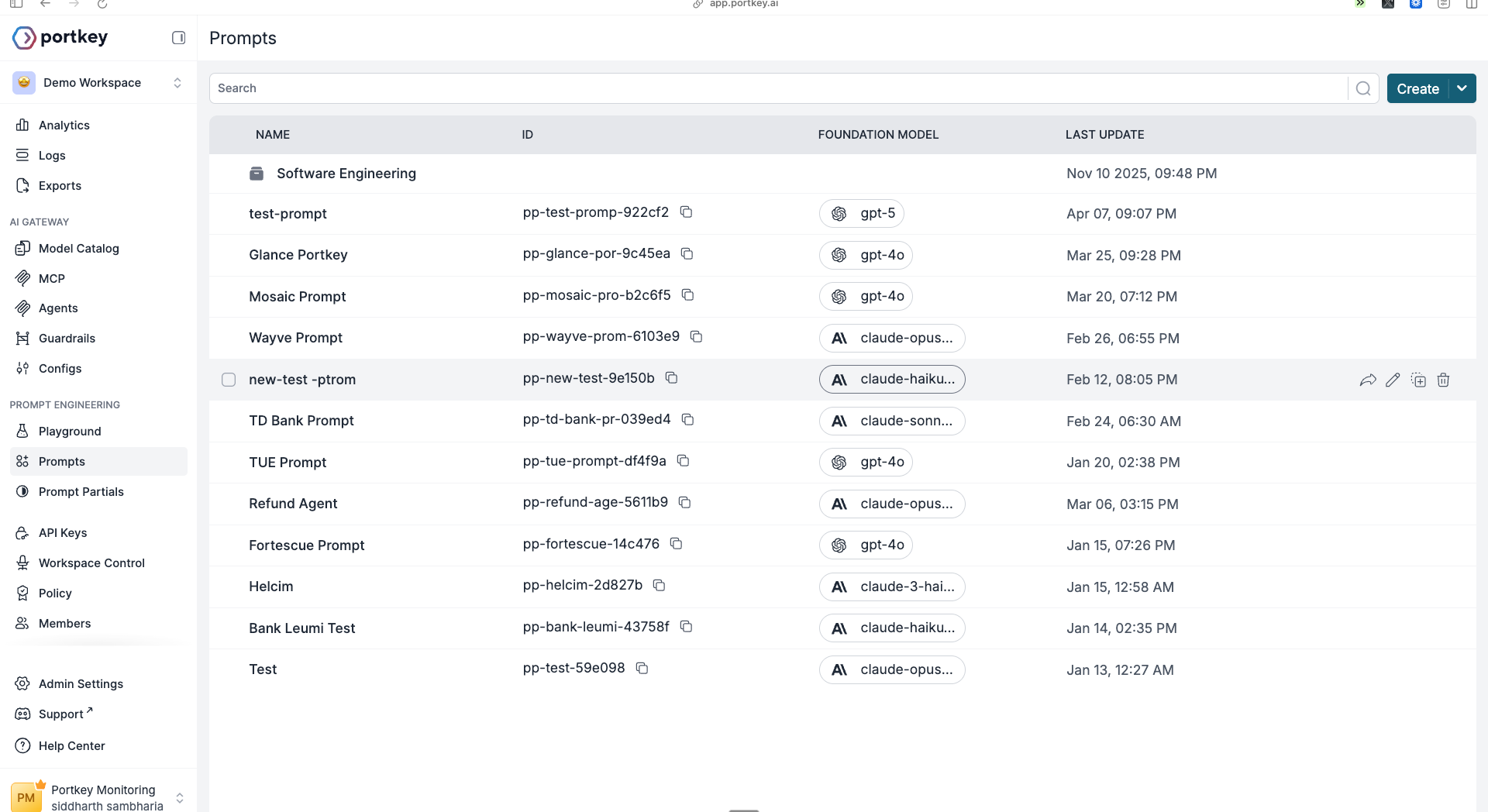
Syncing to every agent is one command:
npx portkey skills sync
The CLI pulls your published skills and writes them to the correct directory for each agent automatically -- .claude/skills/ for Claude Code, .cursor/skills/ for Cursor, .codex/skills/ for Codex, .github/skills/ for GitHub Copilot. When you update a skill and publish it, every developer gets the new version on their next sync without touching their own configuration.
MCP Registry
Portkey's MCP Registry solves the same distribution problem for tools. Add MCP servers to your Portkey workspace with centralized auth -- OAuth, client credentials, or static headers -- and the Portkey CLI writes the correct configuration to each engineer's agent on setup.
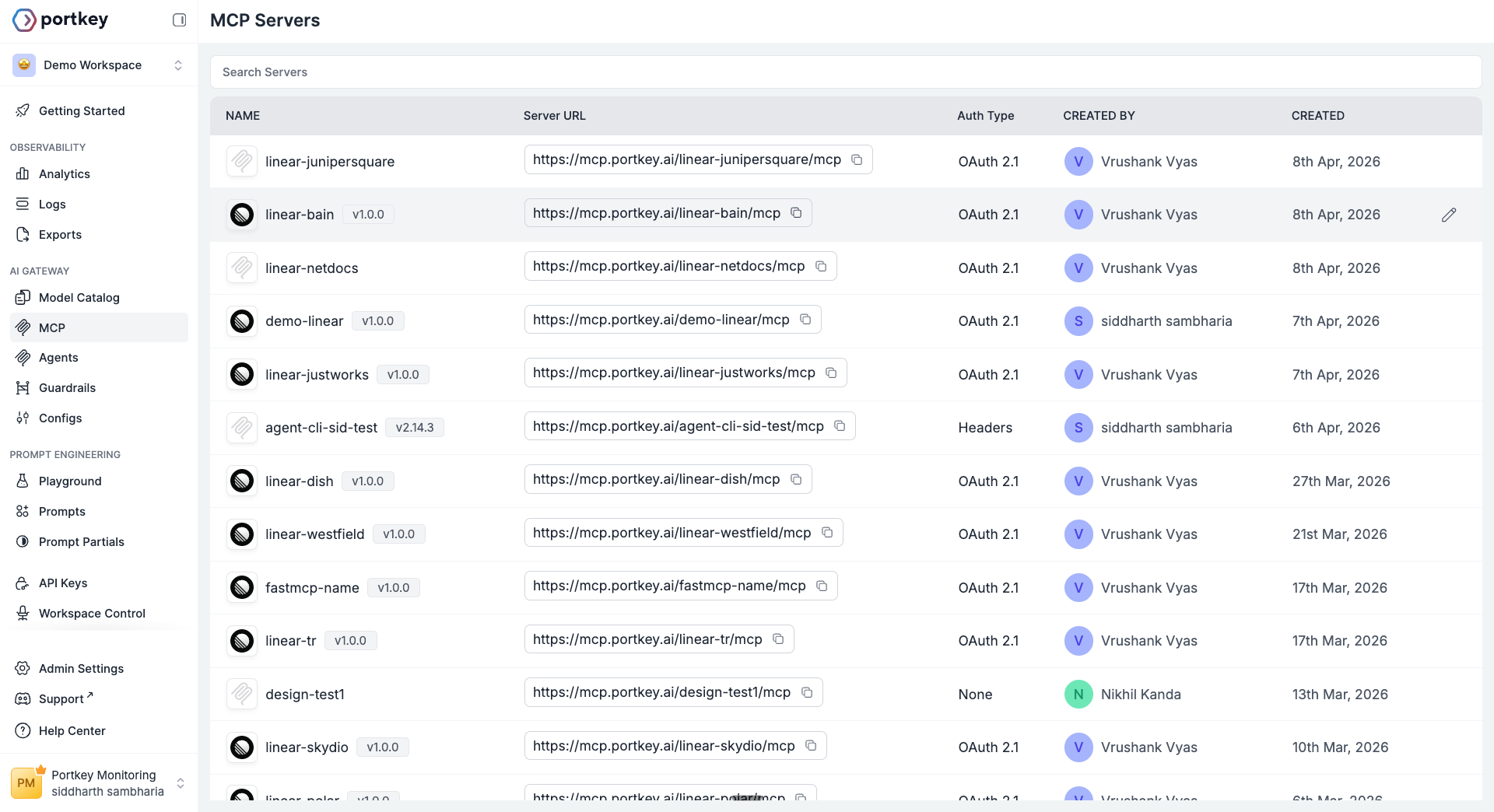
No more passing credentials over Slack. No more broken MCP configs that work on one machine and fail on another. The platform team manages server access in Portkey. Engineers get the tools automatically when they run the CLI.
Portkey CLI
npx portkey setup
That is the full install. The wizard asks which agent you are setting up, validates your Portkey key, lets you pick a provider or routing config, adds your workspace's MCP servers, and syncs shared skills. What gets configured under the hood covers gateway routing so every request appears in Portkey logs with cost, latency, and full trace detail, hard budget limits per developer or team, and auto-failover to Bedrock or Vertex if your primary provider goes down. Developers change nothing about how they use their agent. They run one command.
The analogy that keeps coming up internally: coding agents are Docker. Portkey is Kubernetes. Docker was a step change for individual developers. Kubernetes is what made it possible to run Docker at organizational scale – centralized configuration, resource controls, observability, rollout management. You do not need Kubernetes for one container. You need it when you are running a fleet.
The platform team's role
Coding Agents do not maintain themselves. Someone needs to own the registries: deciding what gets published, reviewing contributions, deprecating what is outdated, and promoting what works.
This is platform work, the same kind of work that goes into CI pipelines, service templates, and infrastructure provisioning. The goal is not to restrict developers but to give them a strong and consistent starting point.
Start with five skills and your most-used MCP servers. Let engineers contribute skill drafts. Review and publish the ones that generalize well. After a quarter, the library reflects how your organization actually builds -- not how a generic agent thinks you do.
The gap between your best engineer's agent output and everyone else's is not the model. It is the context. A skills and MCP registry closes that gap org-wide.
Get started
npx portkey setup
- Portkey CLI guide – setup for Claude Code, Codex, Cursor, Cline, and more.
- Skilll Registry – authoring, versioning, and syncing Skills to your team.
- Coding Agents with Portkey – the full governance layer for platform teams.