

Screenshots on this page show the previous product branding and navigation. The workflow they
illustrate is current; the interface around it has since been rebranded to Prisma AIRS.
Obtaining Your API Key
Create or log in to your Strata Cloud Manager account. Grab your account’s API key from the “Settings” page.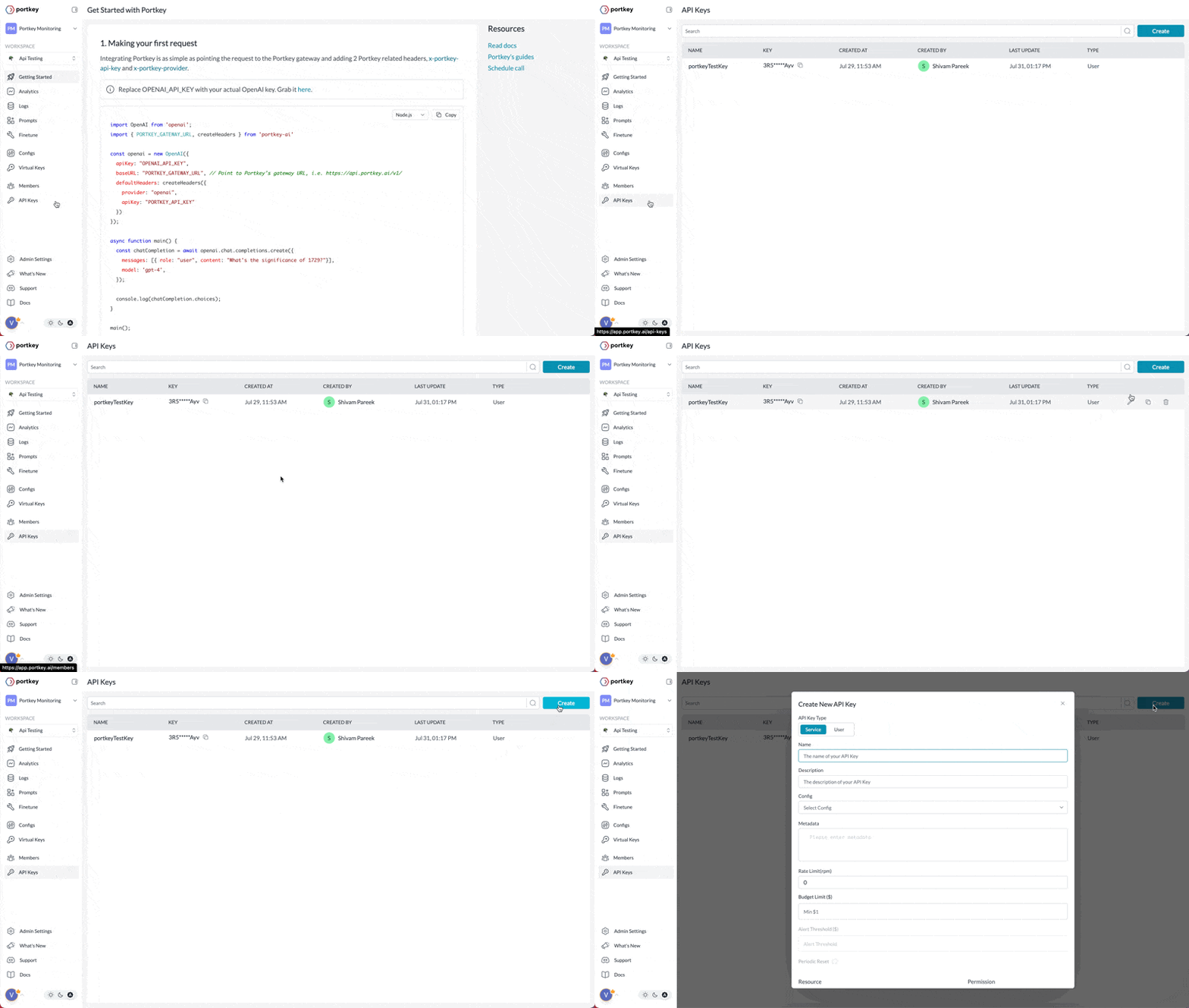
JWT-based Authentication
You can also authenticate the AI Gateway using JWT Tokens. Learn more here
This key authenticates inference requests only. The Admin API does not accept it. Those requests are authorised with a Strata Cloud Manager access token issued to a service account. See Admin API Authentication.
Using Your API Key
REST API
- cURL
OpenAI SDK
When integrating the AI Gateway through the OpenAI SDK, modify the base URL and add theAuthorization header for authentication. Here’s an example of how to do it:
Gateway headers go in the SDK’s
defaultHeaders / default_headers parameter. Most requests
need only x-portkey-provider, and even that is unnecessary when you prefix the model with the
provider slug — "model": "@openai-prod/gpt-4o".- NodeJS
- Python
JWT-based Authentication
The AI Gateway supports JWT-based authentication as a secure alternative to API Key authentication. With JWT authentication, clients can authenticate API requests using a JWT token that is validated against a configured JWKS (JSON Web Key Set). JWT authentication provides enhanced security through:- Temporary, expiring tokens
- Fine-grained permission scopes
- User identity tracking
- Centralized authentication management
JWT Token Authentication
Learn how to implement JWT-based authentication with the AI Gateway