
Compare leading MCP gateway solutions and understand how they differ across authentication, access control, policy enforcement, and operational readiness for production AI systems.
What is an MCP Gateway?
An MCP gateway is a centralized control layer that sits between AI agents, applications, and MCP servers. Instead of agents connecting directly to MCP servers and tools, all MCP traffic flows through the gateway. This allows teams to enforce consistent authentication, access control, and policies across every MCP interaction.
Core functions of an AI gateway
Authentication and identity handling
It authenticates agents and applications before they can interact with MCP servers, removing the need for each MCP server to implement its own auth logic.
Authorization and access control
The gateway enforces authorization policies that determine which MCP servers, tools, and resources each agent or team is allowed to use across environments.
Policy enforcement at the network layer
Policies are enforced at the network layer as MCP traffic flows through the gateway, eliminating the need to embed security and governance logic inside agents or MCP servers.
Observability
The gateway provides organization-wide observability into MCP usage, including which agents invoke which tools, how often, and under what conditions.
Why teams need an MCP gateway
MCP adoption often begins with direct connections between agents and tools, which quickly becomes difficult to manage as usage spreads across teams and environments.
Without a gateway, MCP servers are accessed inconsistently, making it hard to control who can use which tools and under what conditions.
The production challenges
Fragmented authentication
Each MCP server implements its own authentication mechanism, making identity management inconsistent and difficult to audit.
Inconsistent authorization
Access rules vary by server and tool, leaving teams without a reliable way to define who can use what across the organization.
Limited visibility and auditing
Teams cannot easily trace which users accessed which tools, how frequently, or where failures occur.
Governance gaps
There is no unified way to enforce organization-wide policies, audit MCP usage, or support compliance requirements.
Operational complexity
Managing MCP access, credentials, and policies across multiple agents and environments quickly becomes brittle as systems grow.
In-Depth Analysis of the Top MCP Gateways
Dive deeper into each solution, covering their core strengths, weaknesses, pricing, customer base, and market reputation, to help teams choose the right gateway for their GenAI production stack.
Portkey
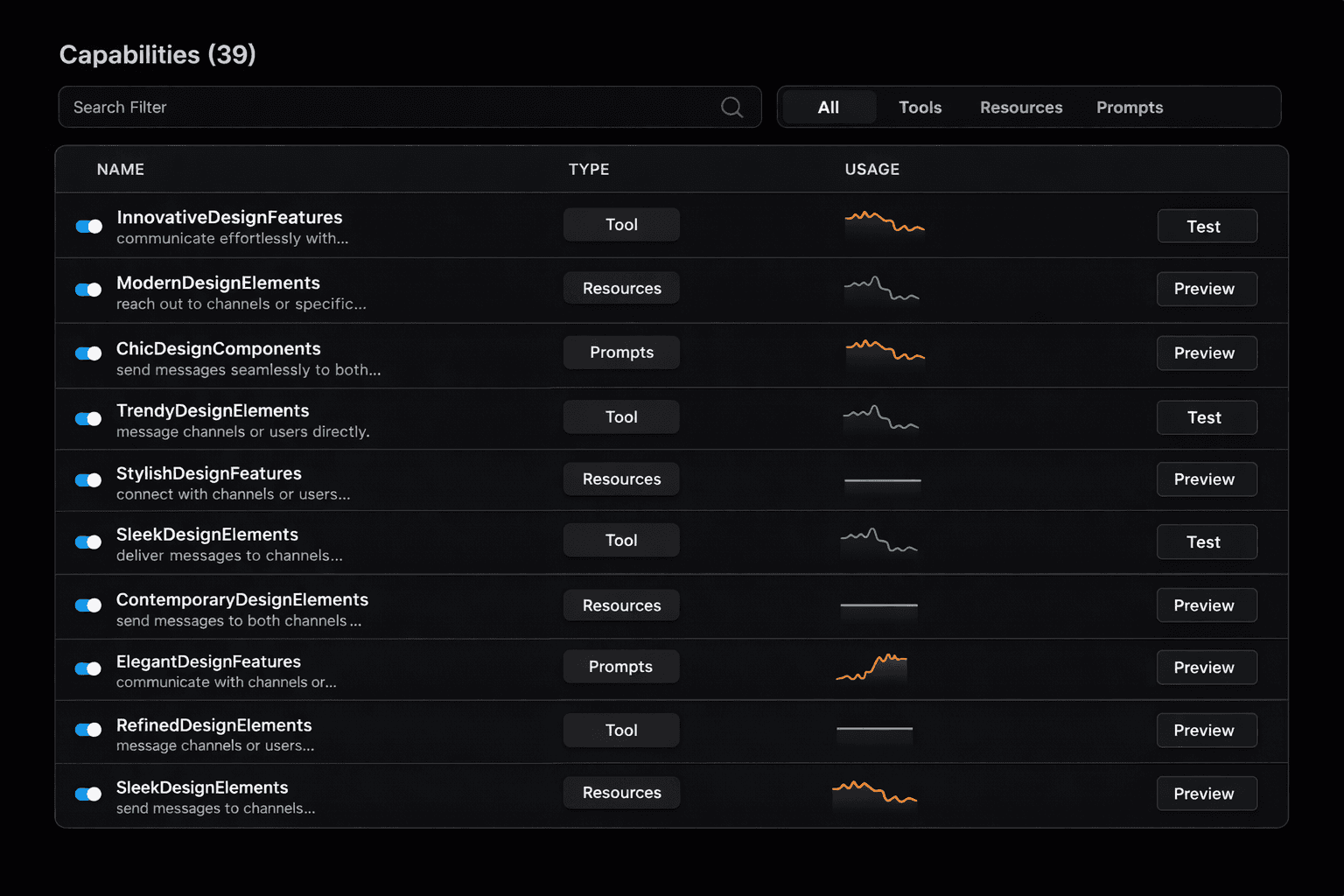
Portkey's MCP gateway is designed to help teams adopt MCP in production with centralized access control, policy enforcement, and observability. It provides a managed control plane to register MCP servers, govern tool access across teams, and monitor MCP usage across teams.
Strengths
Centralized authentication and authorization
Enforces consistent identity and access policies at the gateway layer instead of distributing auth logic across users and servers. Supports OAuth and SSO/IAM integrations for enterprise identity providers.
Managed MCP server registry
Provides a controlled inventory of approved MCP servers, reducing accidental exposure and tool sprawl.
Enterprise governance capabilities
Supports role-based access control and access control lists at global, service, and tool levels, allowing permissions to be scoped precisely per user or workspace.
Production observability
Offers request-level visibility into MCP activity to support debugging, monitoring, and operational oversight.
Single control panel for LLMs and MCP
Manages LLM access and MCP server usage through a single control layer, allowing teams to apply consistent policies, routing, and governance across both.
Pricing Structure
Portkey follows a managed SaaS model with usage-based pricing and enterprise plans for advanced governance and organizational controls.
Ideal For / Typical Users
Platform and infrastructure teams standardizing MCP across multiple teams or products.
Organizations that require centralized governance, visibility, and auditability for MCP usage.
Teams moving MCP from experimentation into production without building and maintaining a gateway in-house.
Lunar.dev
Lunar.dev’s MCPX is an enterprise-focused MCP gateway that provides governed access to multiple MCP servers, with fine-grained permissions, deployment flexibility, and compliance for regulated environments.
Strengths
Fine-grained authorization controls
Offers RBAC and ACLs with global, service, and tool-level scoping for agent access control.
Enterprise authentication options
Provides API key and OAuth-based authentication for MCP access, along with SSO and IAM integrations for enterprise identity providers.
Flexible deployment models
Can be deployed as a managed service, in a customer’s cloud, or on-premises, supporting data residency and sovereignty requirements.
Tool customization and scoping
Allows modification of tool descriptions and parameter constraints to create safer, scoped tool variants for agent usage.
Pricing Structure
Lunar.dev typically follows a SaaS pricing model oriented around usage and traffic volume, with enterprise plans available for larger deployments.
Ideal For / Typical Users
Teams primarily focused on reliability, retries, and traffic management for AI or MCP requests.
Organizations looking to extend existing gateway patterns to MCP without introducing a dedicated MCP control plane.
Smaller teams or early-stage deployments where governance requirements are minimal.

IBM MCP Gateway
IBM’s MCP Gateway is positioned as an enterprise MCP access layer designed to support governed AI workflows within the IBM ecosystem, with a focus on security, compliance, and integration with existing IBM platforms.
Strengths
Enterprise security alignment
Designed to meet enterprise security and compliance expectations, using IBM’s broader identity, security, and governance tooling.
Integration with IBM AI and data platforms
Works naturally within IBM’s AI stack, making it easier to adopt MCP in environments already standardized on IBM infrastructure.
Centralized access enforcement
Provides a single control point for managing access to MCP servers within IBM-managed deployments.
Pricing Structure
IBM MCP Gateway is typically offered under enterprise licensing or custom contracts, often bundled with broader IBM AI or cloud offerings.
Ideal For / Typical Users
Large enterprises already standardized on IBM infrastructure and security tooling.
Kong
Kong’s MCP Gateway is a part of their larger AI Gateway offering and is an enterprise-only solution that leverages paid plugins.
Strengths
Centralized MCP authentication
Uses a dedicated MCP authentication plugin to act as a central OAuth 2.1 resource server, validating tokens and enforcing uniform security policies across both auto-generated and existing MCP servers.
Discoverable MCP services for agents
Allows MCP servers to be published as discoverable, self-serve products through a service catalog and developer portal, reducing onboarding friction for teams building agentic workflows.
Monetization and usage management
Enables organizations to track, govern, and potentially monetize MCP and API-driven services through centralized policy and usage controls.
Use APIs as MCP servers
Use any existing Kong-managed REST API and generate a remote MCP server (hosted by Kong) that can be accessed by agents, AI coding tools, and other AI applications.
Pricing Structure
Kong offers open-source and enterprise editions, with enterprise pricing based on deployment scale, features, and support requirements.
Ideal For / Typical Users
Organizations already using Kong as their standard API gateway.
Platform teams comfortable extending gateway behavior through custom plugins.
Enterprises prioritizing traffic control and deployment flexibility over MCP-native abstractions.
TrueFoundry
TrueFoundry is an ML and AI platform that includes MCP support as part of a broader platform for deploying, operating, and governing AI systems.
Strengths
Aligned with ML and platform teams
Fits naturally into organizations that already use TrueFoundry as their primary ML or AI platform.
Low-latency request handling
Handles authentication and rate limiting in memory, enabling sub-3 ms latency under load for MCP requests.
Integrated infrastructure controls
Includes rate limiting, load balancing, guardrails, and unified billing as part of the MCP gateway, reducing the need for external components.
Logical isolation via MCP server groups
Supports grouping of MCP servers to provide isolation across teams or use cases within the same deployment.
Pricing Structure
TrueFoundry typically offers enterprise pricing based on platform usage, infrastructure scale, and support requirements.
Ideal For / Typical Users
Organizations standardized on TrueFoundry’s AI infrastructure platform.
Platform teams comfortable operating containerized, infrastructure-heavy AI systems.

Microsoft MCP Gateway
Microsoft’s MCP Gateway is positioned as a cloud-native access layer for MCP servers within the Azure ecosystem, designed to align MCP usage with existing Azure identity, security, and governance primitives.
Strengths
Native alignment with Azure identity and security
Leverages Azure Active Directory, managed identities, and Azure security controls to handle authentication and authorization for MCP access.
Seamless fit within Azure AI workflows
Designed to work alongside Azure’s AI, agent, and platform services, reducing friction for teams already building on Azure.
Enterprise-grade compliance posture
Benefits from Azure’s compliance certifications and enterprise governance standards, making it suitable for regulated environments.
Centralized policy enforcement
Allows organizations to apply consistent access policies across MCP servers using familiar Azure governance constructs.
Pricing Structure
Microsoft MCP Gateway is typically priced as part of Azure service usage, with costs tied to underlying Azure resources, networking, and security components.
Ideal For / Typical Users
Organizations standardized on Azure for AI, identity, and infrastructure.
Platform teams extending existing Azure governance models to MCP-based workflows.
Key Capabilities of MCP Gateways
Authentication and identity management
Establish a consistent identity layer for users, agents or applications accessing MCP servers
Fine-grained access control
Set precise permissions for MCP servers, tools, and resources, scoped by agent, role, team, or environment.
MCP and tool registry
Maintain an approved inventory of MCP servers and tools, for easier discovery and access control.
Policy enforcement
Applies organization-wide rules such as usage limits, security controls, and restrictions as MCP traffic flows through the gateway.
Unified access layer
Get a single control plane to manage both LLM and MCP server usage within the same operational framework.
Operational simplicity
Reduce operational overhead by centralizing tool access, policy enforcement, and visibility across MCP deployments.
Why Portkey is different
Governance at scale
Built for enterprise control from day one
Workspaces and role-based access
Budgets, rate limits, and quotas
Data residency controls
SSO, SCIM, audit logs
HIPAA
COMPLIANT
GDPR
MCP-native capabilities
Portkey is the first AI gateway designed for MCP at scale. It provides:
MCP server registry
Tool and capability discovery
Governance over tool execution
Observability for tool calls and context loads
Unified routing for both model calls and tool invocations
Comprehensive visibility into every request
Tool calls
Token usage and costs
Latency
Transformed logs for debugging
Workspace, team, and model-level insights
Error clustering and performance trends
Authentication and identity management
Supports OAuth, tokens, and JWT-based authentication for connecting MCP servers, enabling flexible identity models across environments.
Built-in policy enforcement
PII redaction
Jailbreak detection
Toxicity and safety filters
Request and response policy checks
Moderation pipelines for agentic workflows
Server and tool catalog + provisioning
Provides a managed catalog for MCP servers and tools, with controlled provisioning and exposure instead of ad hoc discovery.
Reliability automation
Sophisticated failover and
routing built into the gateway:
Fallbacks and retries
Canary and A/B routing
Latency and cost-based selection
Provider health checks
Circuit breakers and dynamic throttling
Integrations




Portkey connects to the full GenAI ecosystem through a unified control plane. Every integration works through the same consistent gateway. This gives teams one place to manage routing, governance, cost controls, and observability across their entire AI stack.

Portkey supports integrations with all major LLM providers, including OpenAI, Anthropic, Mistral, Google Gemini, Cohere, Hugging Face, AWS Bedrock, Azure OpenAI, and many more. These connections cover text, vision, embeddings, streaming, and function calling, and extend to open-source and locally hosted models.

Beyond models, Portkey integrates directly with the major cloud AI platforms. Teams running on AWS, Azure, or Google Cloud can route requests to managed model endpoints, regional deployments, private VPC environments, or enterprise-hosted LLMs—all behind the same Portkey endpoint.

Integrations with systems like Palo Alto Networks Prisma AIRS, Patronus, and other content-safety and compliance engines allow organizations to enforce redaction, filtering, jailbreak detection, and safety policies directly at the gateway level. These controls apply consistently across every model, provider, app, and tool.

Frameworks such as LangChain, LangGraph, CrewAI, OpenAI Agents SDK, etc. route all of their model calls and tool interactions through Portkey, ensuring agents inherit the same routing, guardrails, governance, retries, and cost controls as core applications.

Portkey integrates with vector stores and retrieval infrastructure, including platforms like Pinecone, Weaviate, Chroma, LanceDB, etc. This allows teams to unify their retrieval pipelines with the same policy and governance layer used for LLM calls, simplifying both RAG and hybrid search flows.

Tools such as Claude Code, Cursor, LibreChat, and OpenWebUI can send inference requests through Portkey, giving organizations full visibility into token usage, latency, cost, and user activity, even when these apps run on local machines.

For teams needing deep visibility, Portkey integrates with monitoring and tracing systems like Arize Phoenix, FutureAGI, Pydantic Logfire and more. These systems ingest Portkey’s standardized telemetry, allowing organizations to correlate model performance with application behavior.

Finally, Portkey connects with all major MCP clients, including Claude Desktop, Claude Code, Cursor, VS Code extensions, and any MCP-capable IDE or agent runtime.
Across all of these categories, Portkey acts as the unifying operational layer. It replaces a fragmented integration landscape with a single, governed, observable, and reliable control plane for the entire GenAI ecosystem.


Get started
Portkey gives teams a single control plane to build, scale, and govern GenAI applications in production with multi-provider support, built-in safety and governance, and end-to-end visibility from day one.


