Azure OpenAI Guardrails
Use Portkey to enforce structured inputs, safe outputs, and usage policies across all Azure OpenAI requests. Configure verdict actions like async checks, request denial, and feedback logging, according to your enforcement needs.
Azure OpenAI Guardrails
Azure OpenAI brings the power of OpenAI’s models like GPT-4, GPT-4o, and Whisper to enterprise environments with enhanced security, compliance, and scalability. But production-grade usage still needs robust controls. With Portkey, you can apply customizable guardrails to every Azure OpenAI request, ensuring safety, compliance, and governance without changing your application code.
Azure OpenAI is commonly used for secure enterprise chatbots, document processing, summarization, code generation, and more. With full support for Azure’s API structure and private endpoints, Portkey lets you enforce guardrails, monitor usage, and route requests intelligently across all Azure OpenAI deployments.
With Portkey, you can:
Protect your AI stack from security threats with built-in guardrails
Route requests with precision and zero latency based on guardrail checks
View guardrails verdicts, latency, and pass/fail status for every check in real time.
Enforce org-wide AI safety policies across all your teams, workspaces and models.
Integrate existing guardrail infrastructure through simple webhook calls
Secure vector embedding requests
Portkey supports all Azure OpenAI models out of the box and can be deployed in hours, not weeks, making it the easiest way to bring enterprise-grade control to your AI stack.
World-Class Guardrail Partners
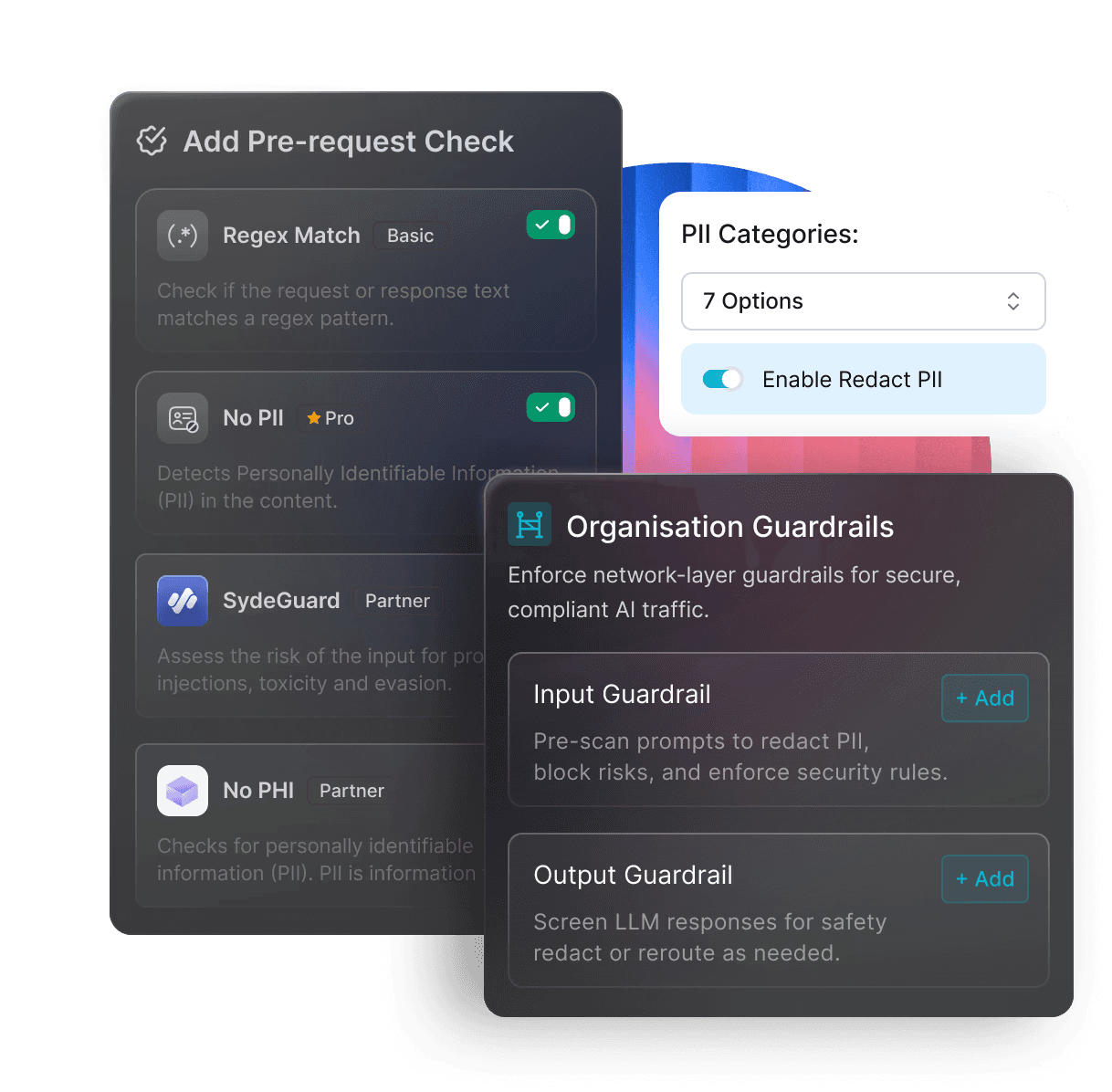
Integrate top guardrail platforms with Portkey to run your custom policies seamlessly — from content filtering and PII detection to moderation and compliance. Ensure every AI request is safe, auditable, and aligned with your enterprise standards.




Input guardrails
*
.
Regex Match
Basic
Enforce patterns on input prompts
Sentence / Word / Character Count
Basic
Control verbosity
Lowercase Detection
Basic
Control verbosity
Ends With
Basic
Validate specific prompt endings
Webhook
Basic
Enforce custom business logic
JWT Token Validator
Basic
Verify token authenticity
Model Whitelist
Basic
Allow only approved models per route
*
.
Moderate Content
Pro
Block unsafe or harmful prompts
Check Language
Pro
Enforce language constraints
Detect PII
Pro
Prevent sensitive info in prompts
Detect Gibberish
Pro
Block incoherent or low-quality input
Output guardrails
*
.
Regex / Sentence / Word / Character Count
Basic
Need content here Need content here
JSON Schema / JSON Keys
Basic
Ensure required words or phrases
Contains
Basic
Ensure required words or phrases
Valid URLs
Basic
Validate links in responses
Contains Code
Basic
Detect code in specific formats
Lowercase Detection / Ends With
Basic
Need content here Need content here
Webhook
Basic
Post-process or validate output
Detect PII / Detect Gibberish
Basic
Need content here Need content here
Partner Guardrails


How to add guardrails to Azure OpenAI with Portkey
Adding Portkey Guardrails in production is just a 4-step process:
Async (TRUE)
Run guardrails in parallel to the request.
→ No added latency. Best for logging-only scenarios.
Async (FALSE)
Run guardrails before request or response.
→ Adds latency. Use when the guardrail result should influence the flow.
Deny Request (TRUE)
Block the request or response if any guardrail fails.
→ Use when violations must stop execution.
Deny Request (FALSE)
Allow the request even if the guardrail fails (returns 246 status).
→ Good for observing without blocking.
Send Feedback on Success/Failure
Attach metadata based on guardrail results.
→ Recommended for tracking and evaluation.



Frequently Asked Questions
Some questions we get asked the most


