

Understanding Azure AI Foundry Deployments
Azure AI Foundry offers three different ways to deploy models, each with unique endpoints and configurations:- AI Services: Azure-managed models accessed through Azure AI Services endpoints
- Managed: User-managed deployments running on dedicated Azure compute resources
- Serverless: Seamless, scalable deployment without managing infrastructure
Azure OpenAI
If you’re specifically looking to use OpenAI models on Azure, you might want to use Azure OpenAI instead, which is optimized for OpenAI models.
Integrate
To integrate Azure AI Foundry with Portkey, you’ll need to create a virtual key. Virtual keys securely store your Azure AI Foundry credentials in Portkey’s vault, allowing you to use a simple identifier in your code instead of handling sensitive authentication details directly. Navigate to the Virtual Keys section in Portkey and select “Azure AI Foundry” as your provider.Creating Your Virtual Key
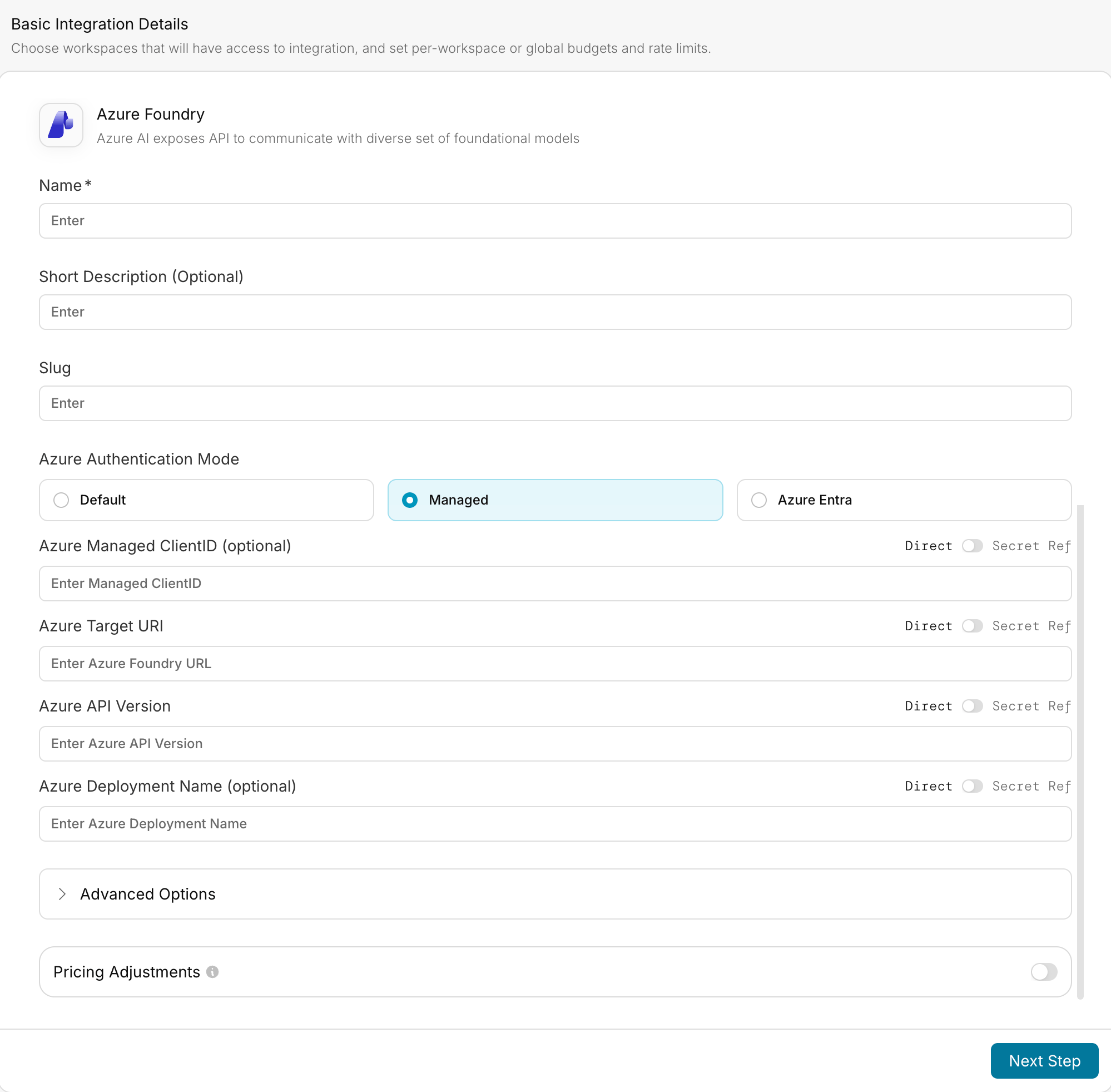
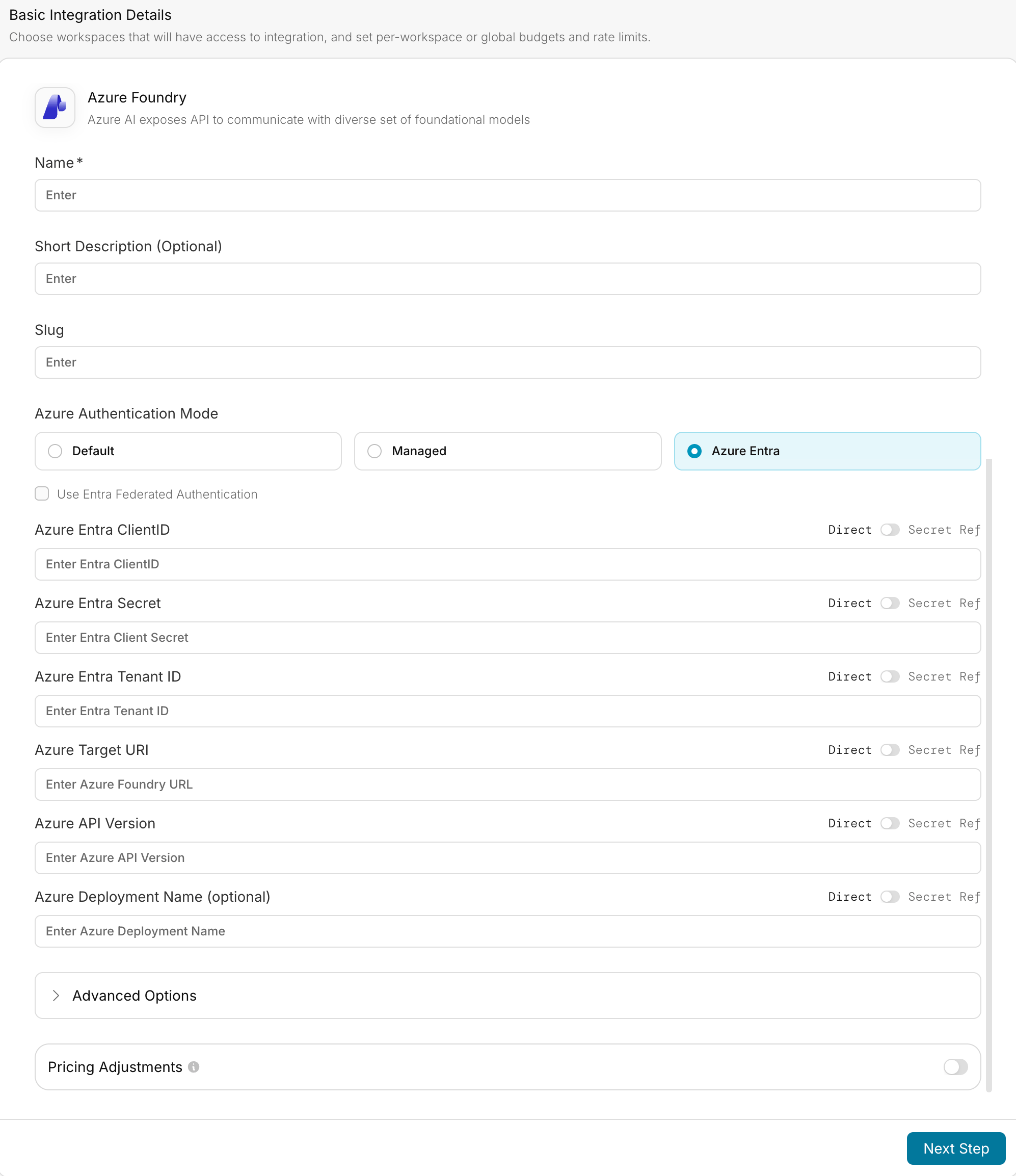
You can create a virtual key for Azure AI Foundry using one of three authentication methods. Each method requires different information from your Azure deployment:- Default (API Key)
- Azure Managed Entity
- Azure Entra ID
The recommended authentication mode using API Keys:Required parameters: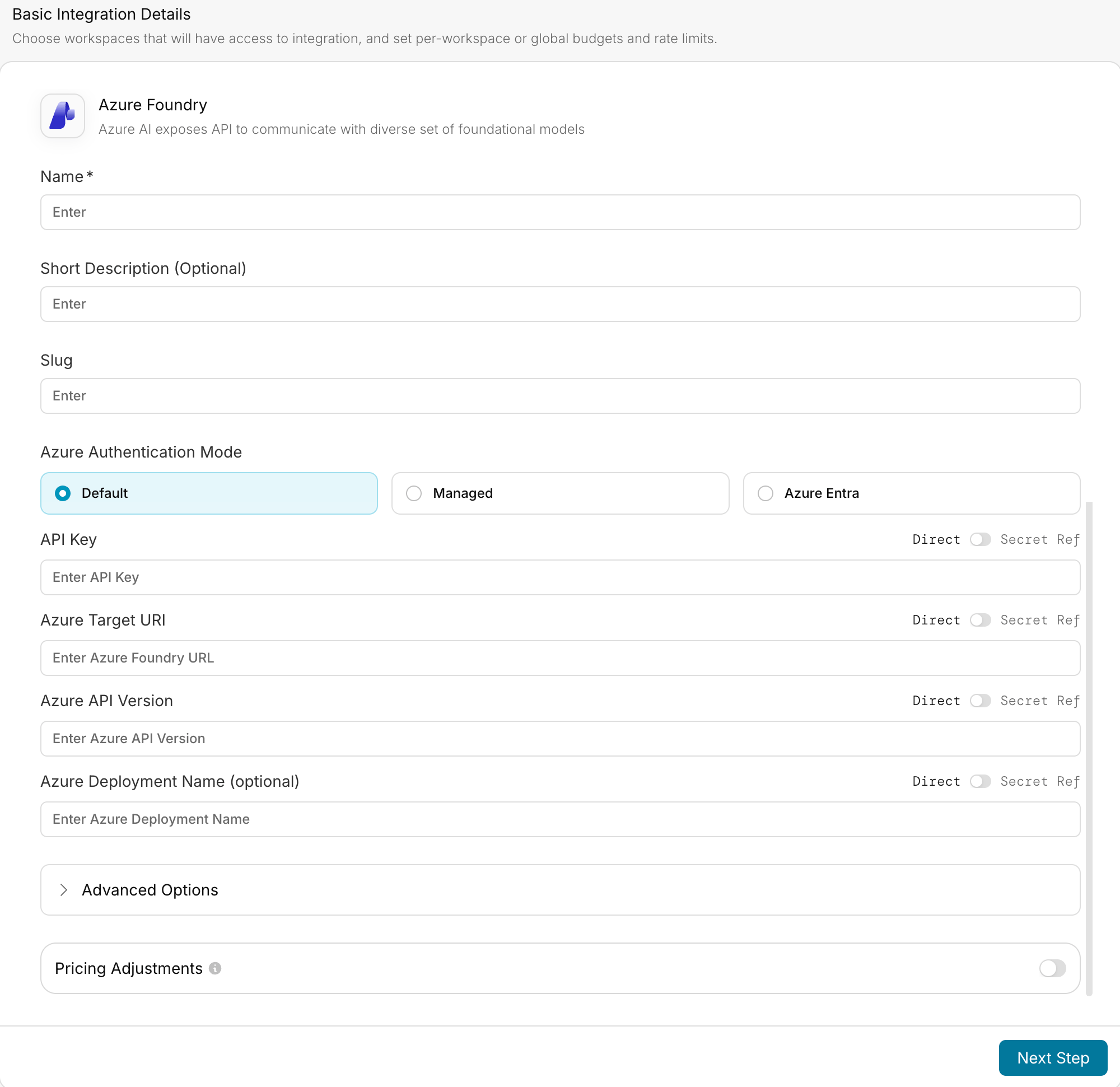
- API Key: Your Azure AI Foundry API key
-
Azure Foundry URL: The base endpoint URL for your deployment, formatted according to your deployment type:
- For AI Services:
https://your-resource-name.services.ai.azure.com/models - For Managed:
https://your-model-name.region.inference.ml.azure.com/score - For Serverless:
https://your-model-name.region.models.ai.azure.com
- For AI Services:
-
Azure API Version: The API version to use (e.g., “2024-05-01-preview”). This is required if you have api version in your deployment url. For example:
- If your URL is
https://mycompany-ai.westus2.services.ai.azure.com/models?api-version=2024-05-01-preview, the API version is2024-05-01-preview
- If your URL is
- Azure Deployment Name: (Optional) Required only when a single resource contains multiple deployments.
Sample Request
Once you’ve created your virtual key, you can start making requests to Azure AI Foundry models through Portkey.- NodeJS
- Python
- cURL
Install the Portkey SDK with npm
Advanced Features
Function Calling
Azure AI Foundry supports function calling (tool calling) for compatible models. Here’s how to implement it with Portkey:- Node.js
- Python
Vision Capabilities
Process images alongside text using Azure AI Foundry’s vision capabilities:- Node.js
- Python
Structured Outputs
Get consistent, parseable responses in specific formats:- Node.js
- Python
Relationship with Azure OpenAI
For Azure OpenAI specific models and deployments, we recommend using the existing Azure OpenAI provider in Portkey:Azure OpenAI Integration
Learn how to integrate Azure OpenAI with Portkey for access to OpenAI models hosted on Azure.
Portkey Features with Azure AI Foundry
Setting Up Fallbacks
Create fallback configurations to ensure reliability when working with Azure AI Foundry models:Load Balancing Between Models
Distribute requests across multiple models for optimal performance:Conditional Routing
Route requests based on specific conditions like user type or content requirements:Managing Prompts with Azure AI Foundry
You can manage all prompts to Azure AI Foundry in the Prompt Library. Once you’ve created and tested a prompt in the library, use theportkey.prompts.completions.create interface to use the prompt in your application.
- NodeJS
- Python
Next Steps
Explore these additional resources to make the most of your Azure AI Foundry integration with Portkey:Add Metadata
Learn how to add custom metadata to your Azure AI Foundry requests.
Gateway Configs
Configure advanced gateway features for your Azure AI Foundry requests.
Request Tracing
Trace your Azure AI Foundry requests for better observability.
Setup Fallbacks
Create fallback configurations between different providers.