

- Enforce guardrails directly within the AI request flow
- Make existing guardrail systems production-ready
- Modify AI requests and responses in real-time
How It Works
- You add a Webhook as a Guardrail Check in Portkey
- When a request passes through Portkey’s Gateway:
- Portkey sends relevant data to your webhook endpoint
- Your webhook evaluates the request/response and returns a verdict
- Based on your webhook’s response, Portkey either allows the request to proceed, modifies it if required, or applies your configured guardrail actions
Setting Up a Webhook Guardrail
Configure Your Webhook in Portkey App
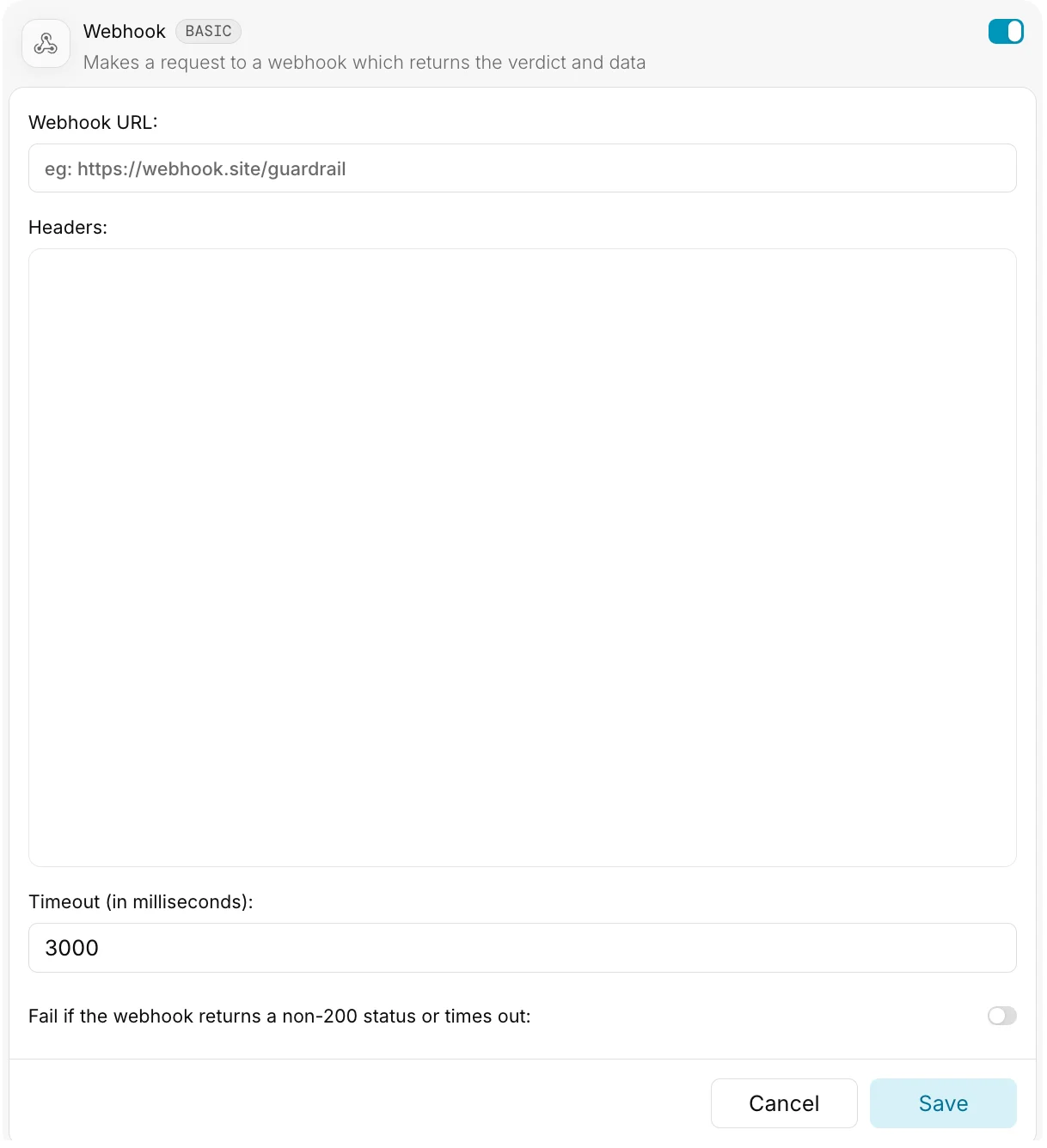
Webhook URL
This should be a publicly accessible URL where your webhook is hosted.Enterprise Feature: Portkey Enterprise customers can configure secure access to webhooks within private networks.
Headers
Specify headers as a JSON object:Timeout
The maximum time Portkey will wait for your webhook to respond before proceeding with a defaultverdict: true.
- Default:
3000ms(3 seconds) - If your webhook processing is time-intensive, consider increasing this value
Webhook Request Structure
Your webhook should acceptPOST requests with the following structure:
Request Headers
Request Body
Portkey sends comprehensive information about the AI request to your webhook:Event Types
Your webhook can be triggered at two points:- beforeRequestHook: Before the request is sent to the LLM provider
- afterRequestHook: After receiving a response from the LLM provider
Webhook Response Structure
Your webhook must return a response that follows this structure:Response Body
Webhook Capabilities
Your webhook can perform three main actions:Simple Validation
Return a verdict without modifying the request/response:Request Transformation
Modify the user’s request before it reaches the LLM provider:- Example: Adding Content Policy
- Example: PII Redaction
Response Transformation
Modify the LLM’s response before it reaches the user:- Example: Content Filtering
- Example: Response Enhancement
Passing Metadata to Your Webhook
You can include additional context with each request using Portkey’s metadata feature:metadata field. Learn more about metadata.
Important Implementation Notes
-
Complete Transformations: When using
transformedData, include all fields in your transformed object, not just the changed portions. -
Independent Verdict and Transformation: The
verdictand any transformations are independent. You can returnverdict: falsewhile still returning transformations. -
Default Behavior: If your webhook fails to respond within the timeout period, Portkey will default to
verdict: true. -
Event Type Awareness: When implementing transformations, ensure your webhook checks the
eventTypefield to determine whether it’s being called before or after the LLM request.