

Introduction
Instead of your clients (your users/your services) directly interacting with the upstream agent server, Portkey allows you to:- create virtual servers and provision access with virtual keys,
- control access to the agent itself and the specific skills and capabilities that the agent provides.
Usage
Simply replace your agent server URL wherever you are invoking it with the virtual server URL. For example, if your slug istest-server your URL becomes https://agents.portkey.ai/v1/agent/test-server.
For self-hosted deployments, replace
agents.portkey.ai with your gateway
URL.Logging
Every request to the virtual server will be logged and can be viewed in the logs section. This forms the basis of the observability and governance features at Portkey.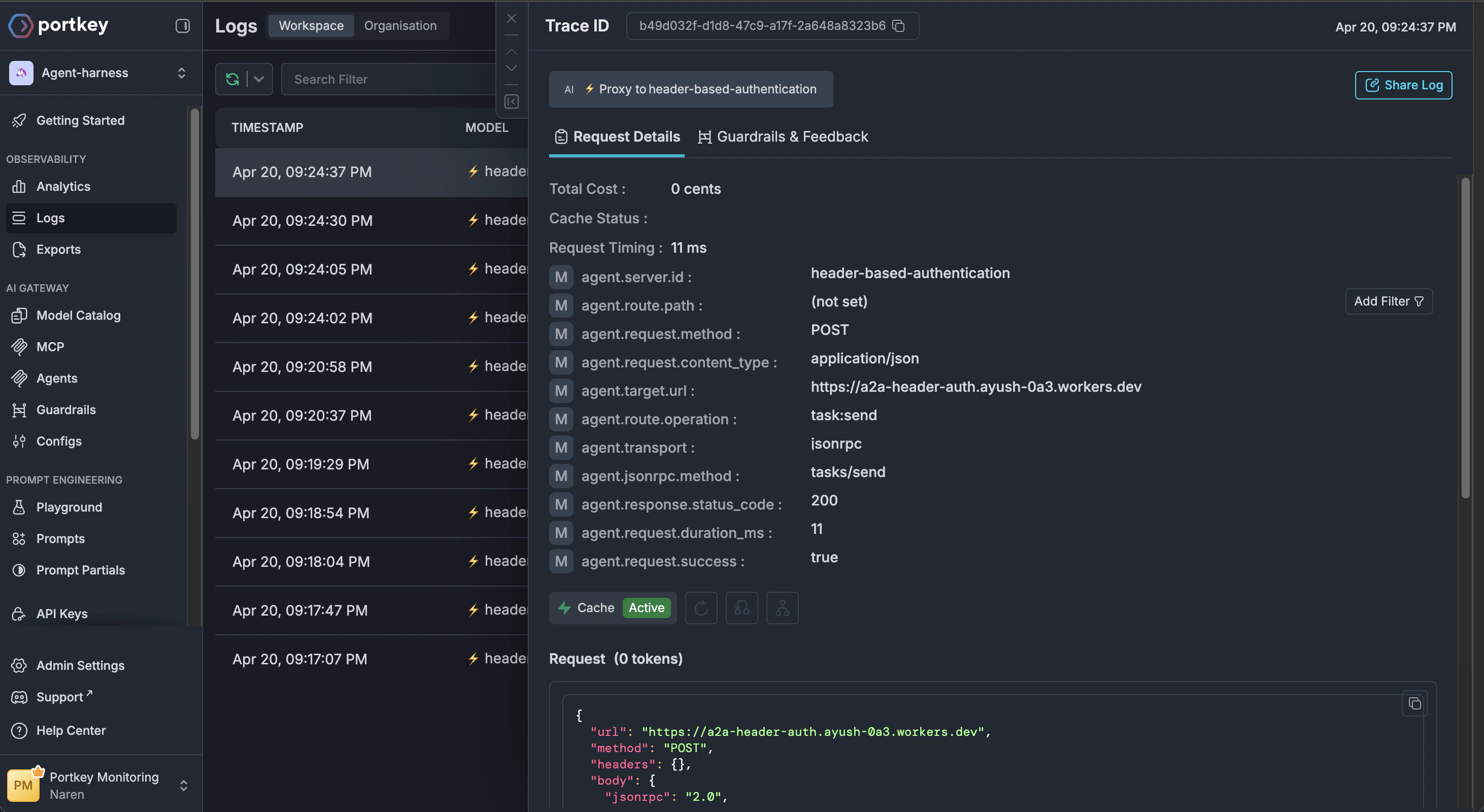
Further reading
Quickstart
Get started with the Agent Gateway by registering your first agent.
Agent Registry
Manage your agent integrations and control access to agents and their skills.
Advanced code snippets and examples
Explore additional examples for fetching agent cards and invoking agents.
Logs
View and analyze logs for every request made through your agent servers.
Portkey is now PRISMA AIRS AI Gateway. See it in action.
Contact Us