

This is a Portkey Enterprise plan feature.
Overview
Guardrail Management in Portkey enables organization administrators to control who can view and manage guardrails within workspaces. This helps teams enforce governance while ensuring members only get the level of guardrail access they need.Accessing Guardrail Management
- Navigate to Admin Settings in the Portkey dashboard
- Select the Security tab from the left sidebar
- Locate the Guardrail Management section
Permission Settings
The Guardrail Management section provides three permission options:
Default settings:
- Managers can view and write guardrails
- Members can view guardrails
- Members do not get a Manage Guardrails toggle (shown as N/A in the UI)
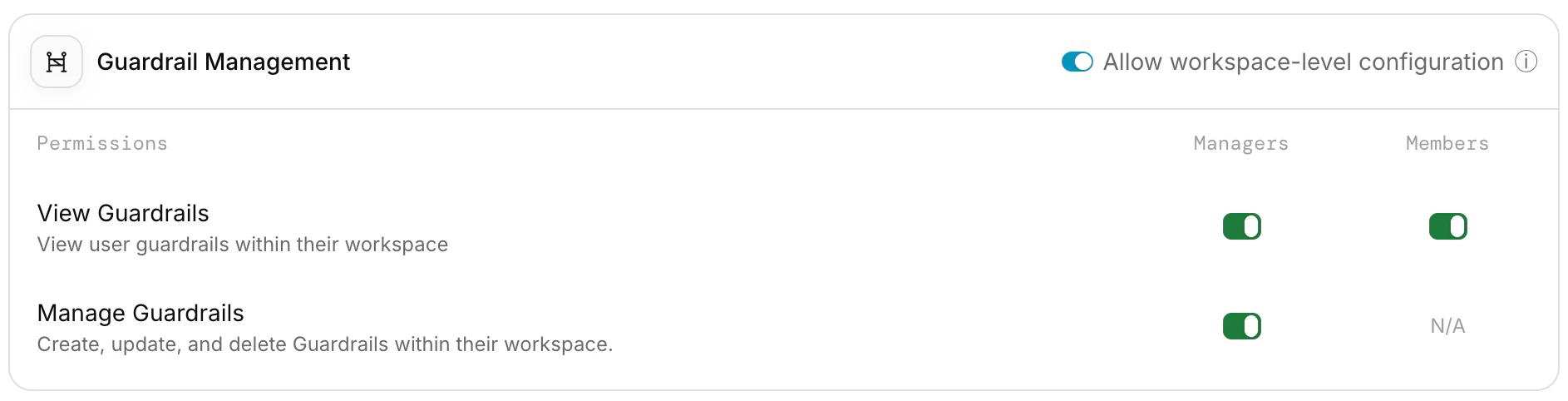
Guardrail Management settings
Workspace-Level Overrides
Guardrail access permissions support workspace-level overrides, allowing you to configure different guardrail access settings per workspace. When workspace-level overrides are enabled for guardrails:- Each workspace can have its own
membersViewGuardrails,managersViewGuardrails, andmanagersWriteGuardrailssettings - Workspace settings take precedence over organization-level settings and inherit organization settings by default
- Enable the Allow workspace-level configuration toggle in the Guardrail Management section under organization Security settings
- Navigate to the specific workspace settings to configure per-workspace guardrail access
Related Features
Access Control Management
Learn about Portkey’s access control features including user roles and organization hierarchy
Prompt Access Permissions
Configure who can view and manage prompts within workspaces
Enforcing Org Level Guardrails
Learn how to enforce organization-level request guardrails across all workspaces
Portkey is now PRISMA AIRS AI Gateway. See it in action.
Contact Us