

- Every request carries the metadata your cost reports depend on
- Clients can’t turn off request logging
- Only approved endpoints are reachable
- Callers present a valid JWT, and their identity comes from the token rather than from headers they set themselves
How Enforcement Works
For each request, the gateway collects start hooks from three places, in this order:- Organization start hooks
- Workspace start hooks, for the workspace the API key belongs to
- Config
start_hooks, from the config attached to the request
deny: true fails, the request is blocked.
Start hooks enforced at the organization or workspace level run in addition to input and output guardrails you’ve already configured at those levels. See Enforcing Org Level Guardrails and Enforcing Workspace Level Guardrails.
Enforce at the Organization Level
- Create a guardrail made only of checks that support start hooks. See Start Hooks.
- Go to
Admin Settingsin the Portkey dashboard. - Open the
Organisation Guardrailssection. - In Start Hooks, add the guardrail.
- Save your changes.
An organization-level start hook must be an organization-level guardrail, not one created inside a single workspace.
If you create the guardrail from the Start Hooks section here, the check list only shows checks that support start hooks. A guardrail you created elsewhere may contain other checks, so make sure it only uses checks that support start hooks.
Enforce at the Workspace Level
- Open your workspace’s settings.
- Go to Workspace Guardrails.
- Under Start Hook Guardrail, select a start hook guardrail created in the workspace.
- Click Update.
Enforce Through a Config
A config only applies to requests that use it, and a client can choose its own config. To make a config enforce a policy, attach it as the default config of an API key and turn off Allow Config Override. Requests made with that key then always run the config’sstart_hooks, and a request that sends its own config gets a 400 error. See Enforcing Default Configs on API Keys.
If config override is left on, a client can send a different config and the
start_hooks in your default config no longer run. Start hooks set at the organization or workspace level are not affected, because they run in addition to any config.Policy Recipes
Each recipe below shows two ways to set up the same policy. Use the tab that fits how you enforce it:- Dashboard: create a regular guardrail on the Guardrails page with the check, parameters, and actions shown, then attach it as a start hook at the organization or workspace level.
- Config: add the
start_hooksentry shown to a config, alongside your usual provider settings, and enforce it with a default config.
Require Request Metadata
Block requests that don’t say who or what they’re for, so logs and reports can always be attributed, before any LLM spend happens.- Dashboard
- Config
Check: Required Metadata Keys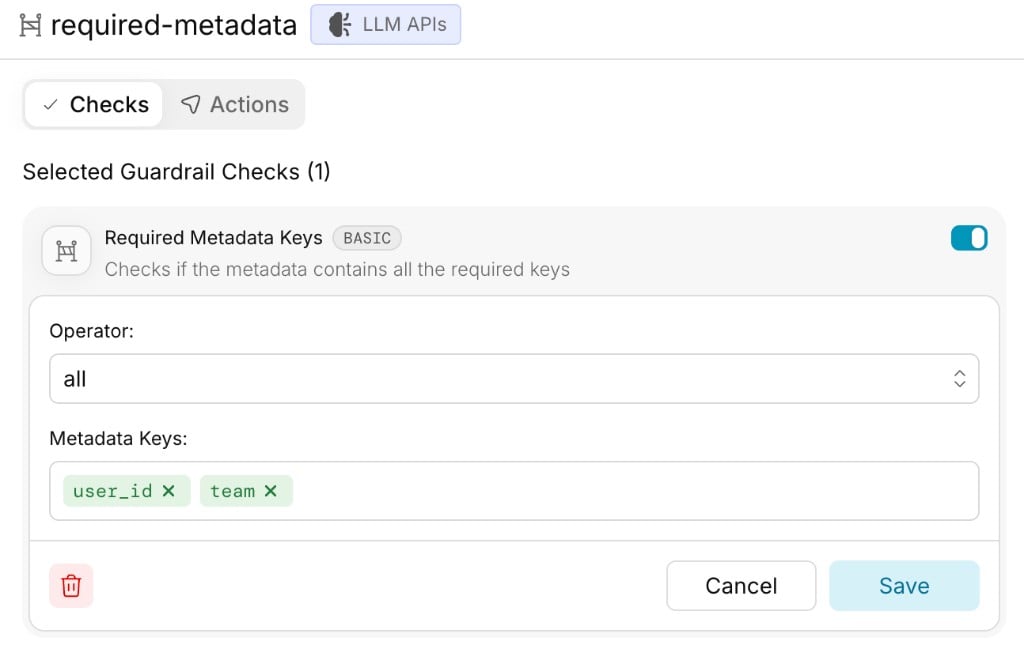
- Operator:
all - Metadata Keys:
user_id,team - Action: Deny on Failure
all, a request missing any listed key is blocked. Use any to require at least one key, or none to prohibit keys, for example to reject requests that include a key reserved for your own systems.
Prevent Clients from Disabling Logging
Block requests that sendx-portkey-debug: false.
- Dashboard
- Config
Check: Header Check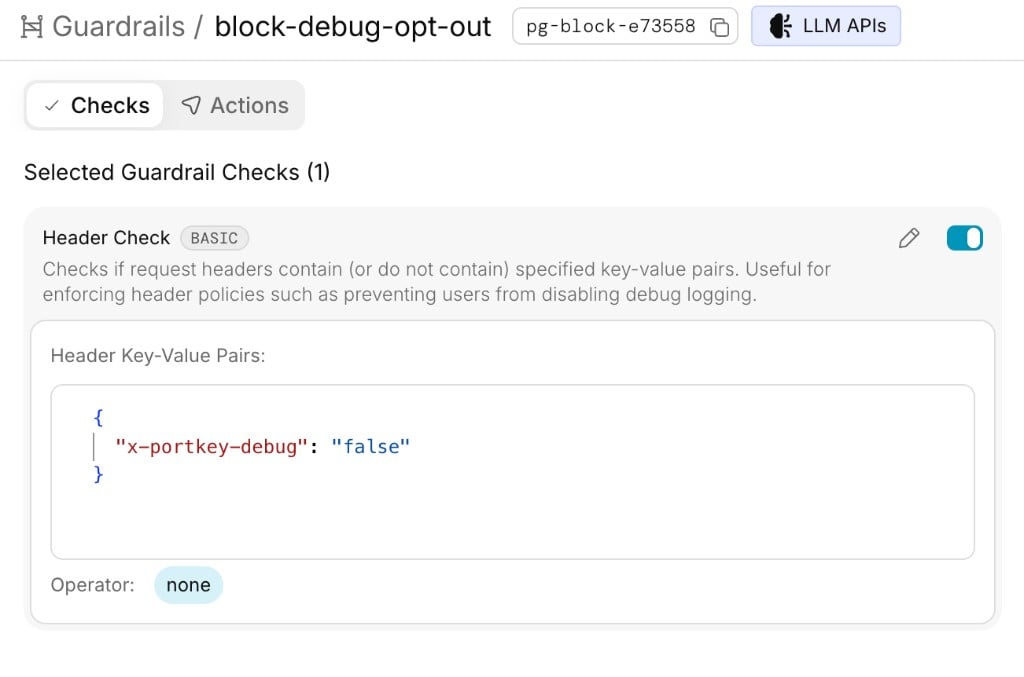
- Operator:
none - Header Key-Value Pairs:
{"x-portkey-debug": "false"} - Action: Deny on Failure
none means the check passes only if none of the listed pairs match. A request with x-portkey-debug: false is blocked with 446. A request without the header, or with x-portkey-debug: true, goes through.
Allow Only Specific Endpoints
Allow chat and embeddings requests, and block everything else.- Dashboard
- Config
Check: Allowed Request Types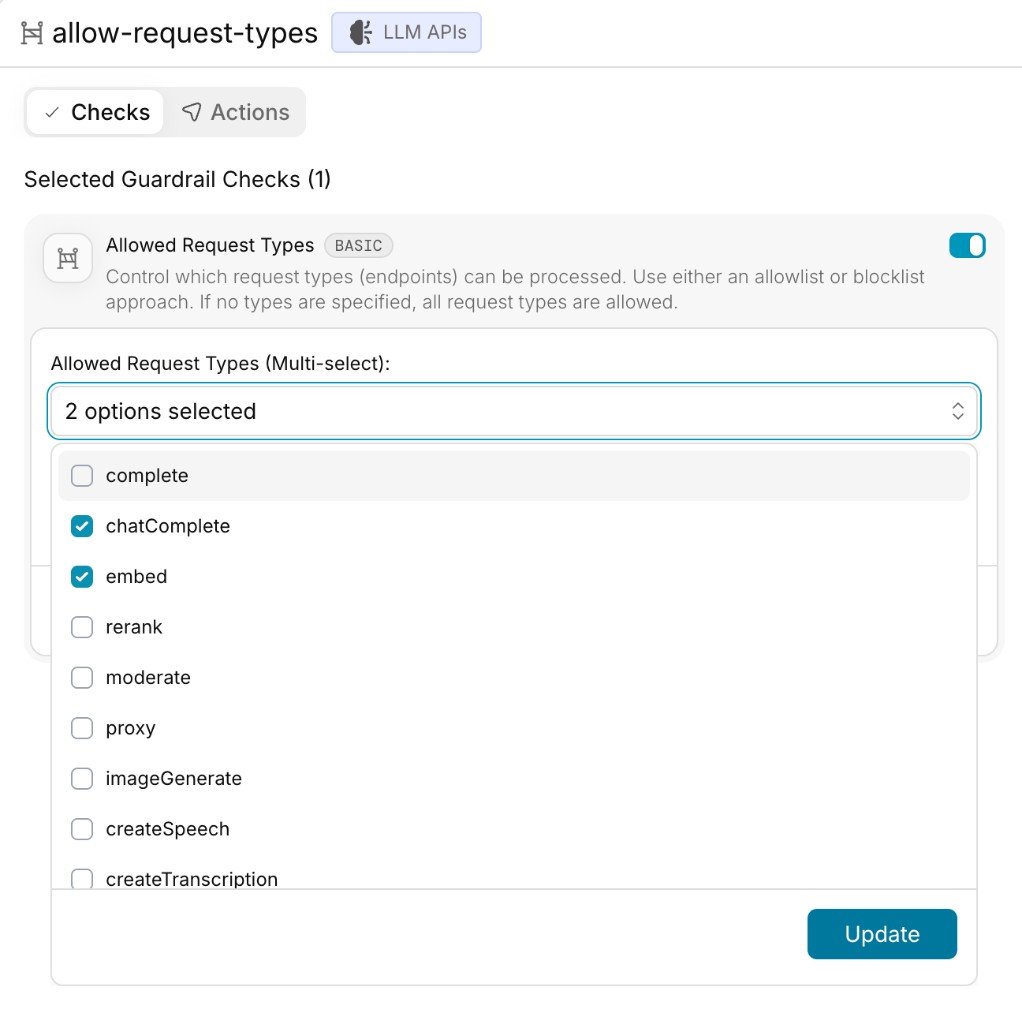
- Allowed Request Types (Multi-select):
chatComplete,embed - Action: Deny on Failure
/v1/chat/completions becomes chatComplete. A request to any type not in the list, including paths such as /v1/models, is blocked. See Allowed Request Types for the full list of request types.
Block Specific Endpoints
Block batch and fine-tuning requests and allow everything else.- Dashboard
- Config
Check: Allowed Request Types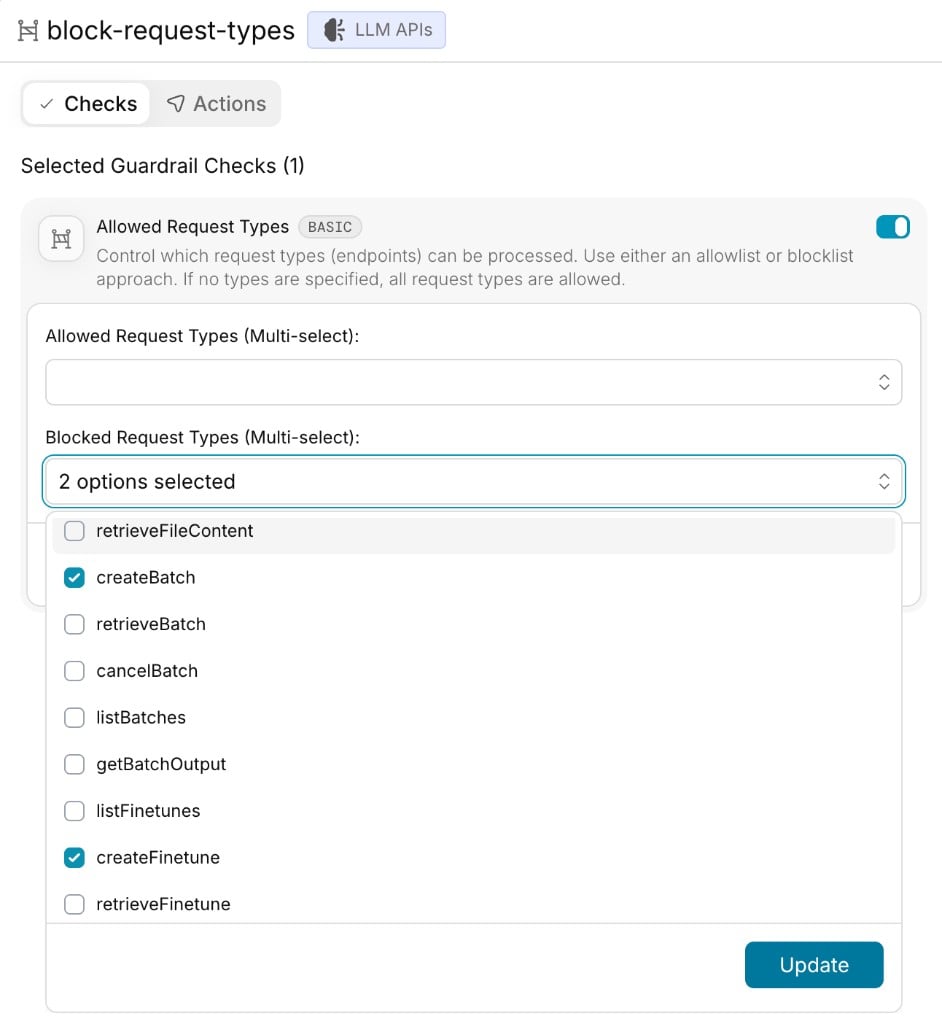
- Blocked Request Types (Multi-select):
createBatch,createFinetune - Action: Deny on Failure
In a start hook,
createBatch and createFinetune stand for their whole endpoint families. This policy blocks every request to /v1/batches and /v1/fine_tuning/jobs, including listing and retrieving jobs, not only creating them.Require a Valid JWT and Take Identity from It
Validate the caller’s token, check its claims, and write trusted claims into the request so they can’t be spoofed.- Dashboard
- Config
Check: JWT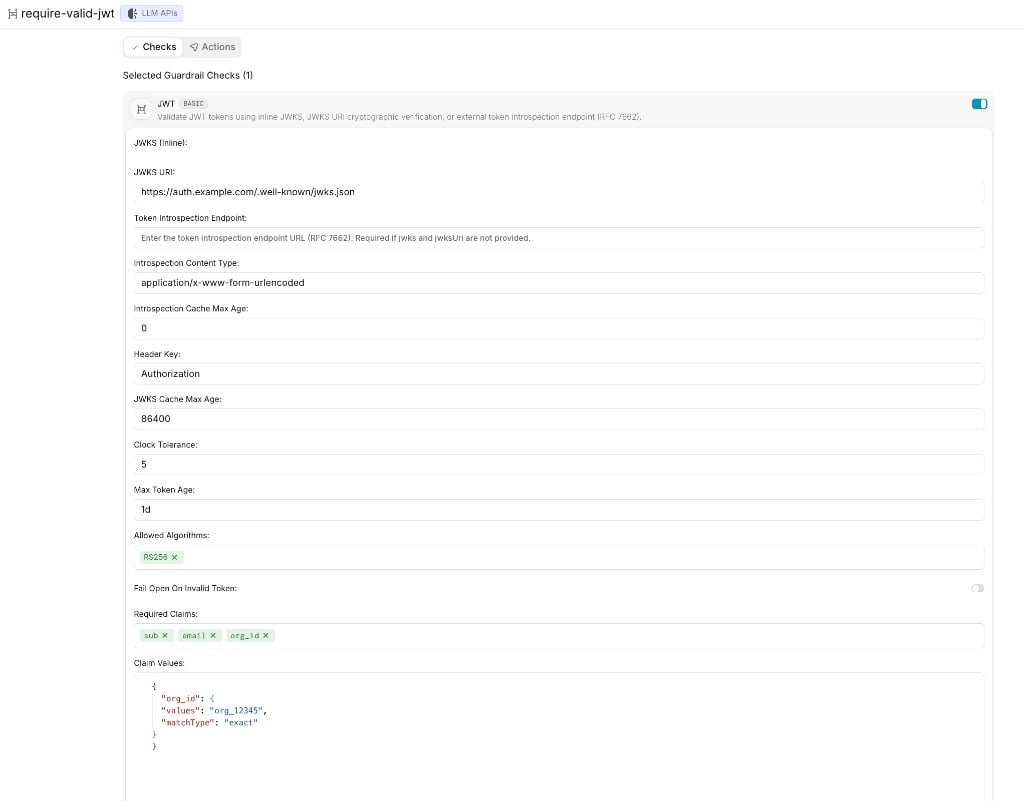

- Header Key:
Authorization - JWKS URI:
https://auth.example.com/.well-known/jwks.json - Required Claims:
sub,email,org_id - Claim Values:
{"org_id": {"values": "org_12345", "matchType": "exact"}} - Extract Claims:
sub,email,org_id - Claim Prefix:
x-jwt- - Action: Deny on Failure
- The token signature is verified against the JWKS URI, and a missing, expired, or invalid token is blocked
sub,email, andorg_idmust be present, andorg_idmust equalorg_12345- The extracted claims are written to the
x-jwt-sub,x-jwt-email, andx-jwt-org_idheaders, and to request metadata under their raw names (setmetadataPrefixto add a prefix) - Any value the client sent for those headers or keys is overwritten, or removed if the token doesn’t have the claim
failOnError: true makes an error, such as an unreachable JWKS endpoint, block the request instead of letting it through. The dashboard doesn’t show this option for the JWT check, so use the Config tab if you need it. See the JWT guardrail for validation options.
Normalize Headers
Remove client-controlled headers your downstream services shouldn’t trust, and stamp the request with values you control.- Dashboard
- Config
Check: Header Transform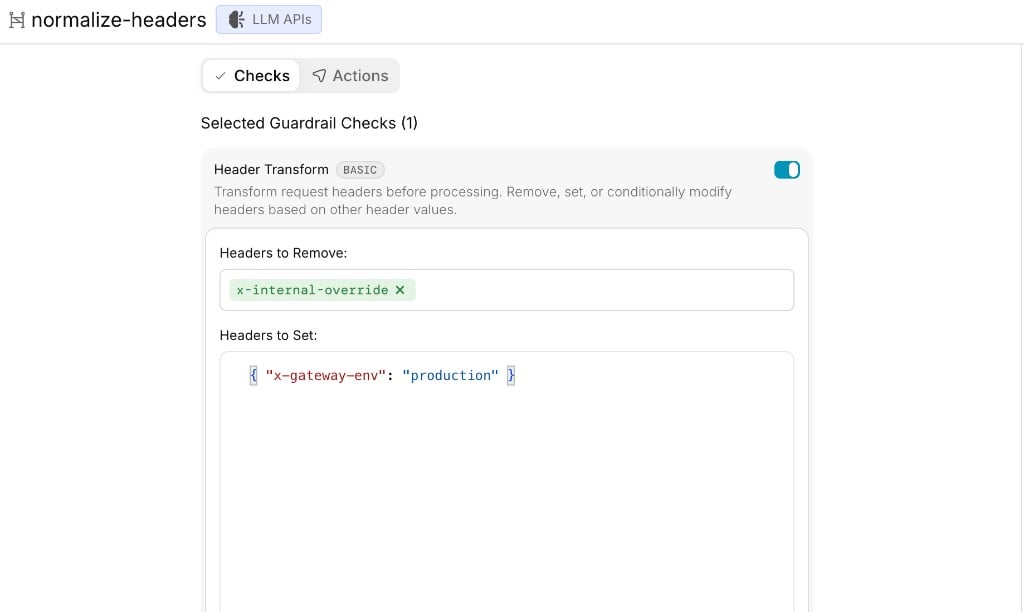
- Headers to Remove:
["x-internal-override"] - Headers to Set:
{"x-gateway-env": "production"} - Execute guardrails sequentially: on
x-portkey-* headers can’t be changed, and headers the gateway reads itself, such as anthropic-beta, are not affected. The provider may also ignore the headers you set. See Header Transform.
To keep clients from using an
anthropic-beta feature you haven’t approved, don’t try to strip the header with Header Transform. A Header Check can block the request instead, but it matches an exact header value, so it only works when you know the exact value clients send.Keep an Agent’s Requests on the Same Workers AI Instance
Workers AI prompt caching routes requests that carry the samex-session-affinity value to the same model instance, so a long shared prefix such as a system prompt and tool definitions is reused instead of reprocessed. Header Transform can add this header for clients that don’t send it.
- Dashboard
- Config
Check: Header Transform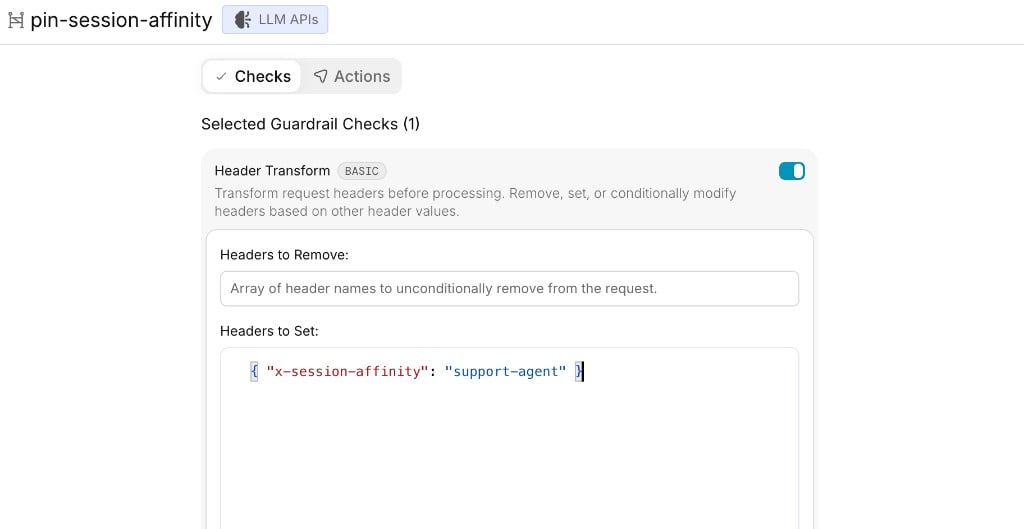
- Headers to Set:
{"x-session-affinity": "support-agent"}
x-session-affinity value the client sends. To keep a value the client sends, use the Config tab.- Use one value per agent. The value is a fixed string. If every request in the organization or workspace gets the same value, they all go to one instance, which removes the benefit and can overload it. Use this on a workspace or API key dedicated to one agent, or let each client send its own per-session value and use the
setIfversion only as a fallback. - It reaches every provider in the request. The start hook runs once per request, not per target, so the header is also sent to any fallback or load-balance targets in the same config. Most providers ignore an unknown header.
- You can’t see the effect in the response headers or body fields the gateway adds. Cloudflare doesn’t echo the header back. The gateway returns Cloudflare’s
usageobject unchanged, so check it for cached token counts on models that support prefix caching, as described in Cloudflare’s guide.
Delegate the Decision to an External Policy Service
Send the request context to your own service, such as an internal access control system, and let it decide.- Dashboard
- Config
Check: Webhook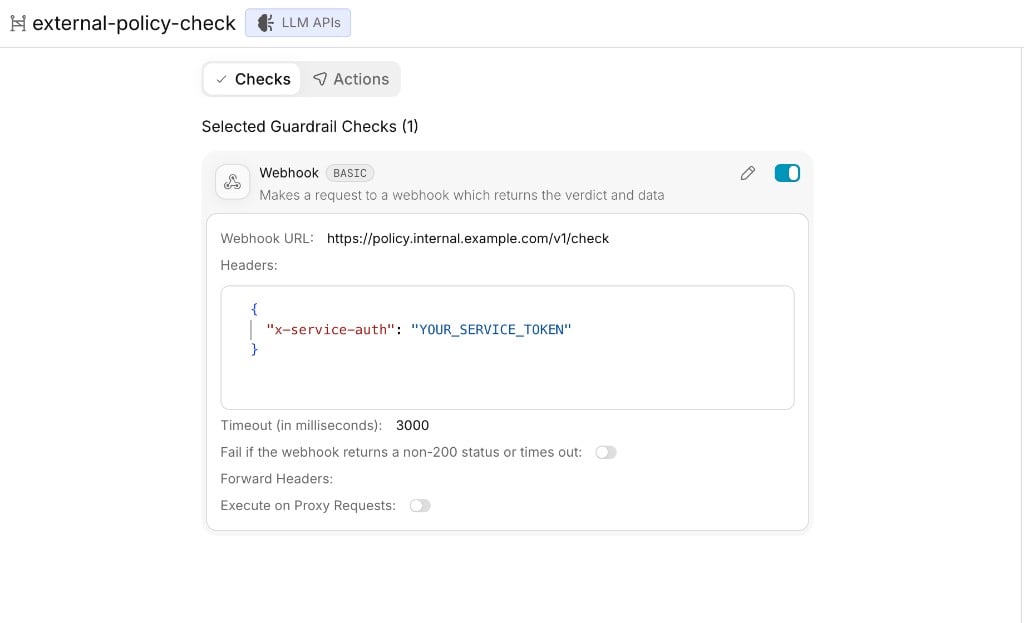
- Webhook URL:
https://policy.internal.example.com/v1/check - Headers:
{"x-service-auth": "YOUR_SERVICE_TOKEN"} - Timeout:
3000 - Fail if the webhook returns a non-200 status or times out: on
- Action: Deny on Failure
forwardHeaders. See Forwarding headers.
Your service replies with a JSON body like { "verdict": true, "data": { ... } }. If verdict is false, the request is blocked and data is included in the check result. Set failOnError so that a timeout or error from your service blocks the request. Without it, an unreachable service lets every request through.
Audit Without Adding Latency
Run a check after the response has been sent, so it records the request without slowing it down.- Dashboard
- Config
Check: Webhook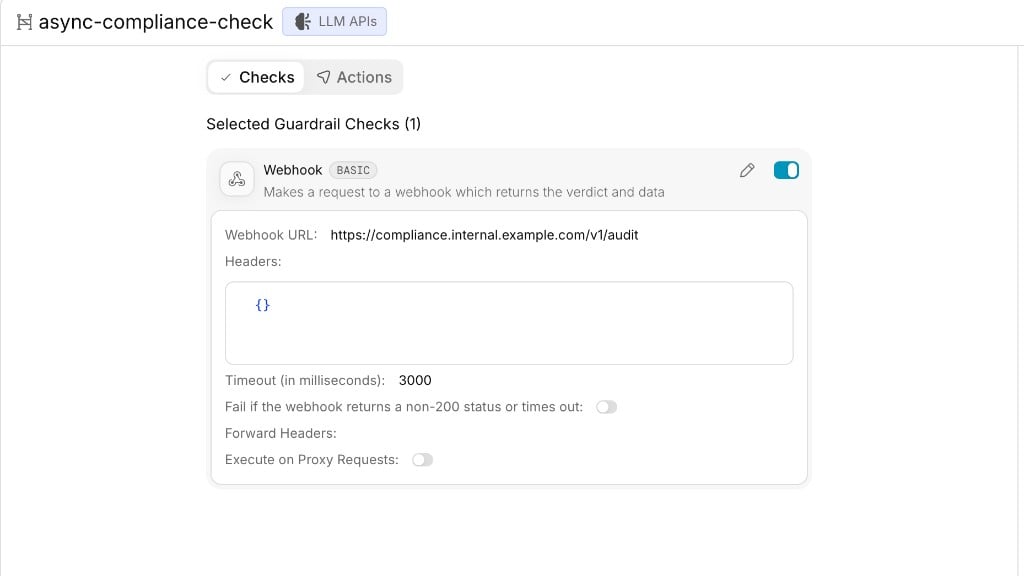
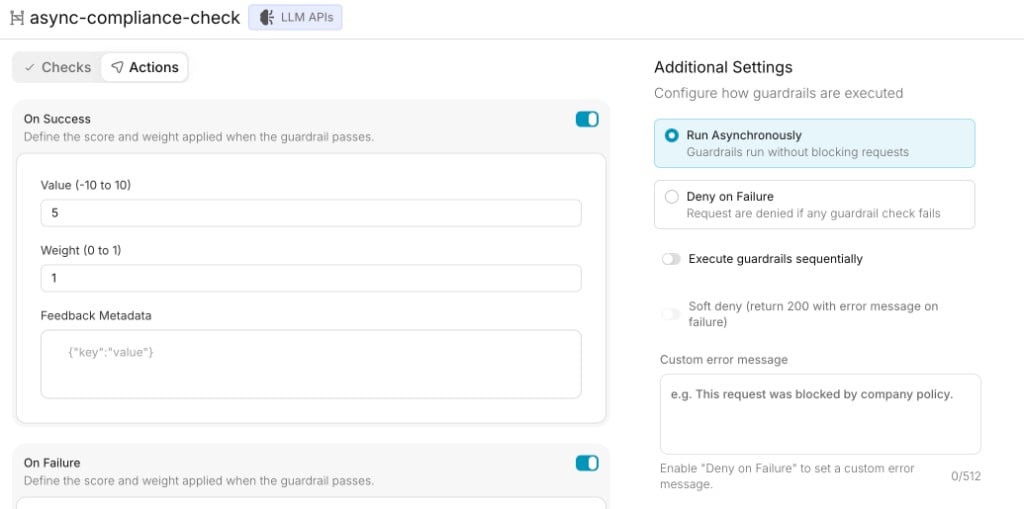
- Webhook URL:
https://compliance.internal.example.com/v1/audit - Action: Run Asynchronously
Combine Multiple Checks and Policies
You can stack checks and policies instead of using one per hook:- Several checks in one guardrail. Add more than one check to a single guardrail. The guardrail passes only if every check passes. For example, put a JWT check and an Allowed Request Types check in one guardrail to require a valid token and an approved endpoint.
- A transform followed by a check. Add Header Transform and then Header Check to the same guardrail, with Execute guardrails sequentially turned on, so the check sees the headers as the transform left them. For example, Header Transform sets
x-gateway-env: production, and Header Check then verifies thatx-gateway-envisproduction, or that a header you removed is gone. Without sequential execution, the checks run in parallel and the Header Check sees the original headers. - Several guardrails. Attach more than one guardrail as a start hook at the same level. Each is evaluated on its own, and the request is blocked if any guardrail with Deny on Failure fails. Use separate guardrails when you want each policy reported and managed independently, for example to run one in observe mode (without Deny on Failure) while the others enforce.
checks array of one hook, and separate guardrails are separate entries in start_hooks:
Roll Out Safely
Start hooks run before everything else, so a misconfigured one can block all traffic. A safe rollout:- Observe. Attach the hook with
deny: false. Violations don’t block anything, but they appear inhook_resultsand in your logs, so you can see who would be affected. - Fix clients. Update the applications that fail the check.
- Soft deny, if needed. Set
deny: trueandsoft_deny_200: truefor clients that can’t handle non-2xxerrors. They get a200response that carries the failure message. - Enforce. Switch to
deny: truewithout soft deny, so violations return446.
Verify a Policy
Send a request that breaks the rule and check the response. For the metadata example above:user_id or team metadata, the request returns 446 and never reaches the provider:
x-portkey-metadata header and the same request goes through. Set a custom error message on the guardrail so developers know how to fix the request.
Best Practices
- Start with
deny: falseand move to enforcement once you’ve reviewed the logs. - Put one policy in each guardrail, so a failure points to a single rule and you can change or remove rules independently.
- Set
failOnErroron checks that call external services, such as a webhook, or a JWT check with a remote JWKS. For JWT, set it in a config, since the dashboard doesn’t show it. - Tell developers what is enforced and how to comply, using a clear custom error message.
- A guardrail that’s in use as an organization or workspace default can’t be deleted until you remove it from those settings.
Related
Start Hooks
How start hooks work and the checks they support
Enforcing Request Metadata
Make metadata mandatory on requests