

- Complete observability of agent workflows
- Cost tracking and optimization
- Reliability features (fallbacks, retries)
- Access to 3,000+ LLMs
- Guardrails for safe agent behaviour
Quick Start
1
Design in Agent Builder
Open OpenAI Agent Builder and create your workflow using the visual canvas.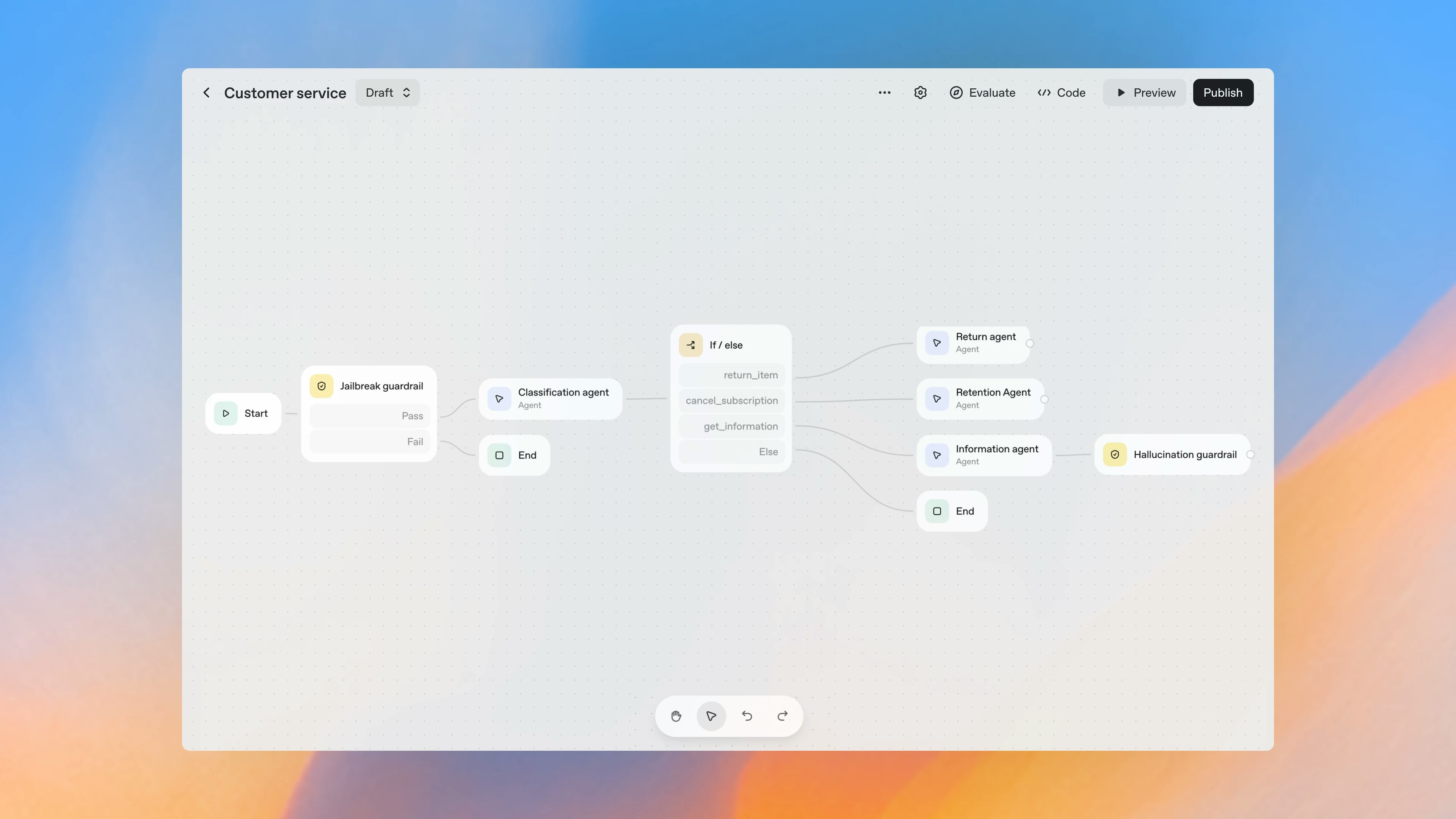
2
Export Code
Click Code → Agents SDK to get the TypeScript implementation.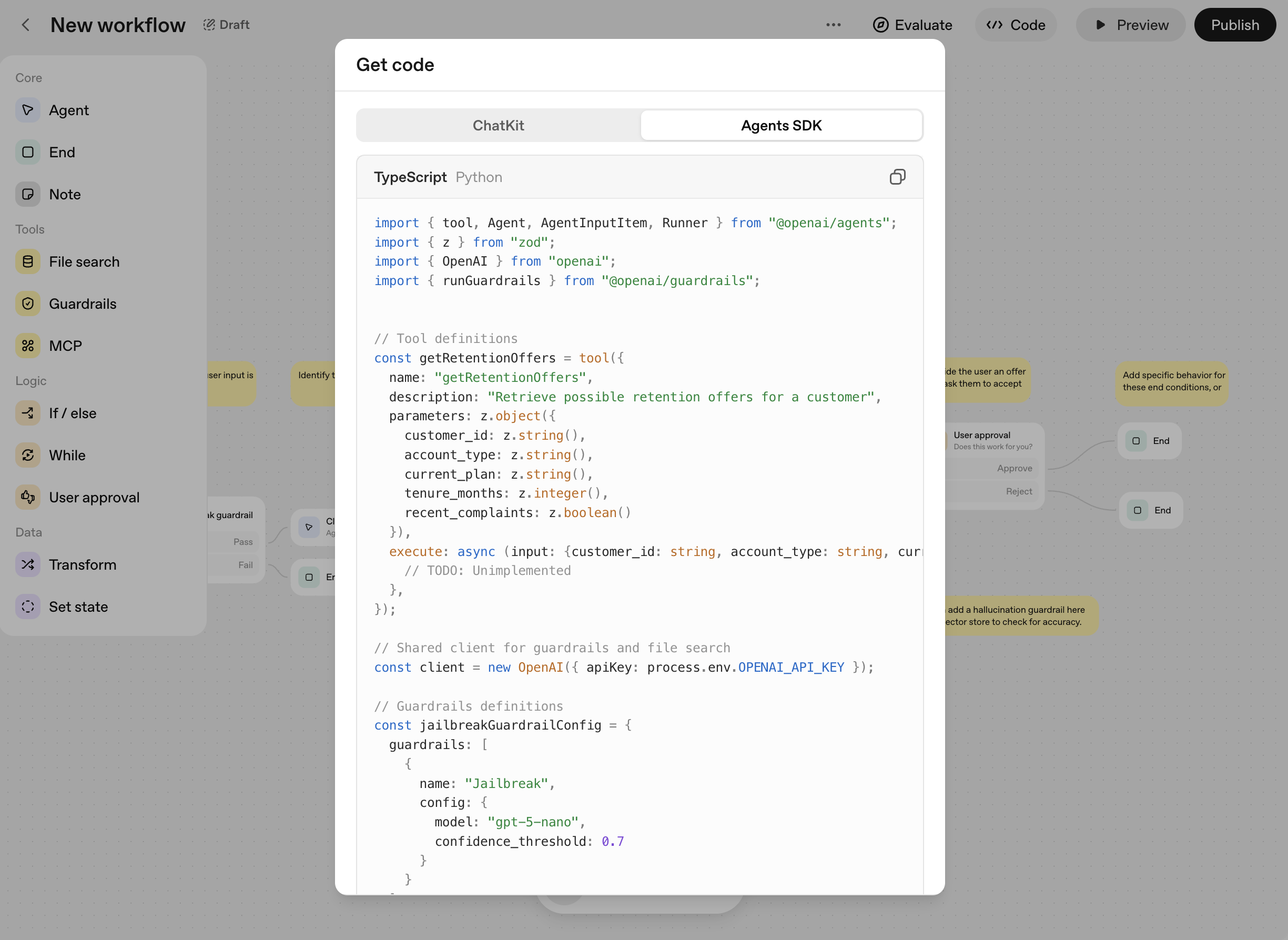
3
Install Packages
4
Add the AI Gateway
Replace the OpenAI client with the AI Gateway:
Update the
model field to use the AI Gateway’s format: @openai-prod/gpt-4oSetup
1
Add Provider in Model Catalog
Go to Model Catalog → Add Provider. Select your provider (OpenAI, Anthropic, etc.), enter API keys, and name it (e.g.,
openai-prod).Your provider slug is @openai-prod.2
Get AI Gateway API Key
Create an API key at stratacloudmanager.paloaltonetworks.com.Pro tip: Attach a config for fallbacks, caching, and guardrails—applies automatically.
Production Features
Observability
All workflow executions are logged: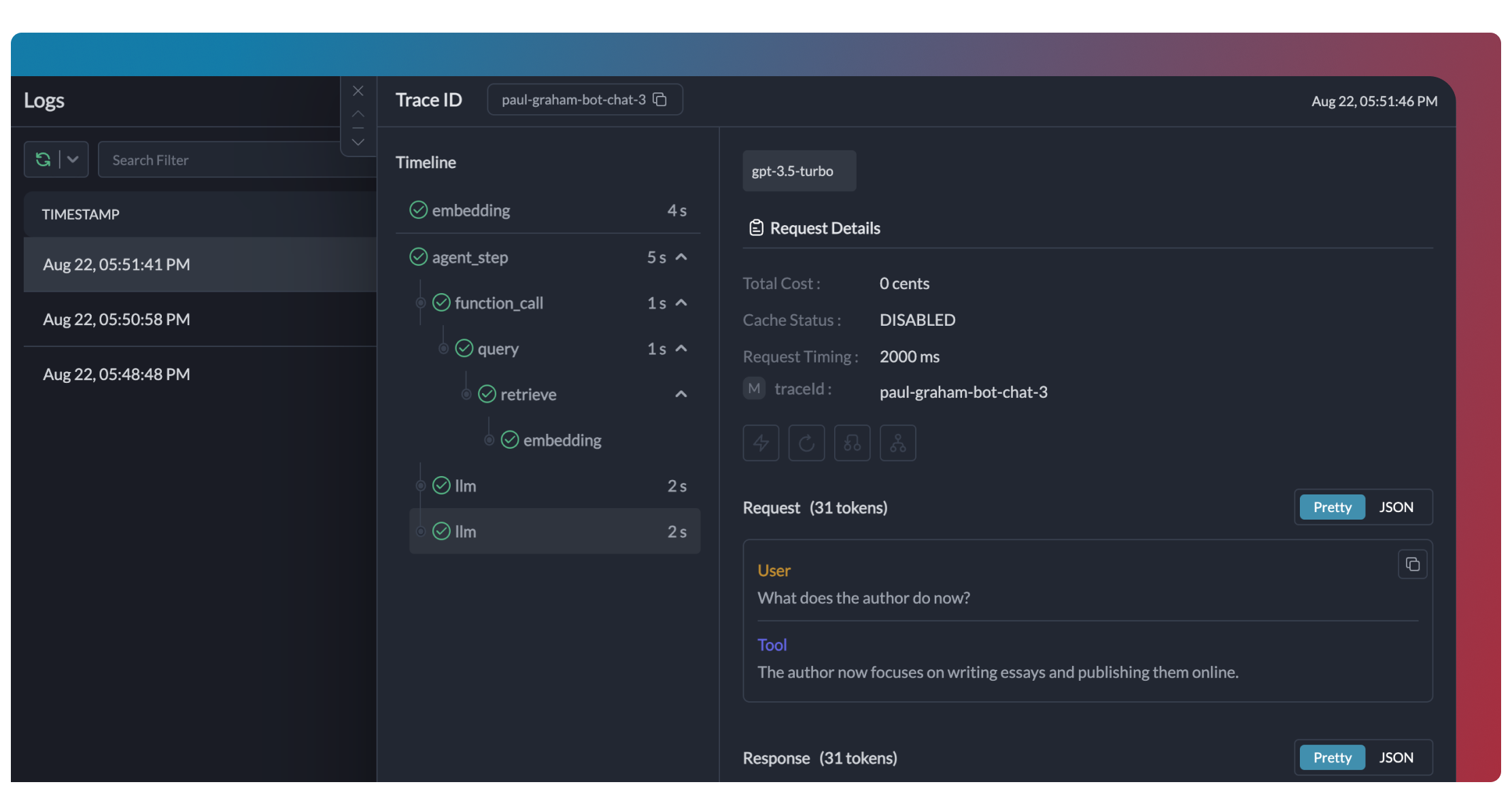

Reliability
Enable fallbacks via Configs:Automatic Retries
Handles temporary failures automatically
Load Balancing
Distribute across multiple keys
Conditional Routing
Route based on request attributes
Fallbacks
Switch to backup providers automatically
Guardrails
Add input/output validation:- Detect and redact PII
- Filter harmful content
- Validate response formats
- Apply custom business rules
Guardrails Guide
PII detection, content filtering, and custom rules
Caching
Reduce costs with response caching:Switching Providers
Use any of 3,000+ models:Supported Providers
See all 3,000+ supported models
Governance
Set up centralized control for your workflows.1
Add Provider with Budget
Go to Model Catalog → Add Provider. Set budget limits and rate limits.
2
Create Config
Go to Configs:
3
Create Team API Keys
Go to API Keys. Create keys per team, attach configs.
4
Distribute to Teams
Teams use their AI Gateway API key:
Governance & Administration
Access control, encryption, and audit trails
FAQ
Can I use the AI Gateway with existing Agent Builder workflows?
Can I use the AI Gateway with existing Agent Builder workflows?
Yes. Export your workflow, add AI Gateway client initialization, and your code works unchanged.
Does the AI Gateway work with all Agent Builder features?
Does the AI Gateway work with all Agent Builder features?
Yes. Handoffs, tools, guardrails—all work with the AI Gateway observability and reliability.
How do I track workflow costs?
How do I track workflow costs?
Add metadata to your requests. Filter by workflow type, user, or environment in the dashboard.
Can I use my own API keys?
Can I use my own API keys?
Yes. The AI Gateway stores your provider keys securely. Rotate keys without code changes.
Resources
OpenAI Agents SDK
Full SDK integration guide
Configs
Fallbacks, caching, and routing
OpenAI Agents Docs
Official documentation