Logfire’s automatic instrumentation combined with Prisma AIRS AI Gateway’s intelligent gateway creates a powerful observability stack where every trace is enriched with routing decisions, cache performance, and cost optimization data.
Why Logfire + the AI Gateway?
Zero-Code OpenAI Instrumentation
Logfire automatically instruments OpenAI SDK calls without any code changes
Gateway Intelligence
The AI Gateway adds routing context, fallback decisions, and cache performance to every trace
Python-First Design
Built by the Pydantic team specifically for Python developers
Real-Time Insights
See traces immediately with actionable optimization opportunities
Quick Start
Prerequisites
- Python
- Strata Cloud Manager account with API key
- OpenAI API key (or add it to Model Catalog)
Step 1: Install Dependencies
Install the required packages for Logfire and AI Gateway integration:Step 2: Basic Setup - Send Traces to AI Gateway
First, let’s configure Logfire to send traces to the AI Gateway’s OpenTelemetry endpoint:Step 3: Complete Setup - Use the AI Gateway
For the best experience, route your LLM calls through the AI Gateway to get automatic optimizations:Step 4: Make Instrumented LLM Calls
Now your LLM calls are automatically traced by Logfire and enhanced by the AI Gateway:Next Steps
Configure Gateway
Set up intelligent routing, fallbacks, and caching
Model Catalog
Manage AI providers, credentials, and model access centrally
View Analytics
Analyze costs, performance, and usage patterns
Set Up Budget & Rate Limts
Set Rate and Budget Limits per model/user/api-key
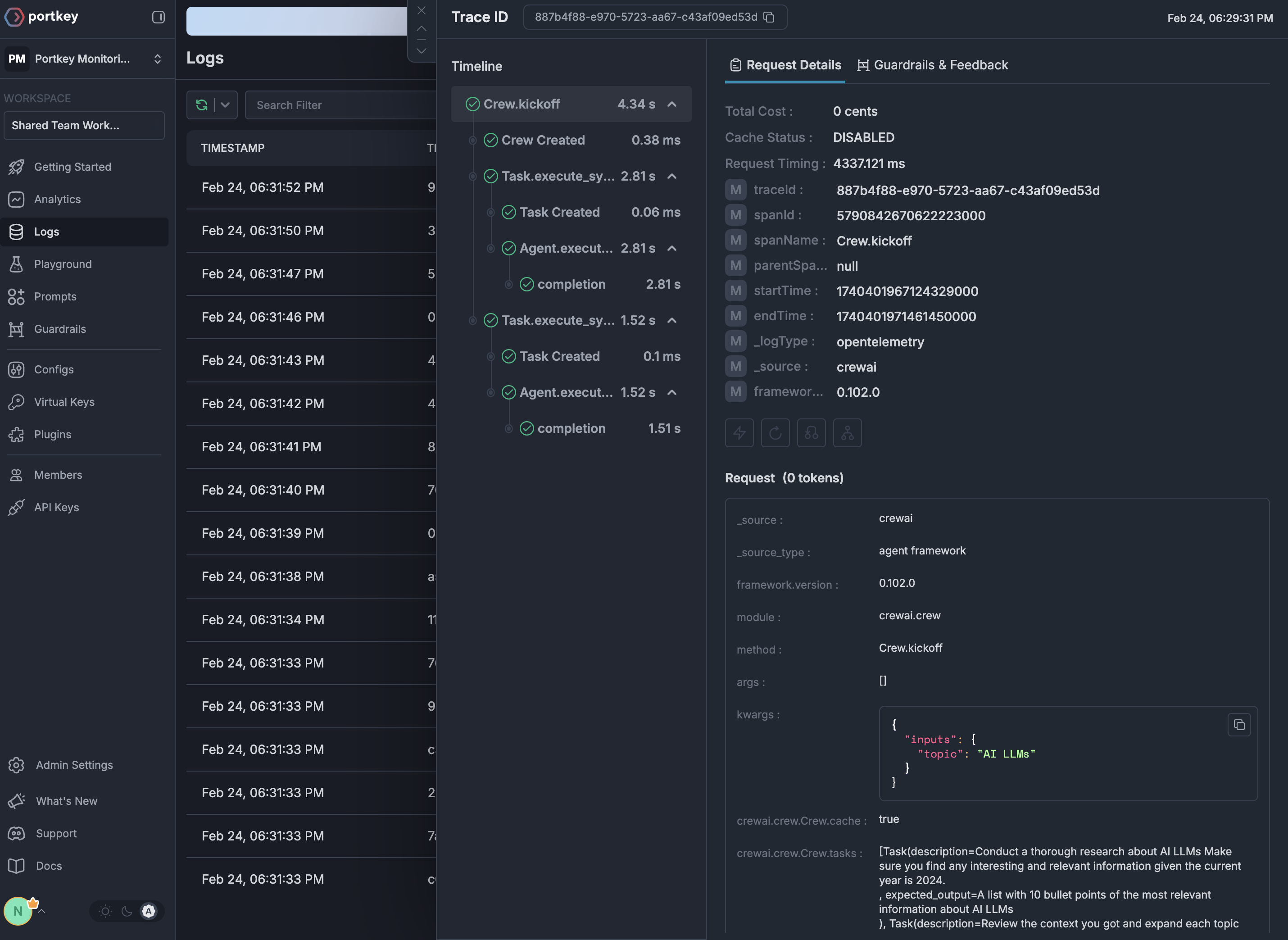
See Your Traces in Action
Once configured, navigate to the Strata Cloud Manager to see your Logfire instrumentation combined with gateway intelligence: