Phoenix’s OpenInference instrumentation combined with the AI Gateway’s intelligent gateway provides comprehensive debugging capabilities with automatic trace collection, while adding routing optimization and resilience features to your LLM calls.
Why Arize Phoenix + the AI Gateway?
Visual Debugging
Powerful UI for exploring traces, spans, and debugging LLM behaviour
OpenInference Standard
Industry-standard semantic conventions for AI/LLM observability
Evaluation Tools
Built-in tools for evaluating model performance and behaviour
Gateway Intelligence
The AI Gateway adds caching, fallbacks, and load balancing to every request
Quick Start
Prerequisites
- Python
- Strata Cloud Manager account with API key
- OpenAI API key (or add it to Model Catalog)
Step 1: Install Dependencies
Install the required packages for Phoenix and AI Gateway integration:Step 2: Configure OpenTelemetry Export
Set up the environment variables to send traces to the AI Gateway:Step 3: Register Phoenix and Instrument OpenAI
Initialize Phoenix and enable OpenAI instrumentation:Step 4: Configure AI Gateway
Set up the OpenAI client with the AI Gateway:Step 5: Make Instrumented LLM Calls
Your LLM calls are now automatically traced by Phoenix and enhanced by the AI Gateway:Complete Example
Here’s a full working example:OpenInference Instrumentation
Phoenix uses OpenInference semantic conventions for AI observability:Automatic Capture
- Messages: Full conversation history with roles and content
- Model Info: Model name, temperature, and other parameters
- Token Usage: Input/output token counts for cost tracking
- Errors: Detailed error information when requests fail
- Latency: End-to-end request timing
Supported Providers
Phoenix can instrument multiple LLM providers:- OpenAI
- Anthropic
- Bedrock
- Vertex AI
- Azure OpenAI
- And more through OpenInference instrumentors
Configuration Options
Custom Span Attributes
Add custom attributes to your traces:Sampling Configuration
Control trace sampling for production environments:Troubleshooting
Common Issues
Traces not appearing in the AI Gateway
Traces not appearing in the AI Gateway
Ensure both OTEL_EXPORTER_OTLP_ENDPOINT and OTEL_EXPORTER_OTLP_HEADERS are correctly set
Missing instrumentation data
Missing instrumentation data
Make sure to call OpenAIInstrumentor().instrument() before creating your OpenAI client
Phoenix UI not showing traces
Phoenix UI not showing traces
If using Phoenix UI locally, ensure Phoenix is running and properly configured
Next Steps
Configure Gateway
Set up intelligent routing, fallbacks, and caching
Model Catalog
Manage AI providers, credentials, and model access centrally
View Analytics
Analyze costs, performance, and usage patterns
Set Up Evaluations
Create custom evaluations for your AI system
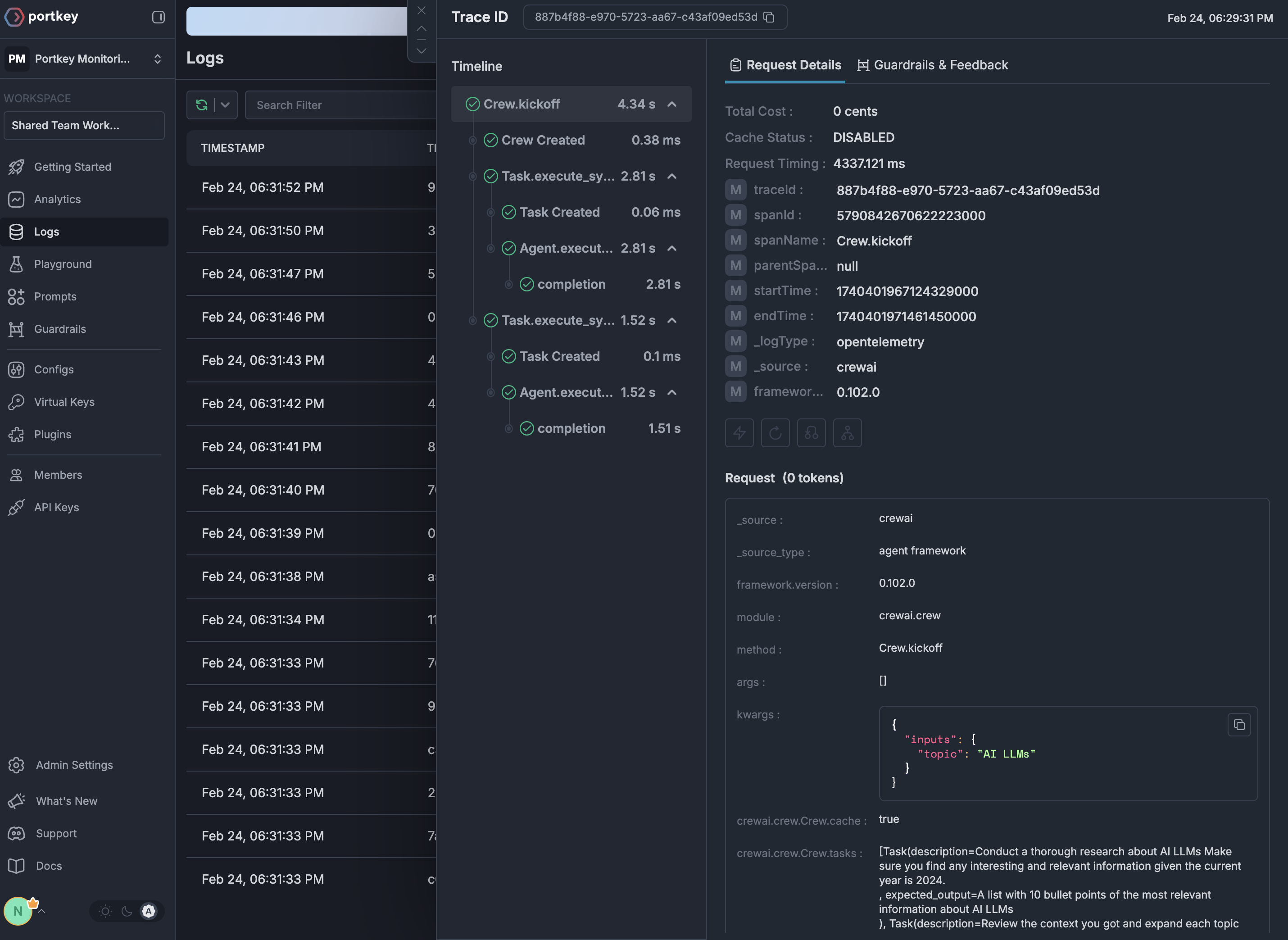
See Your Traces in Action
Once configured, navigate to the Strata Cloud Manager to see your Phoenix instrumentation combined with gateway intelligence: