Using the OpenTelemetry SDK directly with Prisma AIRS AI Gateway gives you complete control over what gets traced while benefiting from the AI Gateway’s intelligent gateway features like caching, fallbacks, and load balancing.
Why OpenTelemetry SDK + the AI Gateway?
Full Control
Manually instrument exactly what you need with custom spans and attributes
Production Ready
Battle-tested OpenTelemetry standard used by enterprises worldwide
Custom Attributes
Add any metadata you need to traces for debugging and analysis
Gateway Intelligence
The AI Gateway adds routing optimization and resilience to your LLM calls
Quick Start
Prerequisites
- Python
- Strata Cloud Manager account with API key
- OpenAI API key (or add it to Model Catalog)
Step 1: Install Dependencies
Install the required packages:Step 2: Configure OpenTelemetry
Set up the tracer provider and OTLP exporter:Step 3: Configure AI Gateway
Set up the OpenAI client with the AI Gateway:Step 4: Create Instrumented Functions
Manually instrument your LLM calls with custom spans:Complete Example
Here’s a full working example:Next Steps
Configure Gateway
Set up intelligent routing, fallbacks, and caching
Model Catalog
Manage AI providers, credentials, and model access centrally
View Analytics
Analyze costs, performance, and usage patterns
Set Up Alerts
Configure alerts for anomalies and performance issues
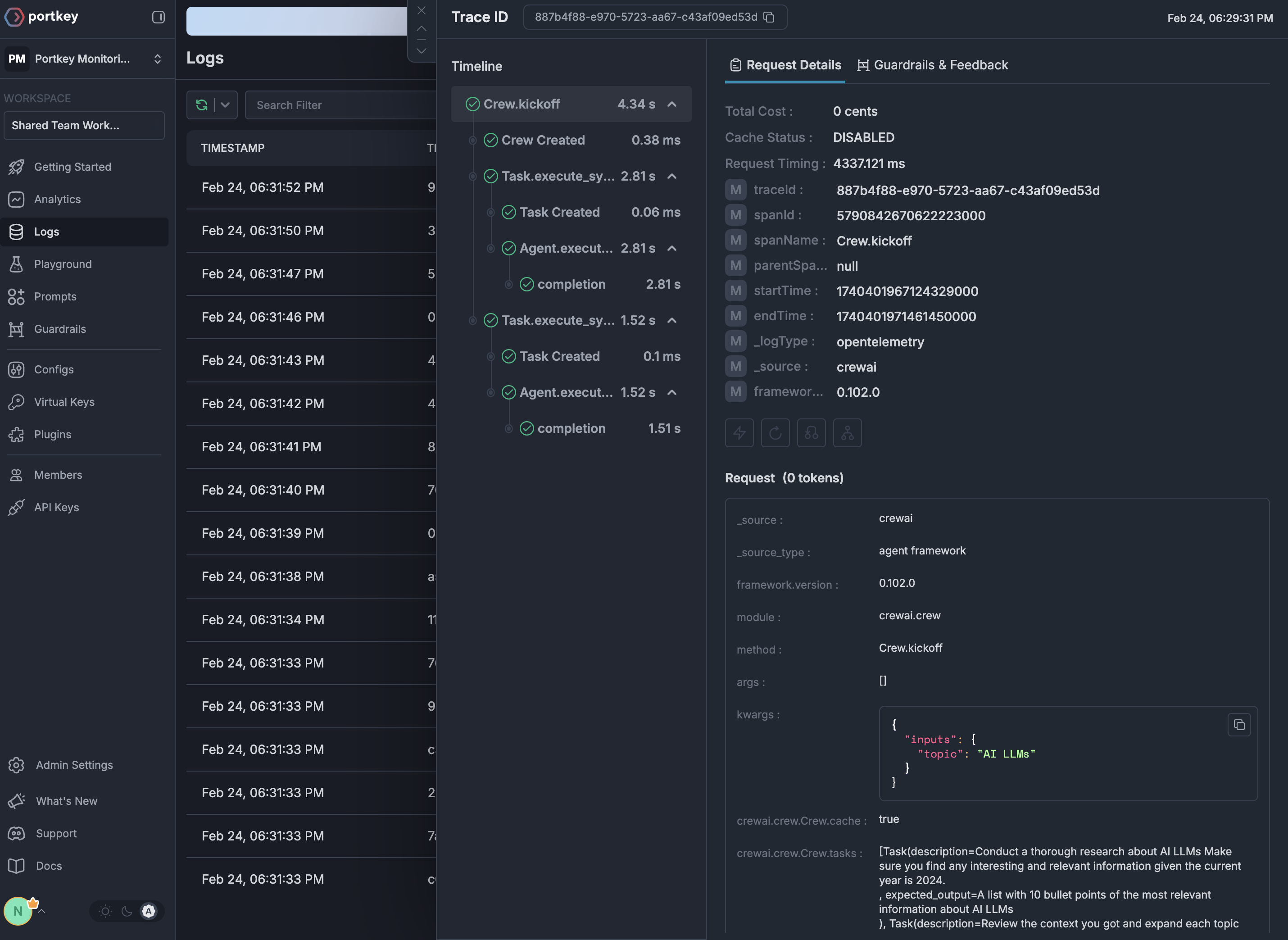
See Your Traces in Action
Once configured, navigate to the Strata Cloud Manager to see your custom OpenTelemetry traces enhanced with gateway intelligence: