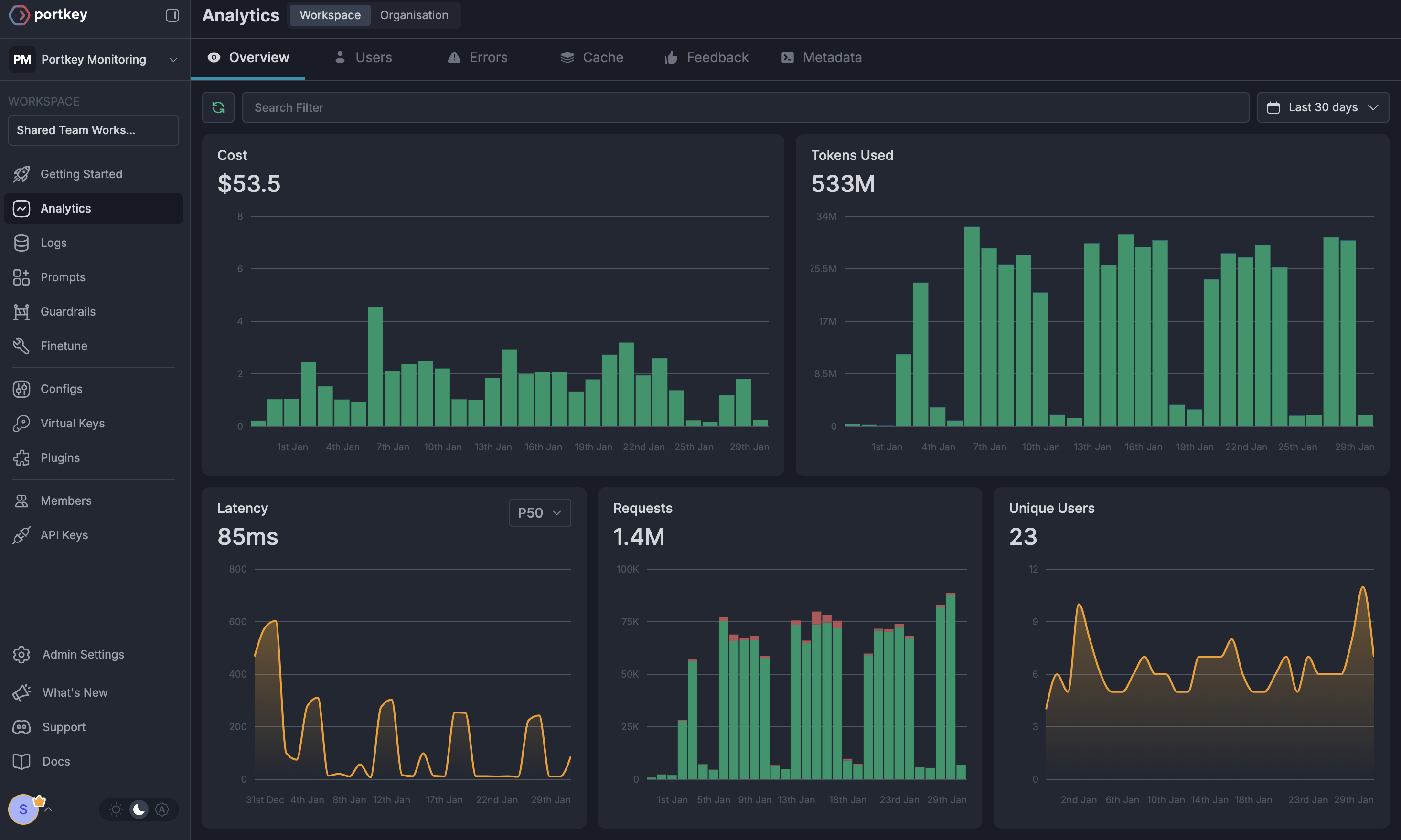
Screenshots on this page show the previous product branding and navigation. The workflow they
illustrate is current; the interface around it has since been rebranded to Prisma AIRS.
- Automatically trace all LLM requests through the AI Gateway
- Use the AI Gateway’s 3,000+ LLMs with HoneyHive observability
- Implement advanced features like caching, fallbacks, and load balancing
- Maintain detailed traces and analytics in both platforms
Quick Start Integration
HoneyHive automatically traces requests to popular LLM providers, making the integration with the AI Gateway seamless. Simply initialize HoneyHive and point your LLM clients to the AI Gateway.Installation
Basic Setup
HoneyHive automatically traces all requests to popular LLM providers, so you get observability data without additional configuration.
Using AI Gateway Features with HoneyHive
1. Trace Functions with @trace Decorator
Use HoneyHive’s@trace decorator to monitor specific functions:
2. Multiple Providers
Switch between 3,000+ LLMs while maintaining HoneyHive observability:- OpenAI
- Anthropic
3. Advanced Routing with Configs
Use the AI Gateway’s config system for advanced features while tracking in HoneyHive:4. Caching for Cost Optimization
Enable caching to reduce costs while maintaining full observability:5. Custom Metadata and Tracing
Add custom metadata visible in both HoneyHive and the AI Gateway:Fallbacks
Automatically switch to backup targets if the primary target fails.
Conditional Routing
Route requests to different targets based on specified conditions.
Load Balancing
Distribute requests across multiple targets based on defined weights.
Caching
Enable caching of responses to improve performance and reduce costs.
Smart Retries
Automatic retry handling with exponential backoff for failed requests
Budget Limits
Set and manage budget limits across teams and departments. Control costs with granular budget limits and usage tracking.
Observability Features
With this integration, you get:In HoneyHive:
- Automatic request/response tracing
- Function-level performance metrics
- Session-based analytics
- Custom event tracking
- Error monitoring and debugging
In the AI Gateway:
- Request logs with provider details
- Advanced analytics across providers
- Cost tracking and budgets
- Performance metrics
- Custom dashboards
- Token usage analytics